ÂÍÈÌÀÍÈÅ
НЕ ОТКРЫВАТЬ
5
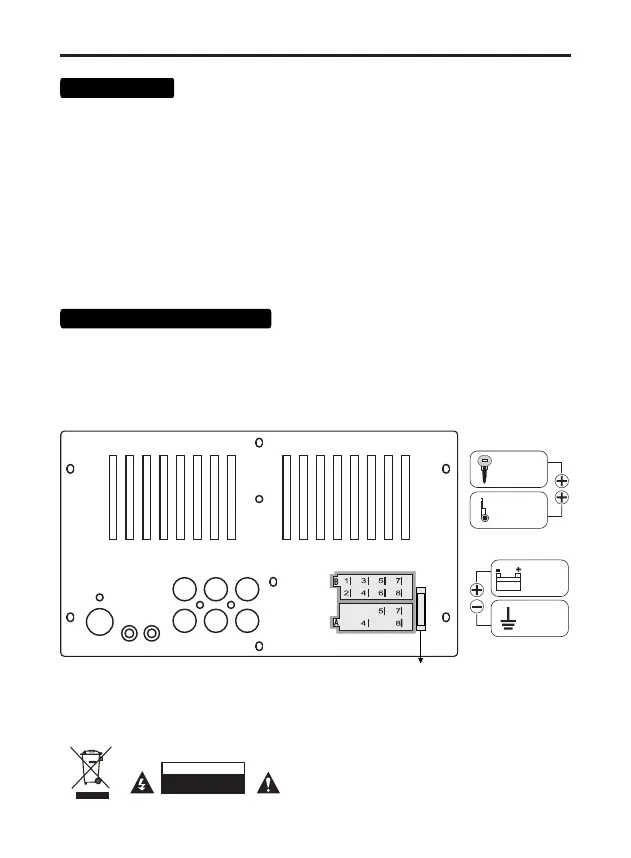
SUB FL RL
SUB FR RR
ANT
MIC SWC
15 A
B4 Right channel - (gray-black)
Front speakers
B3 Right channel + (gray)
B6 Left channel - (white-black)
B5 Left channel + (white)
B7 Left channel + (green)
Rear speakers
B2 Right channel - (purple-black)
B8 Left channel - (green-black)
B1 Right channel + (purple)
SWC - steering wheel control wired adapter input
(not included)
ANT - radio antenna connection input
(not included)
MIC - external microphone input (not included)
RED
ACC +12V
BLUE
control
wire
+12V
YELLOW
constant
power
+12V
BLACK
ground
MINUS
fuse
Connection
To avoid increased current consumption and unstable operation of the receiver, do not connect
the red wire (A5) to a constant +12 volt!
1. Make sure that the on-board voltage of your vehicle is +12 volts
4. Connect the red wire (A7) to the ACC terminal of the ignition switch.
6. Blue wire (A5) - connect to the amplifier's remote turn-on input or the antenna motor control
input
2. Remove the fuse from the device before connecting the wires.
5. Connect the black wire (A8) to the metal part of the car body.
Note: Each time the yellow wire is disconnected from the 12 volt power circuit or the battery
terminal is removed, the device will revert to factory settings.
3. Connect the yellow (A4) wire to the +12 Volt DC power circuit.
7. Connect the rest of the wires according to the diagram.
Mode 2 WAY (standard)
SUB - RCA subwoofer
FL - RCA front (left)
FR - RCA front (right)
RL - RCA rear (left)
RR - RCA rear (right)
Mode 3 WAY (network)
SUB - RCA subwoofer
FL - RCA mid-range speaker (left)
FR - RCA mid-range speaker (right)
RL - RCA tweeter (left)
RR - RCA tweeter (right)
Connecting RCA wires



 To Next Page