7
1
2
3
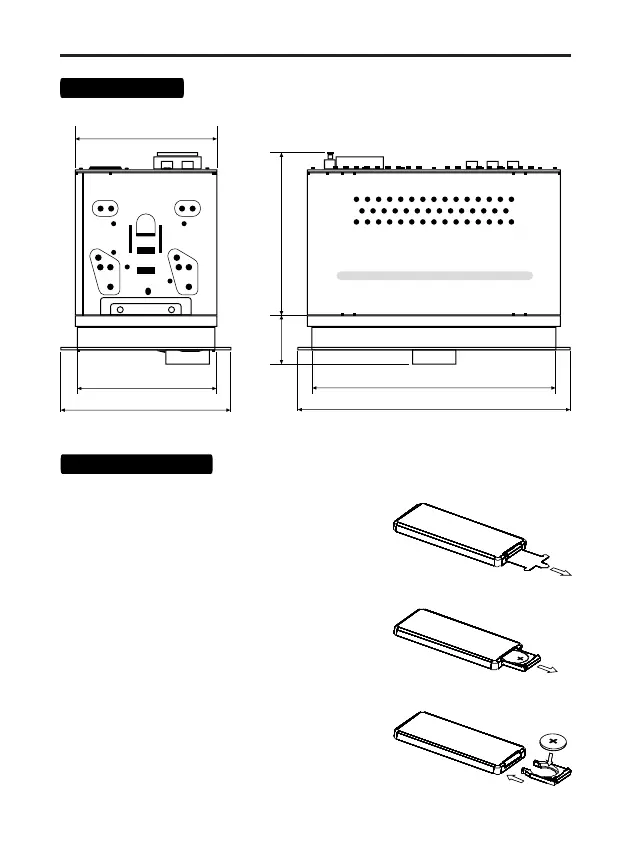
102.5MM
43.5MM
172MM
192MM
97MM
120MM
100MM
Overall sizes
Removing the battery protection (CR-2025).
Remote control supplied with battery protection.
The remote control will not work
until the protection is removed.
Battery replacement:
1. When the lithium battery has lost capacity,
replace it as shown in the figure.
2. Press and hold the release latch in the
direction of arrow 1.
At the same time, pull the compartment out
of the remote control in the direction of arrow 2.
3. Replace the old battery with a new one.
Observe polarity! Make sure the (+) is on top!
4. Insert the battery holder into the remote control.
Remote control



 To Next Page