Open the package and make sure that it contains:
1. USB / SD-receiver - 1 pc.
2. Keys for removing the receiver - 2 pcs.
3. Instruction
4
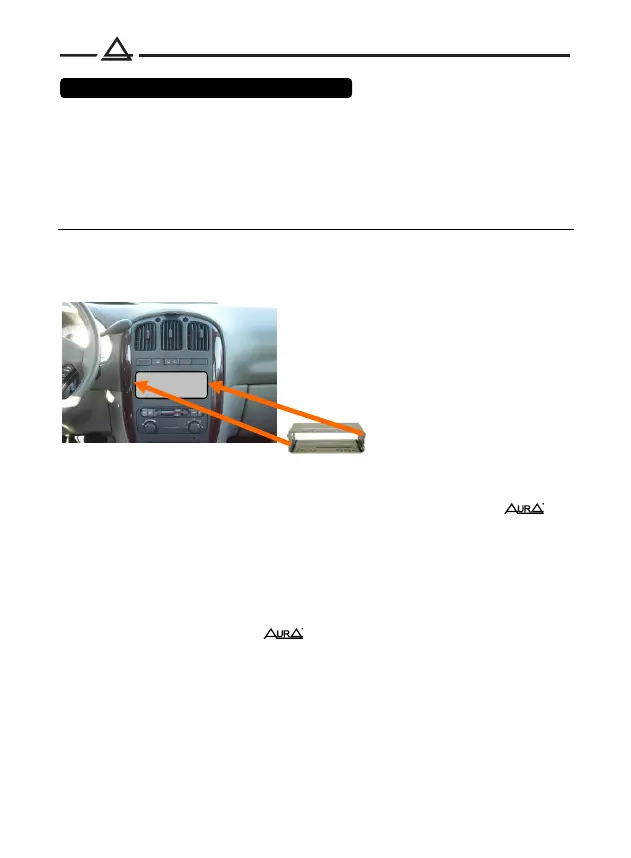
If the car has a standard 1DIN hole for installing the head unit, use it as
described below.
1DIN hole
2. Use a screwdriver to pry out the metal tabs on the mounting cover to lock it
in place.
3. Check electrical connections, ISO connector or individual wires (depending
on the equipment of the specific car model).
4. Connect the ISO connector to the device. And check the functionality of the
system before fixing it in the mounting box.
If necessary, use ISO adapters brand
5. Insert the device into the mounting cover and slide it inward until it clicks into
place.
1. Install the mounting cover into the 1DIN hole provided by the manufacturer. If
the standard place has a 2DIN size, use adapter frames and adapters
brand
Package bundle and installation



 To Next Page