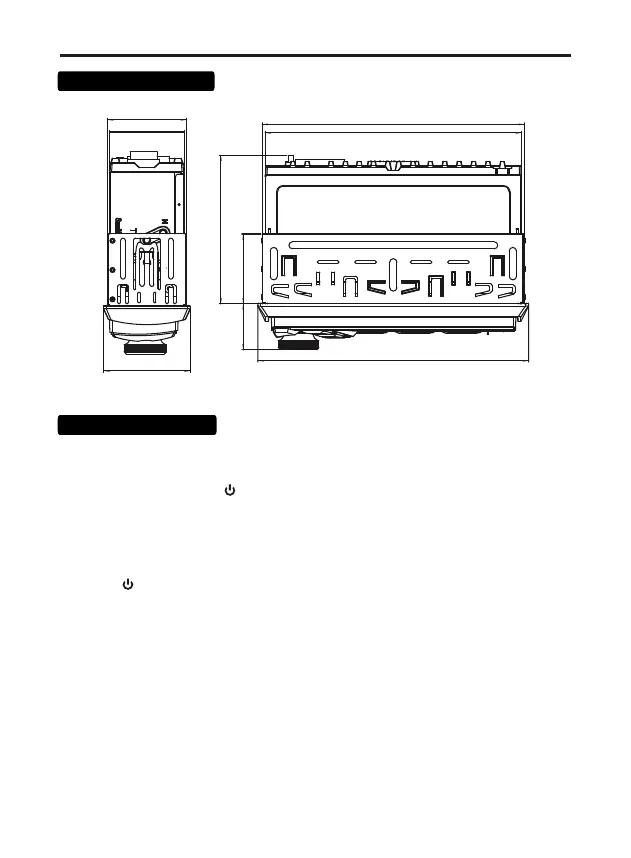
7
80
32,5 38
188
178
182
53
50
58
ON / OFF Power
Press any button to turn on the device.
Press and hold the button /SRC, to turn on the device.
Main operations
Source selection
Press the / SRC button to switch between sources
playback: Radio --> USB --> SD --> AUX in.
Volume control
Rotate the volume knob (3) to set the desired level.
Adjusting the sound parameters
Press the (3) SEL button on the front panel to select sound adjustment options.
The parameters are selected in the following sequence:
Volume -> BA (bass) -> TR (treble)-> B (left and right balance) ->
F (front and rear balance) -> EQ (select EQ preset EQ0 - EQ5) ->
L (LOUD - loudness) -> 12 / 24h ( clock format).
Turn the volume knob (3) to adjust the selected parameter.
Overall sizes,mm



 To Next Page