1
Waste electrical equipment should not be disposed of with your other household waste.
Please recycle it. Please contact your local authority for the required information.
The Directive WEEE 2012/19/EU on waste electrical and electronic equipment.
5. Do not disassemble the device yourself. This may void the warranty.
6. Do not use alcohol, solvents or gasoline for cleaning plastic parts and device. Use only dry soft cloth for
cleaning.
1. While installing the device, avoid places with high temperature, humidity, or dusty places.
2. Make sure that the device and especially its installation accessories are out of the reach of children.
3. Do not drop the device and make sure do not hit it, as this may damage it.
This user manual contains important safety advice and information on the correct use of the device. Please
follow all instructions in this manual carefully.
4. The manufacturer will not be held liable for any loss of data caused by device damage, repairs or any other
reason.
The manufacturer does not accept any responsibility for the use of this manual and decisions
based on its use.
Àâòîðñêèå ïðàâà
is a registered trademark.
All brand and product names used in this document are trademarks or registered trademarks of
their respective companies. Trademarks and product names are used for editorial purposes only
and for the benefit of such companies only.
In order to improve product quality, product specifications and features are subject to change
without notice.
www.aurael.ru
All rights reserved. This document, in whole or in part, may not be reproduced or copied without
the prior written permission of the manufacturer.
6
Precautions
Playback control from USB device and micro SD memory card.
Press 5 / -10 button on the front panel to go back 10 songs. Press the 6 / + 10 button to go forward 10
songs. The display will show in rotation the song number and related information.
Fast forward / reverse playback
Play/Pause
Press the ►►I button to skip to the next song and press the I◄◄ button to play the previous song. The
display will show the song number and related information.
To fast reverse or fast forward, press and hold the ►►I or I◄◄ button, respectively.
Song selection
Scanning Songs on Media
Press the 2/INT button on the front panel of the device to scan all tracks on the media. The first 10
seconds of each song on the media will play in sequence. Press the button again to resume normal
playback.
Repeat
Press the 3/RPT button on the front panel of the device in sequence to select the repeat play mode.
Modes are selected in the following order: Song repeat / Directory repeat / Repeat off (depending on the
format of the media used).
To temporarily stop playback, press the ►II button on the front panel of the device; press the button again
to resume playback.
Note: If a Micro SD card is inserted and a USB device is connected at the same time, the playback mode
will switch to the media that was inserted last. Playback will start automatically from the first song on the
media. For the most efficient system operation, wait until the device has finished reading information from
the media before taking any actions.
Insert a micro SD card into the slot on the device or connect USB device to the USB port. The playback
mode will automatically switch to the connected USB device or inserted Micro SD card.

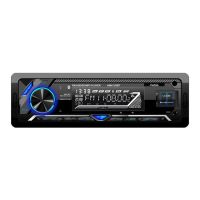

 To Next Page
 Loading...