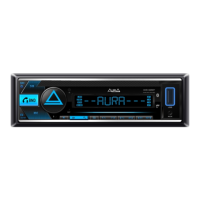
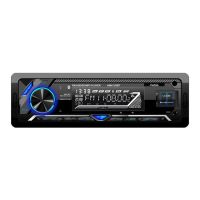
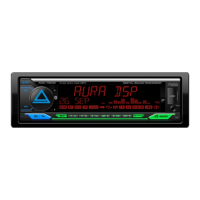
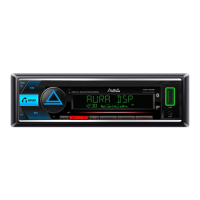
This document serves as the owner's manual for the AURA AMH-520BT car Bluetooth/USB receiver, providing comprehensive instructions for its installation, operation, and maintenance. It emphasizes safety precautions, details the device's various functions, and explains how to use its remote control and smartphone application.
Function Description
The AURA AMH-520BT is a versatile car receiver designed to enhance your in-car audio experience. Its primary functions include:
- Radio Reception: The device supports FM radio bands (FM1, FM2, FM3) with features for automatic and manual station searching, as well as the ability to save and recall up to 18 preset radio stations. It also offers settings for local search, mono mode, and regional broadcasting selection.
- USB Playback: It can play MP3 and FLAC audio files from USB storage devices connected to the front USB port. The USB port also provides a charging function for mobile devices with a current of 1A.
- Bluetooth Connectivity: The AMH-520BT features Bluetooth A2DP audio transmission protocol, allowing you to pair your mobile device for wireless music streaming and hands-free calling. It supports profiles such as A2DP, AVRCP, and HFP.
- AUX Input: A 3.5mm jack on the front panel allows for connection of external audio sources using an optional AurA AUX cable.
- Audio Control: The device offers extensive audio customization options, including a 10-band equalizer with manual adjustment and preset modes (User, Flat, Classic, Rock, Pop, Jazz, Country). It also includes X-Bass for bass boost, Loudness control, Subwoofer on/off, Fader for front/back speaker balance, and Balance for left/right channel balance.
- Display and Illumination: The LCD display shows various information, and the RGB backlight color can be customized (Red, Pink, Purple, Blue, or a custom highlight color). It also has a "Variable" mode for automatic color changes.
- Phone App Integration: Most device settings and controls are accessible via the AurA mobile application, available for Android and iOS, allowing smartphone control of the receiver.
Usage Features
The AMH-520BT is designed for intuitive operation, both through its front panel controls and a supplied remote control.
- Power On/Off and Source Selection: The device can be turned on by pressing any button or by pressing and holding the SRC button. The SRC button also cycles through playback sources: Radio, USB, micro SD, AUX In, and Bluetooth.
- Volume Control: A rotary knob on the front panel adjusts the volume. This knob also serves as a selector and confirmation button within the settings menu.
- Track and Station Navigation: Dedicated buttons allow for skipping tracks (next/previous), fast forwarding/rewinding, and radio tuning (up/down).
- Call Management: The device supports receiving and ending calls, as well as calling the last dialed number and activating voice assistants (like Siri) via the dedicated call button. During a call, the audio signal can be transferred between the phone and the speakerphone.
- Playback Modes: For USB playback, features include track scanning (playing 10 seconds of each track), repeat modes (RPT FLD for current folder, RPT ALL for all files, RPT ONE for current file), and shuffle mode.
- Settings Menu: Access the settings menu by pressing the volume knob button. Rotate the knob to navigate through sections like AUDIO, DISPLAY, TUNER, CLOCK, BEEP, ANIMATION, and DEMO MODE. Press the knob again to select a section.
- Display Options: The DISP button allows changing the type of information shown on the display or turning off the display entirely.
- Reset Function: A dedicated reset button (RST) restores the device to factory settings.
- Remote Control: The included remote control mirrors most of the front panel functions, offering convenient operation from a distance. It requires a CR-2025 battery, and a protective tab must be removed before first use.
- Bluetooth Pairing: To pair a phone, enable Bluetooth on your mobile device, search for "AMH-520BT," and connect using PIN 1234. A steady "BT" indicator on the display confirms a successful connection.
- Smartphone App: Install the AurA app from your device's app store, connect your smartphone to the receiver via Bluetooth, and then launch the app to control the receiver's functions and settings.
Maintenance Features
Proper care ensures the longevity and optimal performance of your AMH-520BT receiver.
- Installation: The manual provides detailed instructions for installing the device into a standard 1DIN car slot. It recommends using adapter frames for 2DIN slots and AurA brand ISO adapters if needed. Always check electrical connections before final installation.
- Electrical Connections: The device operates on a 12-volt negative-grounded electrical system. It's crucial to connect the wires according to the provided diagram, ensuring the yellow wire (constant +12V), red wire (ACC +12V), and black wire (ground) are correctly attached. Disconnecting the yellow wire or battery terminal will reset the device to factory settings.
- Cleaning: Use only a dry, soft cloth for cleaning plastic parts and the device. Avoid using alcohol, solvents, or gasoline, as these can damage the unit.
- Environmental Precautions: Avoid installing the device in areas with high temperatures, humidity, or excessive dust. Keep the device and its accessories out of reach of children.
- Physical Handling: Do not drop or hit the device, as this can cause damage.
- Disassembly: Do not attempt to disassemble the device yourself, as this may void the warranty.
- Battery Replacement (Remote Control): The remote control uses a CR-2025 lithium battery. When replacing, press and hold the latch, pull out the holder, replace the old battery with a new one (observing polarity, with the (+) side up), and reinsert the holder.
- Waste Electrical and Electronic Equipment (WEEE) Directive: The device should not be disposed of with household waste. Recycle it according to local authority guidelines.
The manual emphasizes that product specifications and features are subject to change without notice, reflecting a commitment to continuous product improvement. The product service life is stated as 3 years.

 Need help?
 General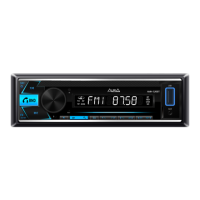

 To Next Page