EasyManua.ls Logo

Aura AMH-79DSP - User Manual

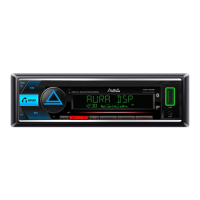
Aura AMH-79DSP
24 pages
Print Icon
To Next Page IconTo Next Page
Loading...
PLEASE READ CAREFULLY BEFORE USING
AMH-79DSP
DSP BLUETOOTH / USB / FM RECEIVER
USER MANUAL
DSP
4x51W
MAX POWER
Question and Answer IconNeed help?

Do you have a question about the Aura AMH-79DSP and is the answer not in the manual?

Summary

Copyright and Legal Notices

Copyright Statement

Details registered trademarks and reproduction restrictions for the document.

Disposal Guidelines

Guidance on proper disposal of electrical equipment according to WEEE directive.

Important Product Notes

Information on illustration differences and potential product changes without notice.

Service Life Definition

Defines the legal service life of the device and its relation to actual usage.

Safety Precautions

Installation Environment and Child Safety

Avoid hazardous environments and keep devices away from children.

Handling, Cleaning, and Liquid Contact

Guidelines for safe handling, proper cleaning, and avoiding liquid exposure.

Electrical Compatibility and Manufacturer Liability

Ensuring correct voltage usage and understanding manufacturer liability limits.

Package Contents and Device Installation

Package Contents List

Lists all items included in the product package.

Mounting Casing and Wiring

Steps for installing the mounting casing and checking wiring connections.

Device Insertion and Alternative Mounting

Procedure for inserting the device and notes on alternative mounting methods.

Power and Speaker Connectivity

Power Wire Connections

Detailed steps for connecting the device's power wires correctly.

Speaker and RCA Cable Setup

Configuration for connecting speakers and RCA cables in 2-WAY and 3-WAY modes.

System ACC Configuration Note

Important note regarding the 'CAR ACC' setting for stable operation.

Front Panel Controls Overview

Numbered Button Functions

Detailed explanation of each button's function on the device's front panel.

Device Dimensions and Remote Control Battery

Physical Size Specifications

Technical drawings illustrating the physical dimensions of the device.

Remote Battery Replacement Guide

Instructions for removing protective plastic and replacing the remote control battery.

Remote Control Operations

Remote Control Button Functions

Detailed explanation of each button's function on the remote control.

Optimal Remote Usage Guidelines

Tips for effective remote control use, including aiming and distance.

Basic Operations and Audio Configuration

Power, Volume, and Source Selection

Instructions for powering the device, adjusting volume, and switching audio sources.

Settings Menu Navigation

Guide to accessing and navigating through the device's settings menu.

Audio Settings and EQ Customization

Details on configuring sound settings, including crossover and custom EQ adjustments.

Advanced Audio Settings: EQ and Crossover (2-WAY)

Subwoofer, Fader, Balance, and Volume Limits

Configuration options for subwoofer, fader, balance, volume limit, and power-on volume.

Crossover (X-OVER) Configuration

Setting high-pass and low-pass filters for various speaker components.

2-WAY Speaker Filter Settings

Detailed filter settings for tweeters, front HPF, rear HPF, and subwoofer LPF.

Advanced Audio Settings: Crossover (3-WAY) and DTA

3-WAY Speaker Filter Settings

Filter configurations for tweeters, mid-range, and woofers in 3-WAY mode.

Crossover Reset Function

Option to reset all crossover settings to their default values.

Delay Time Alignment (DTA) Introduction

Overview of setting signal time delays for optimal sound staging.

DTA Settings for 2-WAY Listening Positions

Selection of listening positions for DTA setup in 2-WAY configurations.

Delay Time Alignment (DTA) Details

DTA Settings for 2-WAY Channels

Specific delay and gain values for front, rear, and subwoofer channels in 2-WAY mode.

DTA Settings for 3-WAY Channels

Specific delay and gain values for MF/LF, HF, and subwoofer channels in 3-WAY mode.

DTA System Configuration Options

Options for DTA reset, unit selection (cm/ms), and car type.

DSP Presets and Display Settings

Saving and Recalling DSP Presets

Instructions for saving and recalling up to 6 custom EQ, delay, and crossover settings.

Display Customization Options

Settings for color selection, spectrum display, and backlight dimming.

Radio Function Settings

Local Seek and Stereo Mode

Enabling local search and stereo mode for enhanced radio reception.

Radio Tuning Features

Regional Broadcasts and RDS

Settings for broadcast region selection and RDS text messaging system.

Traffic Announcements and Radio Text

Enabling traffic announcements and displaying radio text information.

Program Type Search

Function to search for radio stations by program type.

Bluetooth and System Setup

Bluetooth Pairing and PIN

Instructions for pairing a Bluetooth device and editing the PIN code.

Microphone Gain and Language

Adjusting microphone level and selecting the menu display language.

Clock and Data Settings

Configuration for clock format, adjustment, data format, and time synchronization.

System Options and Radio Management

System Configuration (Beep, AUX, ACC)

Settings for button sound, AUX input, ignition lock type, and demo mode.

Software Version and Overheat Protection

Viewing software version and understanding overheat protection thresholds.

Storing and Recalling Radio Stations

How to save and retrieve favorite radio stations using preset buttons.

Radio Band Selection and Search

Selecting radio bands (FM/AM) and performing automatic station searches.

Radio Search and USB Media Playback

Automatic and Manual Radio Tuning

Procedures for automatic station search and manual frequency step tuning.

USB Device Connection and Charging

Connecting USB storage, automatic playback, and mobile device charging.

USB Track and Folder Navigation

Switching tracks, rewinding, play/pause, scanning, repeat, and random play modes.

USB File Control and Bluetooth Communication

USB Folder and Track Switching

Methods for switching source folders and navigating tracks backward or forward.

Bluetooth Phone Pairing Procedure

Step-by-step instructions for pairing a mobile phone with the receiver.

Bluetooth Call Handling and Volume

Managing calls, switching audio, and adjusting volume during Bluetooth use.

Bluetooth Music, AUX Input, and App Control

Bluetooth Music Streaming (A2 DP)

Playing music from a paired mobile device via Bluetooth audio transmission.

AUX Input and System Reset

Connecting external sources via AUX and resetting the device to factory settings.

Software Update and Phone App Usage

Information on firmware updates and controlling the receiver via a smartphone app.

Steering Wheel Control Setup (Wiring)

Wiring for Steering Wheel Controls

Details on connecting steering wheel control wires to the adapter cable.

Steering Wheel Control Setup (Programming)

Button Setup Procedure

Step-by-step guide to program steering wheel buttons to control head unit functions.

Programming Functionality and Disabling

Information on available programming functions and how to disable them.

Technical Specifications

General and Power Specifications

Details on operating voltage, fuse, output power, impedance, and dimensions.

USB and Bluetooth Specifications

Technical details for USB compatibility, file systems, and Bluetooth version/profiles.

Radio, AUX, and DSP Details

Specifications for radio tuning, AUX input level, and DSP crossover/equalizer.

Warranty Service Terms and Conditions

Warranty Coverage and Period

Details the warranty period, conditions, and manufacturer's obligations.

Conditions Voiding Warranty

Lists situations and conditions that will void the product warranty.

Dispute Resolution and Exclusions

Explains dispute resolution, parts not covered, and exclusion of industrial use.

Overview

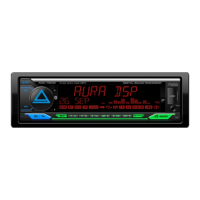
The AURA AMH-79DSP is a versatile car audio receiver featuring DSP (Digital Sound Processor), Bluetooth, USB, and FM radio capabilities. Designed for a 12-volt electrical system with negative grounding, it offers a comprehensive suite of audio adjustments and connectivity options for an enhanced in-car listening experience.

Function Description

The AMH-79DSP serves as a central hub for in-car entertainment and audio control. Its primary functions include:
  • Audio Playback: Supports various sources including FM radio, USB media (FLAC, WAV, APE, AAC, MP3 formats), Bluetooth audio streaming (A2DP), and an AUX input.
  • Digital Sound Processing (DSP): Offers advanced audio customization with a 24-band equalizer, crossover settings (2-WAY or 3-WAY modes), time alignment (DTA), bass boost, and loudness control.
  • Bluetooth Connectivity: Enables hands-free calling (HFP) and audio streaming (A2DP) from mobile devices. Features include phone pairing, outgoing/incoming call management, last dialed number recall, Siri activation, and switching between phone and speakerphone audio.
  • USB Port: Allows playback from USB storage devices (up to 64 GB, FAT16/FAT32 file systems) and supports charging mobile devices.
  • Radio Tuner: Provides FM (87.5-108.0 MHz), VHF (65-74 MHz), and AM (522-1620 kHz) reception with automatic and manual station search, local seek, stereo/mono settings, and RDS (Radio Data System) features like text messaging, traffic announcements (TA), alternative frequencies (AF), enhanced other networks (EON), radio text, and program type (PTY) search.
  • User Interface: Features an LCD display, a rotary volume control, and a set of buttons for navigation, source selection, track control, and menu access. An IR receiver allows control via the included remote.
  • Steering Wheel Control (SWC): Programmable to integrate with resistive steering wheel control buttons, offering convenient operation without taking hands off the wheel.
  • Mobile App Control: Most device settings can be controlled via the AURA Audio mobile app available for Android and iOS, connecting via Bluetooth.
  • System Settings: Includes options for button sound (beep), AUX input enable/disable, car ACC ignition lock type, display animation, demo mode, factory reset, and software version display.

Important Technical Specifications

  • Power Output: Maximum 4 x 51 W (4 ohms), Rated 4 x 16 W (4 ohms).
  • Operating Voltage: 12 V (allowable limits 9.6 - 15 V).
  • Fuse: 15 A.
  • Speaker Impedance: 4-8 ohm.
  • Frequency Response: 20 Hz - 20 kHz.
  • RCA Output: 6-channel (3 pairs), up to 3.5 V.
  • USB Support: USB 2.0 / 3.0, up to 64 Gb, FAT16/FAT32 file systems.
  • Bluetooth Version: 4.2.
  • Bluetooth Profiles: A2DP, AVRCP, HFP.
  • Bluetooth Frequency: 2.4 GHz.
  • Radio Tuning Memory: 18 FM, 12 AM.
  • DSP Equalizer: 24 bands, 45-20000 Hz, Gain -9dB to +9dB (0.1dB step).
  • DSP Time Delays: 0-25ms, 0-850cm.
  • Dimensions (W x D x H): 182 x 108 x 53 mm.
  • Operating Temperature: 0°C to +60°C.
  • Humidity: 45% to 80%.
  • Overheat Protection: 90°/100°/110°.

Usage Features

  • DSP Settings: The device offers extensive DSP capabilities. Users can select between 2-WAY (regular) and 3-WAY (network) crossover configurations, each with specific settings for tweeters, mid-range speakers, and subwoofers. This includes frequency selection (FRQ), slope (SLOPE), phase (PHASE), and gain (GAIN) adjustments. The 24-band equalizer allows fine-tuning of audio frequencies. Time alignment (DTA) enables per-channel delay settings, crucial for optimizing sound staging based on speaker distances. Presets like Natural, Rock, Pop, Easy, Top 40, JAZZ, and Powerfull are available for quick EQ changes.
  • Saving DSP Presets: Up to 6 independent DSP settings (EQ, delay, crossover) can be saved and quickly recalled using the preset buttons. This is particularly useful for different music genres or listening preferences.
  • Volume Control: A rotary knob controls the volume, and a volume limit can be set (3-40 units) to prevent excessively loud playback. The "Power on vol." setting allows defining the initial volume level when the receiver is turned on.
  • Source Selection: Easily switch between Radio, USB, AUX, and Bluetooth sources using the SRC button.
  • Radio Operations: Automatic search and storage of stations (AMS) can store 18 FM and 12 AM stations. Manual tuning is also available. RDS features provide additional information and functionality where supported.
  • USB Playback: Supports various audio formats. Users can switch tracks, rewind/fast forward, play/pause, scan tracks (10 seconds per track), and choose repeat modes (folder, one, all) or random play.
  • Bluetooth Hands-Free: After pairing with a mobile device (PIN: 1234), the receiver supports hands-free calls, displaying caller ID, and allowing call reception, rejection, and ending. It also enables calling the last dialed number and activating voice assistants like Siri.
  • Steering Wheel Control Programming: For cars with resistive SWC buttons, the device can be programmed to map functions to these buttons. This involves entering the SWC menu, enabling the function, and then assigning head unit functions to the steering wheel buttons.
  • Display Customization: Users can select the RGB backlight color, enable/disable the frequency spectrum display, and configure dimmer settings (on/off, timer).
  • Software Updates: Firmware updates are available to improve performance and add new features, accessible via the manufacturer's website.

Maintenance Features

  • Cleaning: Use only a dry, soft fabric to clean plastic parts and the display. Avoid alcohol, solvents, or gasoline.
  • Battery Replacement (Remote Control): The remote control uses a CR-2025 lithium battery. Instructions are provided for safely replacing the battery, emphasizing correct polarity.
  • Factory Reset: A dedicated RST button allows resetting the device to its factory settings, which can be useful for troubleshooting or clearing all custom configurations.
  • Overheat Protection: The device includes overheat protection, automatically adjusting operation at 90°, 100°, and 110° Celsius to prevent damage.
  • Installation Precautions: Proper installation is crucial for device longevity and safety. This includes avoiding high temperatures, humidity, and dust, ensuring secure mounting, and connecting to a 12-volt negative grounding system. Incorrect wiring, especially for the ACC line, can lead to unstable operation or damage.
  • Warranty: The device comes with a 3-year service life and a 1-year warranty from the date of sale, covering defects due to materials or workmanship. The warranty is voided by water damage, incorrect installation, unauthorized modifications, or an incomplete/missing warranty card. Parts with limited life (batteries, fuses) are not covered.

Aura AMH-79DSP Specifications

General IconGeneral
BrandAura
ModelAMH-79DSP
CategoryReceiver
LanguageEnglish

Related product manuals