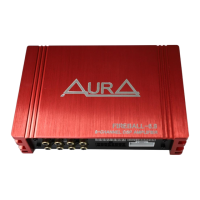
◆ AurA FIREBALL series amplifiers have safety features to prevent any damage from improper
connection or use.
◆ In case of overheating, short circuit of speaker wires or excess operating voltage, the protection
indicator will light up and the system will be turned off immediately.
◆ To identify the problem, set the GAIN control to the far left and turn off the power.
Check that all cables are connected correctly and that there are no short circuits.
◆ If the amplifier shuts down due to overheating, wait until the temperature drops.
The amplifier will automatically turn on after it has cooled down.
◆ Before removing the amplifier, review the list below and follow the suggested procedures.
No sound
◆ Please check all connections, cable routing and voltage.
◆ Please check the fuses. If they are burnt out, replace them with new ones.
◆ Please test the speakers by connecting them to a known working amplifier.
Distortion and background noise
◆ Adjust the input level and test the speakers on a known working amplifier.
Replace failed speakers with new ones.
◆ Check the RCA cable. Replace the damaged cable with a new one.
◆ Engine noise is caused by poor grounding of the amplifiers, head unit, and other system
components such as the alternator. Check all grounding points.
No low frequencies (anti-phase)
◆ Please check the speaker wire connections. Change polarity.
TROUBLESHOOTING
5



 To Next Page