9
z Analog Outputs
When using as pre-amplifier, TAURUS will provide high level, low distortion audio signal to
your power amplifier though its analog outputs. In STD mode, both RCA and XLR outputs
are connected together with XLR’s pin 2 as hot; in BAL mode, only XLR outputs are active
with a maximum output level at 36Vrms. AURALiC recommended you only connecting
RCA or XLR outputs at the same time for best sonic performance.
Operation
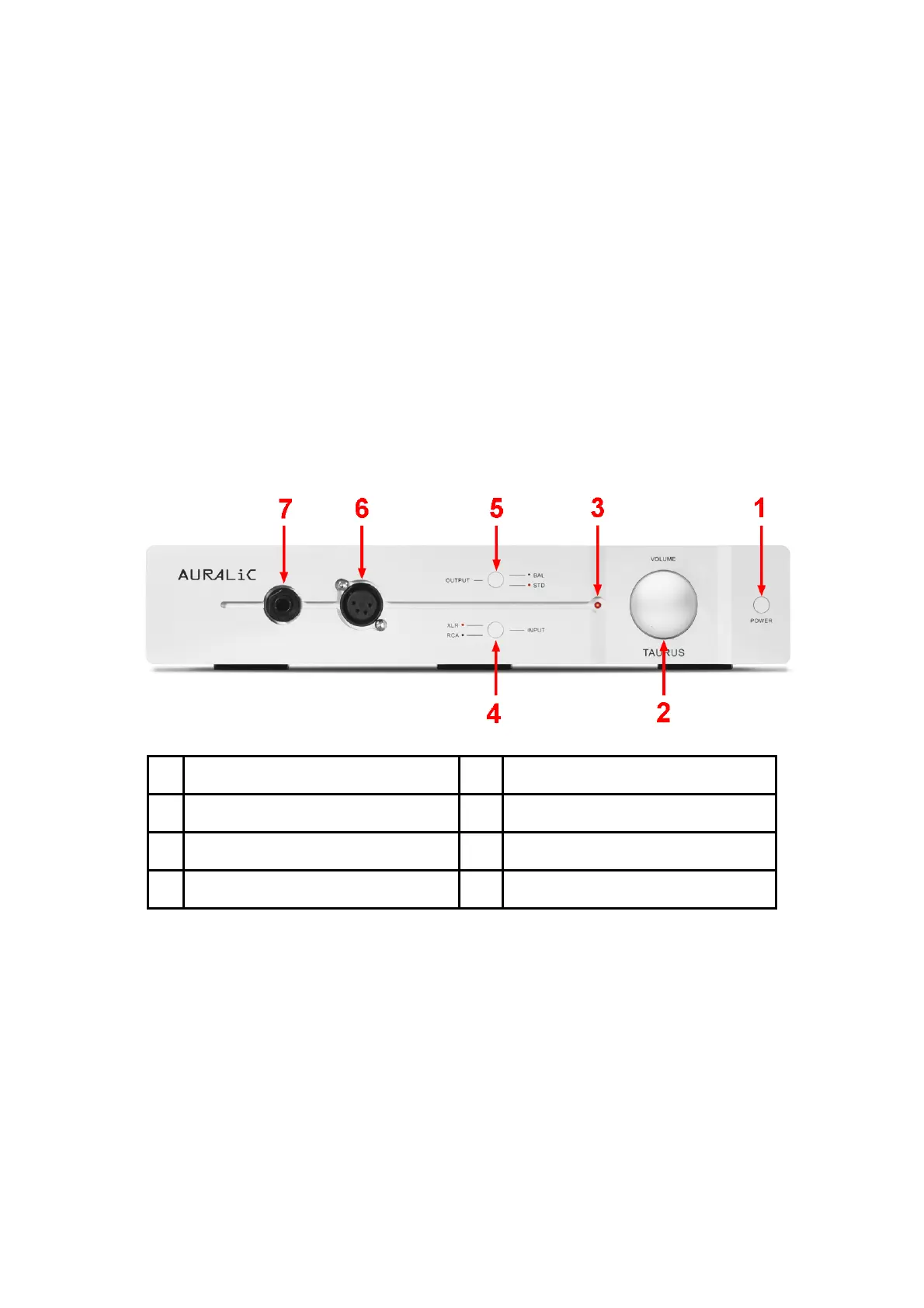
The front panel of TAURUS is shown as following:
1 Power Switch 2 Volume Control Knob
3 Power LED 4 Input Control Switch
5 Output Control Switch 6 4PIN Balanced Headphone Jack
7 6.35mm Stereo Headphone Jack
Power On/Off
As soon as you have plugged the power cord, TAURUS will be in deep standby mode with
power dissipation at about 0.1 Watt, you can power on and off the unit by pressing the
tactile switch ‘POWER’ on the from panel.
The Power LED indicates current work status of TAURUS:
z LED off: Power off
z LED light: Ready to work



 To Next Page