RESET - Unpairing all devices paired with the
AURATON RT receiver
Signaling of operation and receipt of data packets
Unpairing of the controller and the RT receiver
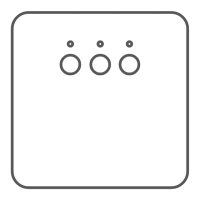
In order to unpair all devices paired with the AURATON RT receiver, simultaneously press
and hold both the pairing and the unpairing buon ( and ) for at least 5 seconds,
unl the LED diode starts blinking green and red alternately. Then release both buons.
Sound signal: when the buon is pressed, a short sound signal is emied, followed by
another short signal 5 seconds later.
Successful compleon of unpairing of all devices is signalized aer about 2 seconds by the
diode color changing to green and then switching o for a short me.
Each recepon of radio transmission from a paired device is indicated by the AURATON RT
receiver by a momentary change of the color of the LED diodes. Aer the relay becomes
acvated, the LED diode is red and aer it is switched o - it is green.
In the event of an unpairing error, steps 1 and 2 must be repeated. If more errors occur,
all devices must be unpaired (see „RESET - Unpairing all devices paired with the AURATON
RT receiver”).
NOTE: If the power supply of the AURATON RT receiver is switched o and then switched
on aer the RESET, the receiver automacally goes into the “pairing” mode for 120
seconds. A newly purchased (separately from the controller) AURATON RT receiver acts
in the same way if it has no factory-paired devices.
NOTE: When any buon is pressed, a short sound signal is emied.
The AURATON RT receiver waits for unpairing of the device for 120 seconds. Aer this
period, it automacally returns to normal operaon.
1. On the AURATON R25 RT, the buon must be pressed for 5 seconds unl the
transmission symbol ( ) is illuminated on the display. Release the buon.
2. Successful unpairing is indicated by the LED diode on the AURATON RT receiver no
longer blinking red, emission of a single sound signal, and the receiver switching to
normal operaon.


 To Next Page
 Loading...