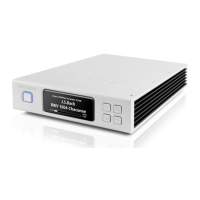
1. On/Off
With the AC switch on the rear in the ON position, simply press and release the front
panel On/Off button to turn the Aurender on or off. The surrounding LED light will
pulse while the unit is starting up or shutting down, and it will stop pulsing when
fully turned on or off. Pressing and holding the On/Off button will trigger a forced
shut down and this should be avoided. More information on proper shut down
procedure is found here:
What is the proper way to shut down my Aurender?
2. Wide Front LCD Display
Front panel display preferences can be adjusted in the Conductor app in the "Front
Display" section of the Settings menu. The display will automatically go dim after no
playback or other activity has occurred for a period of 3 minutes.
3. Volume Knob
Manually adjust the DAC-level volume control. A30 Volume control can be
configured or disabled in the Advanced 2 section of the Settings Menu in the
Conductor app.
4. Input Selection
Press and release the button to toggle inputs: A200 INTERNAL PLAYER, COAXIAL,
OPTICAL.
5. IR Receiver eye
IR signal from the included remote control are received by the IR receiver eye.
6. Display Menu
Press the Display Menu button to cycle through various display options including
Song Information, Ripping Menu, and Playlist Menu. Playlists may be selected and
played using the four buttons on the right side of the front panel display. Use the
Previous (9) and Next (11) buttons to scroll between playlists. Use the Play/Pause
(10) button to select a playlist. After the playlist is selected, press the Play/Pause
button again to start playback.
7. Previous track
Press to skip to the previous track.
8. Play/Pause
Press to start or stop playback. Press and hold for 8 seconds to manually engage
Remote Support mode for technical support. More info on Remote Support mode
here:
How can I contact Aurender Technical Support?
9. Play Next
Press to skip to the next track.
Rear Panel


 To Next Page
 Loading...