56 GB/IE
Accessing stored data
Maximum temperatures
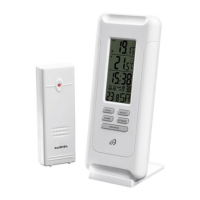
Press the MEM button
13
nagain and both temperature fields will show
22
and
23
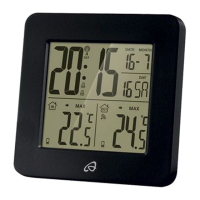
next to the temperature, and MAX next to the humidity. The
respective maximum indoor and outdoor value will be shown. Press
the MEM button twice and MIN will appear next to the temperature,
and the respective lowest indoor and outdoor value will be shown.
After 5 seconds the current values will again be displayed.
TIP: Min / Max Temperature are measured by all time since start
(after batteries inserted / power supply connected). To erase the
stored Min / Max Temperature, hold the MEM button for approx.
3 seconds.
Barometric pressure history
Repeatedly briefly pressing the SET-/HISTORY button
7
will display
the barometric pressure for the past 12 hours. The barometric pressure
field
25
next to the display of the barometric pressure the history in-
dicates
how many hours ago the barometric pressure being displayed was
current.
Manually activating signal reception
Activating DCF signal reception
Every night the main station synchronises the internal clock with the
DCF signal. However, you may also activate DCF reception manually.
To do so, press and hold the DOWN- /
button
9
for 3 seconds
until the radio tower symbol
flashes. Following successful reception
the radio tower symbol will be static. If reception fails, the radio tower
symbol
will disappear.


 To Next Page