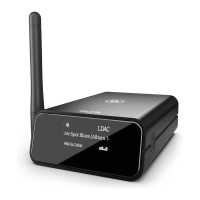
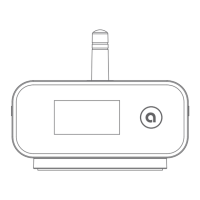
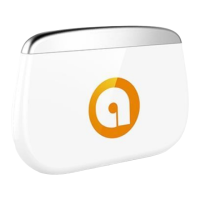
Try unpairing and repairing your device to bluMe Pro.
Power cycle bluMe Pro by disconnecting and reconnecting the power cable.
Check that your device’s OS is updated to the latest version.
When powered ON bluMe Pro automatically connects to the last paired
device. How to pair to a different smartphone / smart device.
Double Click the Power On/Off button when the device is ON to force
bluMe Pro to enter pairing mode.
Power OFF bluMe Pro.
Either Press & Hold the Power On/Off button for 2secs or simply disconnect the
power supply from the AC outlet.
How to factory reset bluMe Pro.
Perform a factory reset on bluMe Pro if you experience malfunction or freeze.
Power OFF bluMe Pro (keeping the device connected to the power supply)
Press & Hold the Power On/Off button for 10 secs until “Pairing” shows on
the display with a sound.
Note: This will also clear the pairing record/list from the device.
If you have any further queries please contact us on support@theauris.com
Bluetooth
®
Version Bluetooth v5.0
Supported Codecs LDAC, Qualcomm
®
aptX
™
HD, aptX
™
LL, aptX
™
,
AAC and SBC
Bluetooth Chipset Qualcomm CSR8675
Outputs Stereo Analog RCA
Digital Optical
Digital Coaxial
Bluetooth
®
Range 30 meters, 100 feet
D/A Converter
Digital Conversion Chip
ESS SABRE ES9028Q2M
Cirrus Logic CS8406
Power In DC 5V/1A
USB Port Type C
Screen 1.3 inch OLED, 128 x 64 pixels
Dynamic Range (DNR) 129dB
Total Harmonic Distortion -120dB
PCM Support 384kHz / 32bit
Enclosure Aluminum
Included Accessories 2RCA to 2RCA stereo audio cable
3.5mm to 2RCA splitter cable
Power adapter with detachable USB to USB-C cable
Self adhesive feet bumpers x 4
Quick Start Guide
TECHNICAL SPECIFICATIONS
1.34 inch (34 mm)
2.5 inches (75 mm)
4.37 inches (111 mm)
Weight: 8.47 oz (240 grams)
Dimensions Height 1.34 inches (34 mm)
Width 2.95 inches (75 mm)
Depth 4.37 inches (111 mm)
Weight 8.47 ounces (240 grams)
PRODUCT SAFETY
When used in the directed manner, this unit has been designed and
manufactured to ensure your personal safety. Improper use of this product
can result in potential electrical shock or fire hazards. Please read all safety
and operating instructions carefully before installation and use. Keep these
instructions handy for future reference.
Users of this product are cautioned not to make modifications or changes
that are not approved by Auris, Inc. Doing so may void the compliance of
this product and may result in the loss of the user’s authority to operate
the equipment.
CAUTION: To reduce the risk of electric shock
do not remove cover (or back).
No user-serviceable parts inside.
Refer servicing to qualified service personnel.
Keep product dry to avoid affecting the interior circuitry of the product.
Don’t put the product in direct sunlight or place in hot areas.
High temperature will shorten the life of electronic device.
Don’t expose to extreme temperatures, it may damage the internal
circuit board.
Don’t take the product apart or the warranty will be voided.
Don’t drop the product.
Don’t use chemical or detergent to clean the product.
Due to isolating characteristic of the product, do not use the product at
excessive volume while driving or in any other activity where failure to
hear surrounding sounds could be dangerous.
Using the product at excessive volumes may cause permanent hearing
damage. You can get the most out of your equipment and enjoy great
audio performance even at safe levels.
SAFETY INSTRUCTIONS
WARRANTY
Don’t worry. Your auris bluMe Pro is covered under our warranty.
For warranty information please visit:
https://theauris.com/pages/warranty
This device complies with Part 15 of the FCC Rules. Operation is subject
to the following two conditions:
(1) This device may not cause harmful interference, and
(2) This device must accept any interference received, including the
interference that can cause undesired operation.
Any changes or modifications to the device will void the user’s authority
to operate the device.
This device complies with FCC radiation exposure limits set for an
uncontrolled environnment. This device should be installed and operated
with minimum distance of 20cm between the radiator and the body.
FCC ID: 2ABCJAU07
www.theauris.com
support@theauris.com
Auris, Inc.
DE 19958, USA
© 2021 Auris, Inc. All Rights Reserved.
The Bluetooth
®
word mark and logos are registered trademarks owned by
Bluetooth SIG, Inc. Qualcomm is a trademark of Qualcomm Incorporated,
registered in the United States and other countries. aptX is a trademark of
Qualcomm Technologies International, Ltd., registered in the United States
and other countries. LDAC and LDAC logo are trademarks of Sony Corporation.
All other trademarks and logos are property of their respective owners.
Designed in the U.S.A. I Made in China.


 To Next Page
 Loading...