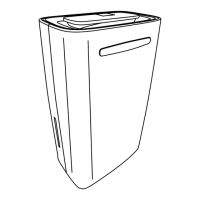
3.3 Emptying the water tank
There are two ways to empty the water tank: manual emptying or continuous emptying.
3.3.1 Manual emptying
1. Press the power button to turn off the product.
2. Remove the water tank from the product.
3. Discard the water.
• If necessary, clean the inside and outside of the water tank.
4. Place the water tank back into the product.
5. Press the power button to turn on the product.
6. If the indicator light indicating that the water tank is full is still on, check that you have
correctly reinserted the water tank and there are no blockages.
3.3.2 Continuous emptying
1. Place the product on a horizontal and stable surface.
2. Turn off the product.
3. Secure the drain hose in the designated hole and check that there are no obstructions.
4. Place the end of the drain hose in a well or bucket. Check that the water can ow through it
properly.
5. Do not immerse the end of the drain hose in water, this may cause air to become trapped
in the hose.
• Make sure the drain hose is pointing toward the ground.
• The drain hose should be tilted downward more than 20°.
• Make sure the hose is not bent or kinked.
3.4 Defrost function
• When the ambient temperature is above 5°C and below 10°C, the compressor stops after
30 minutes of continuous operation and will defrost for 10 minutes. During defrosting, the
power indicator will ash and the fan will operate on “high” position.
• If the ambient temperature is above 11°C and below 18°C, the compressor stops after 45
minutes of continuous operation and will defrost for 10 minutes. During defrosting, the
power indicator will ash and the fan will operate on position ‘high’.
• If the ambient temperature is above 18°C, the compressor does not need to defrost.
3.5 Turning on the drying function
1. Turn on the product by pressing the power button.
2. Press the mode button.
3. Wait until the top light above the mode button turns on.
4. The drying function is now activated
4. TROUBLESHOOTING
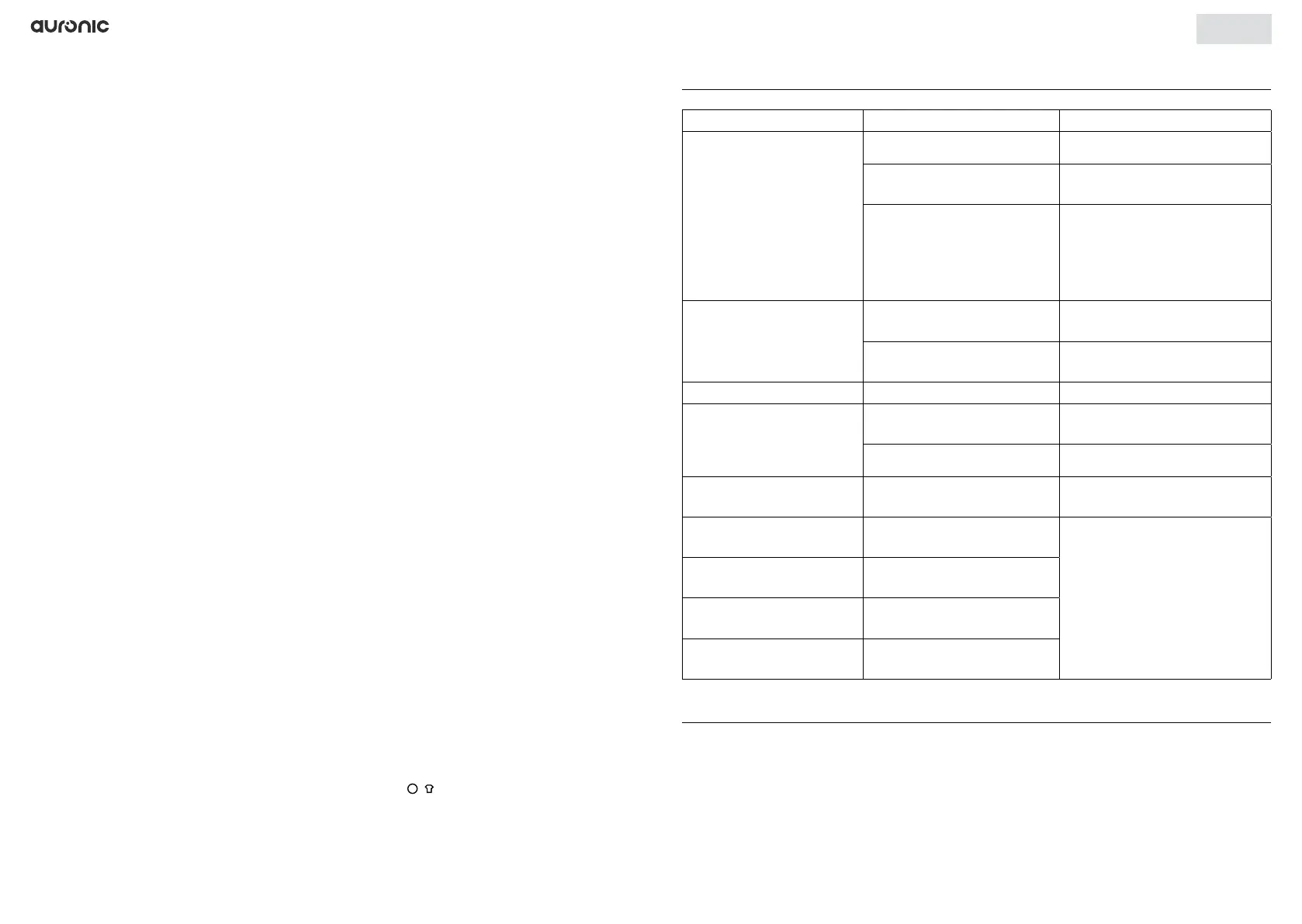
Problem Cause Solution
The product is not working.
No power. Plug into a working outlet.
The water tank is full.
Empty the water tank and
place it back in the product.
Ambient temperature is
below 5°C or above 35°C.
The product is protected
against overheating. The
product does not operate
outside the specied
temperature range.
The product is not working
properly.
The air grille is clogged.
Clean the air grille as indicated
in the manual.
The air inlet or outlet is
blocked.
Remove the blockage.
No air enters the product. The air grille is clogged. Wash the air grille.
The product makes a loud
noise when it is on.
The product is not on a
horizontal and level surface.
Place the product on a proper
surface.
The air grille is clogged. Wash the air grille.
E2 is shown on the display.
Problem with humidity
sensor
Replace the sensor.
LO is shown on the display.
The ambient humidity is
below 20%.
This is an indication. The
product turns off automatically.
HI is shown on the display.
The ambient humidity is
above 90%.
CL is shown on the display.
The ambient temperature is
below 5%.
CH is shown on the
display.
The ambient temperature is
above 35°C.
5. MAINTENANCE AND CLEANING
5.1 Cleaning
Clean the product with a damp, clean cloth and dry it thoroughly. Do not use abrasive or
aggressive cleaning agents.
English
26 27


 To Next Page
 Loading...