ONT-2-E4xxxi Multi-service Residential Gateway Series Hardware Installation Guide
26 UNRELEASED DRAFT TM 87-10879 Rev. A
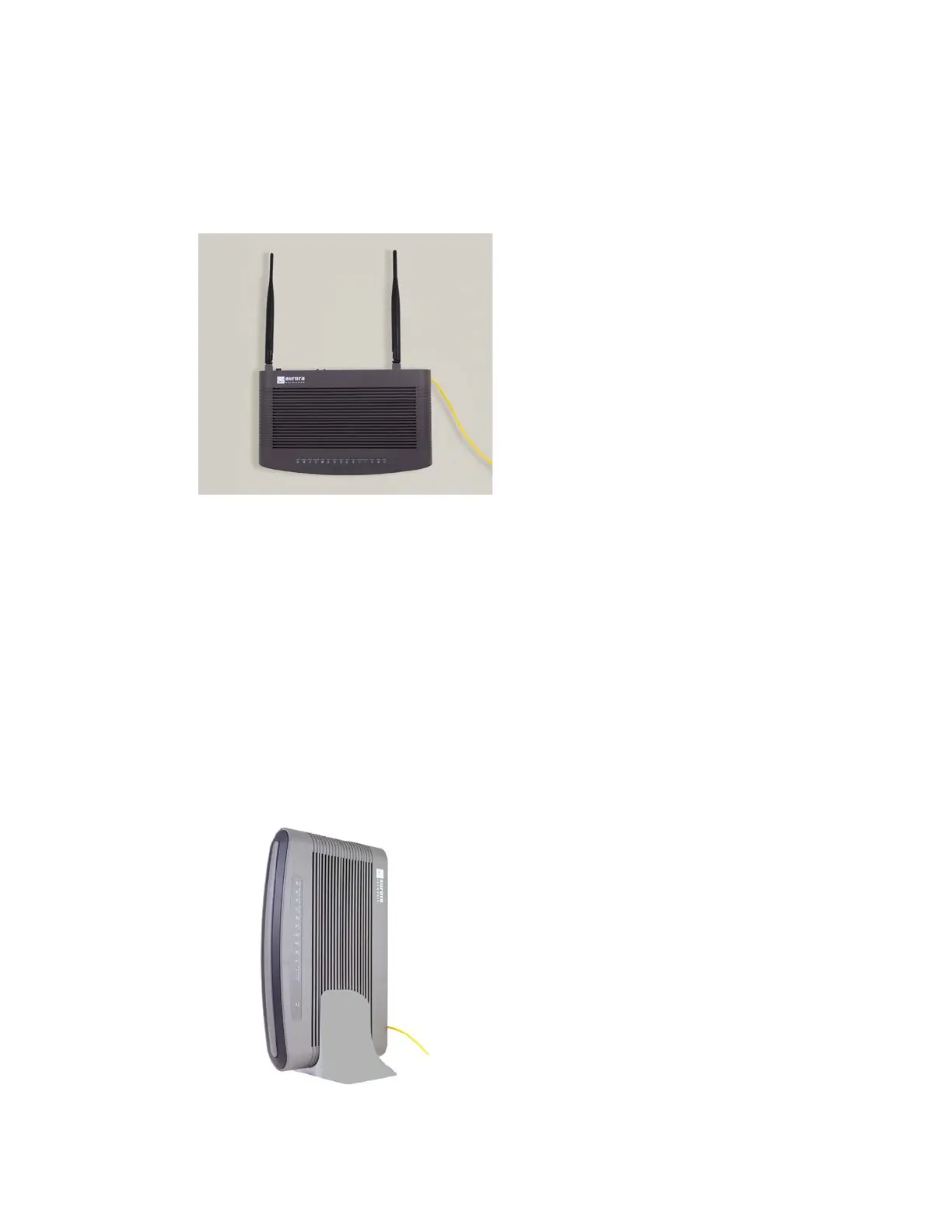
5. When the screws are in place and the unit is ready to be mounted, hold the ONT (with the Aurora
Networks logo on top) so that its keyhole slots are positioned directly over the screw heads, push it back
towards the wall, and then slide it downward until it is firmly seated in place.
Figure 10 EPON Multi-service Gateway Wall-mounted
4.8 Vertical or Tower Mounting the ONT
You might want to vertically mount your EPON Multi-service Gateway ONT, instead of installing it on your
desk, to save space. To vertically mount or tower mount an ONT, we recommend the following procedure:
1. Ensure that the location of the EPON Multi-service Gateway ONT is within reach of a suitable AC
outlet. The power cord on the AC adapter is approximately 5 ft. (1.52 m) long.
2. Select a flat, stable surface
. Ensure that you select a location which allows easy access to the rear of
the unit for wiring and testing purposes.
3. Place the tower stand on the flat surface and carefully drop the EPON Multi-service Gateway ONT into
the tower stand. See Figure 11 for a picture of a vertically-mounted (or tower-mounted) ONT.
Figure 11 EPON Multi-service Residential Gateway ONT Vertically-Mounted


 To Next Page