<Place holder for website>
17 Please contact 1-877-527-0313 for further assistance.
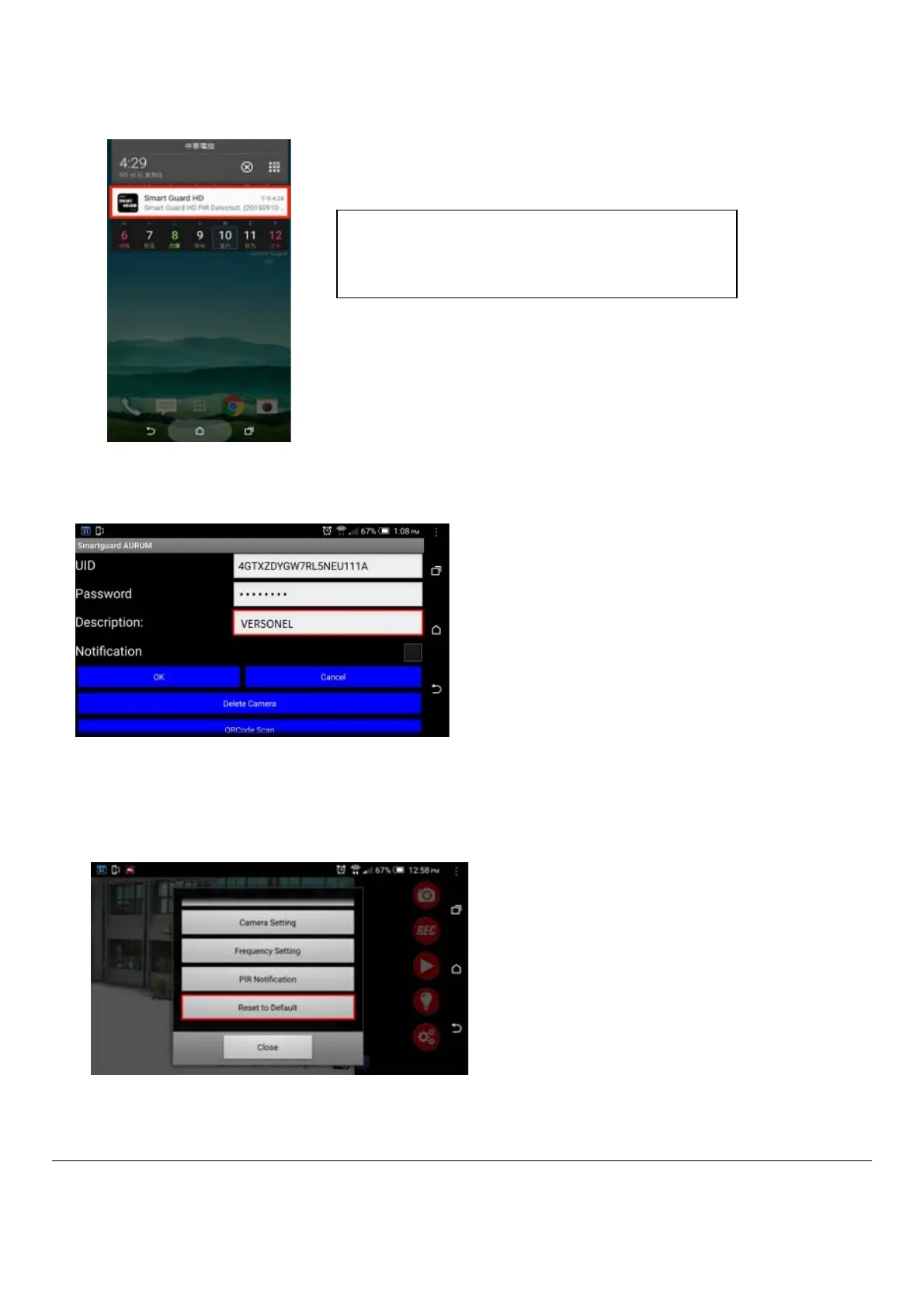
1.7 Set Description name: You can set your own name for this Description.
□ You can set your own name for this Description.
□ NOTE: Your "Push Notification" name will be same as this Description.
1.8 Reset to Default: Press this “Reset to Default”, the camera will restore the functions to default settings and LED
indicator on the product will flash quickly in RED light. Please wait about 3 minutes till RED light to change to flash
slowly.
□ Press this “Reset to Default”, then press “YES”, the camera will restore the functions to default settings.
□ LED indicator on the product will flash quick in RED light. Please wait about 3-4 minutes till RED light will change
to flash slow.
NOTE: If you click on ” PIR Notification” and there
has no micro SD card inside the unit, when PIR is
triggered, it will send PIR Notification signal
continuousl
to
our smart
hone until no an


 To Next Page