20
1.5 SETTING: Please read the above point 1.1~1.7
2.6 Check APP version
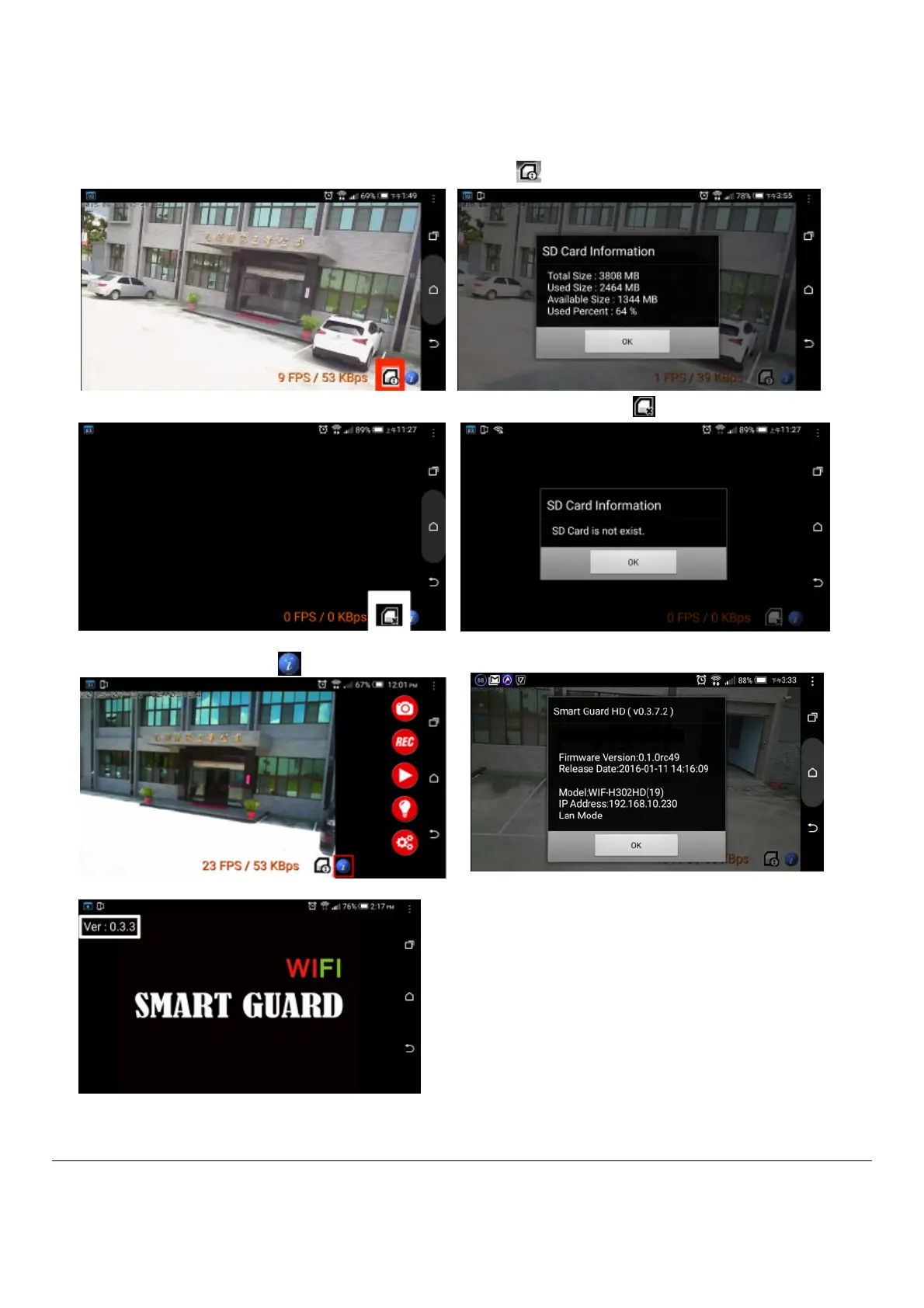
If there is SD card inside the product, the screen will show this icon
If there has no SD card inside or can not read SD card, the screen will show this icon
1.7 Check APP version
Press the bottom icon , it will show APP version and Firmware version.
\\
When you open APP software, it also will show APP version in the top left corner.


 To Next Page