
 Need help?
Do you have a question about the Autel Robotics EVO Nano Series and is the answer not in the manual?
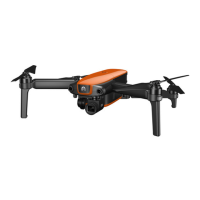
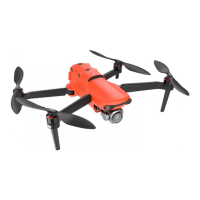
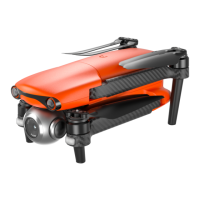
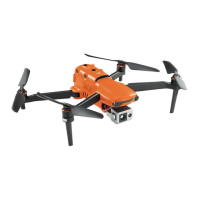
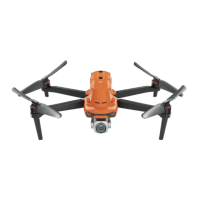
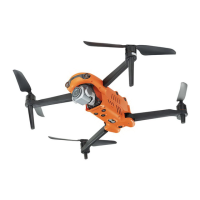
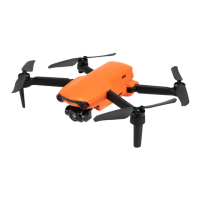
Overview of the EVO Nano Series aircraft, its features, and design, including foldable aspects and RC capabilities.
Details the items included in the standard and premium bundles for product acceptance.
Itemized list of components included in the standard EVO Nano Series package.
Itemized list of components included in the premium EVO Nano Series package.
Introduction to the Unmanned Aircraft System (UAS) components and requirements.
Details the components of the EVO Nano Series aircraft and payload considerations.
Overview of remote controller components and the Autel Sky App.
Lists and describes the components of the remote controller.
Explains the firmware and software versions for the aircraft and its components.
Guidelines and legal requirements for operating the aircraft in different regions.
Legal requirements for drone operation and registration in mainland China.
Legal requirements for drone operation and registration in the United States.
Legal requirements for drone operation and certification in Canada.
Legal requirements for drone operation and compliance within the European Union.
Guidelines for legal registration and operation in various other countries and regions.
Regulations and precautions for safe and legal aircraft operation.
Guidelines for choosing suitable flight environments and weather conditions.
Requirements for wireless communication and avoiding interference.
Information on the maximum takeoff weight and payload limitations.
Introduction to the aircraft's obstacle avoidance system and its capabilities.
Explanation of the visual perception system for obstacle avoidance and positioning.
How the aircraft uses visual positioning when GNSS signals are weak or lost.
Details on the visual obstacle avoidance function and its limitations.
Precautions and scenarios where the obstacle avoidance system may be affected.
Explanation of the automatic return home function and its triggers.
How to manually activate the aircraft's auto return home feature.
How the aircraft automatically returns home due to low battery levels.
How the aircraft activates auto return home based on specific behaviors like signal loss.
Details the mechanisms and conditions for triggering the auto return home function.
How the aircraft handles obstacles during the auto return home process.
Function that checks ground conditions for safe landing during auto return home.
Process for reestablishing the C2 link between the aircraft and the RC after disconnection.
Information on flight restrictions, geofencing systems, and unlocking zones.
Overview of the geofence system for ensuring safe and legal flights.
Categorization of restricted zones like No-Fly Zones and Warning Zones.
Function to import UAS Geographical Zones (UGZ) data for restricted flight areas.
Procedure for applying to unlock specific no-fly zones with necessary permits.
How to set altitude and distance limits in the Autel Sky app for safe flight.
Procedures for calibrating the aircraft's compass and IMU.
Step-by-step guide for calibrating the aircraft's compass.
Step-by-step guide for calibrating the aircraft's Inertial Measurement Unit (IMU).
Procedure for automatically calibrating the aircraft's gimbal.
How to use the emergency stop function for propellers during flight.
Explanation of the Direct Remote Identification (DRI) system for aircraft.
Step-by-step process for standard aircraft operation and pre-flight checks.
Checklist of essential checks before each flight for safety.
Basic steps for operating the aircraft, including takeoff and landing.
Information on safeguard functions for handling abnormal situations.
Instructions for activating the EVO Nano Series aircraft before first use.
Identification and description of the main components of the aircraft.
Detailed identification and description of aircraft components from various views.
Information on propeller maintenance, replacement, and storage.
Step-by-step instructions for detaching and installing aircraft propellers.
Instructions on how to properly fold and store the aircraft's propellers.
Explanation of the rear LED indicator status for aircraft flight and functions.
Information on camera differences, operations via RC, and Autel Sky control.
Comparison of camera specifications between EVO Nano and Nano+ models.
How to control camera functions using the RC and the Autel Sky app.
Details on the gimbal structure, mechanical rotation range, modes, and operations.
Specifications for the mechanical rotation ranges of the gimbal's pitch, yaw, and roll axes.
Explanation of the two gimbal operating modes: Stabilized Mode and FPV Mode.
How to control gimbal operations using the RC and Autel Sky.
Overview of the intelligent flight control system and its modules.
Explanation of the different flight modes (GNSS, Visual Positioning, ATTI).
Details on Novice, Smooth, Standard, and Ludicrous flight modes.
Description of intelligent flight functions: Accurate Landing, Landing Protection, and Intelligent Tracking.
Instructions for inserting and using a microSD card for storage expansion.
Information on noise levels generated by the aircraft during operation.
Details on the Autel SkyLink image transmission technology and capabilities.
Information on certified communication frequency bands for aircraft and regional compliance.
List of supported ground control equipment for aircraft remote control.
Introduction to the remote controller, its technology, and battery life.
Identification and description of front and back view components of the remote controller.
Information on certified communication frequency bands for the remote controller.
Instructions for charging the remote controller using the provided charger.
Steps for preparing the remote controller before usage, including extending the holder.
Instructions for turning the remote controller on and off.
Steps for connecting a mobile device to the remote controller.
Guidance on adjusting the remote controller's antenna position for optimal signal strength.
Overview of stick modes, their types, and how to configure them.
Instructions for pairing the aircraft with the remote controller.
Steps for pairing the aircraft and RC using the Autel Sky mobile application.
Procedure for forced frequency pairing using specific button combinations.
How to start and stop the aircraft motors using the RC.
Details on the customizable Fn button and its settings.
Customization options for the Fn button on the remote controller.
Functionality of the Return-to-Home and Pause buttons on the RC.
Steps to calibrate the remote controller via the Autel Sky app.
Introduction to the smart battery, its type, capacity, and charger.
Overview of the smart battery's functions, including level display, communication, and protection.
Guidelines and precautions for using the smart battery in various conditions.
Step-by-step instructions for installing and removing the smart battery.
Instructions for turning the smart battery on and off.
How to check the current battery level using the indicators or Autel Sky.
Instructions for charging the smart battery using the multi charger.
Guidelines for safely storing and transporting the smart battery.
Recommendations for maintaining the smart battery's health and performance.
Recommended checks and procedures for smart battery maintenance.
The process for standard battery charging and discharging cycles.
Criteria and conditions for replacing the smart battery.
Guidelines for safely recycling the smart battery.
Introduction to the Autel Sky flight control software.
Overview of the main interface of the Autel Sky app and its key features.
Explanation of the icons and information displayed in the Autel Sky app's status bar.
Details and configuration options within the Autel Sky app's settings menu.
Configuration options for safety features, flight limits, and home point settings.
Settings for flight modes, RC control, and calibration within the app.
Camera settings, photo/video formats, storage, and shooting modes.
Settings for image transmission clarity, frame rate, and Wi-Fi fast download.
Information about the aircraft model, firmware, and Autel Sky app version.
Overview of the map interface for viewing aircraft location and managing flight routes.
Details of the camera interface for shooting and video functions.
Instructions for updating firmware for the aircraft and remote controller.
Information on maintaining aircraft parts and purchasing consumable parts.
Solutions for common problems like motor failure, no-fly zones, and reduced flight time.
Detailed specifications for the EVO Nano Series aircraft.
Specifications for the gimbal camera, including Nano and Nano+ models.
Technical specifications for the Nano model's camera.
Technical specifications for the Nano+ model's camera.
Specifications for the remote controller, including material, temperature, and battery.
Specifications for the smart battery, including operating temperature, capacity, and charging.
 General
| Brand | Autel Robotics |
|---|---|
| Model | EVO Nano Series |
| Category | Drones |
| Language | English |


 To Next Page

