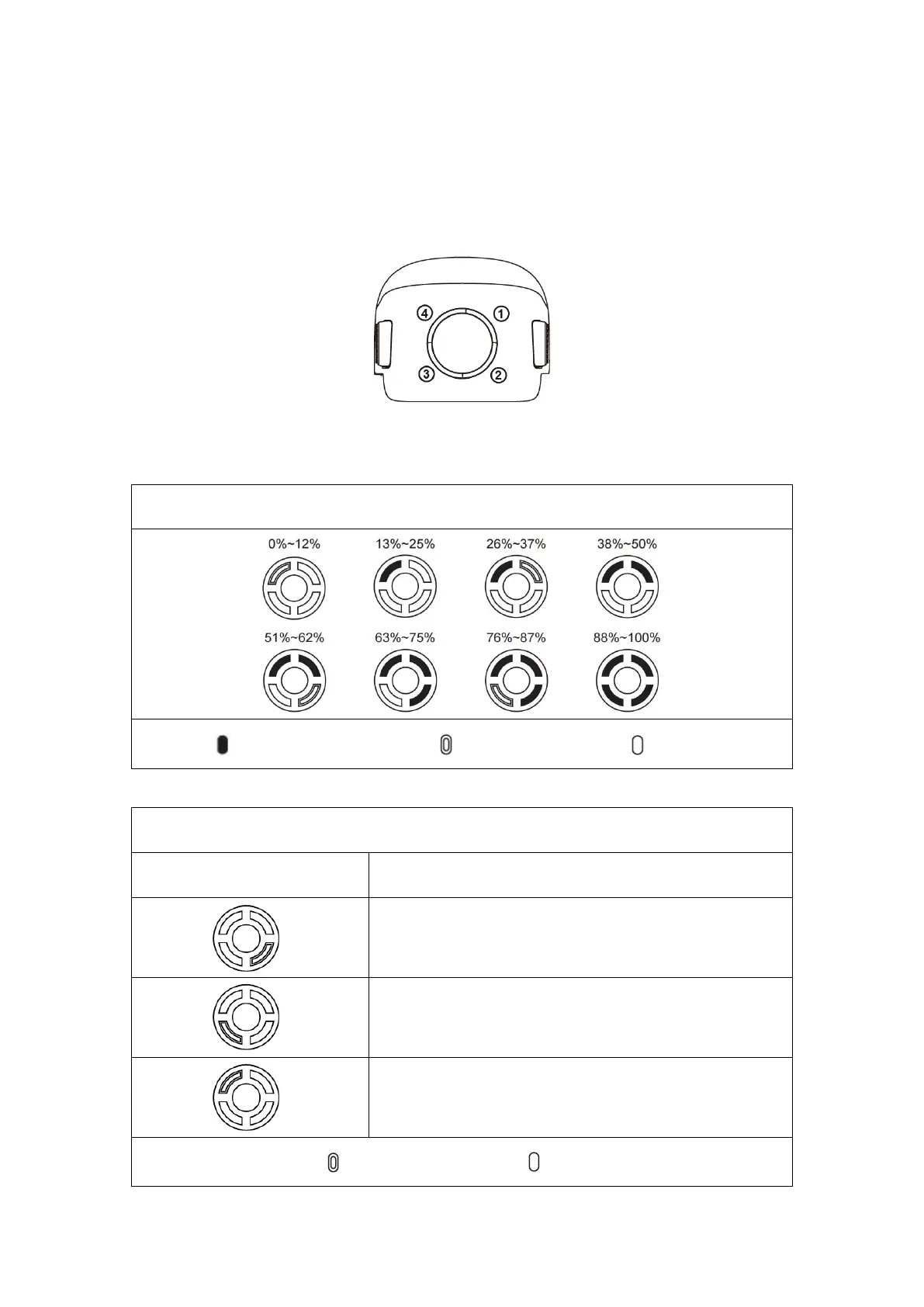
2.3.1 Battery use
1. Check battery level
The battery indicator is divided into LED 1, LED 2, LED 3, LED 4. The position of each
indicator is shown in the figure below.
When the battery is turned off, press the power button for 1 second and then release it quickly
to check the battery level. LED will indicate the current battery level, as shown below.
Battery level indicator status (non-charging status)
- Green is normally on - Flashing Green - Off
The charging temperature is too high or too low.
The charging current is high enough to cause short circuit.
There is overcurrent, overload or short circuit problem in the
case of discharging.
- Indicator is flashing - Off



 To Next Page