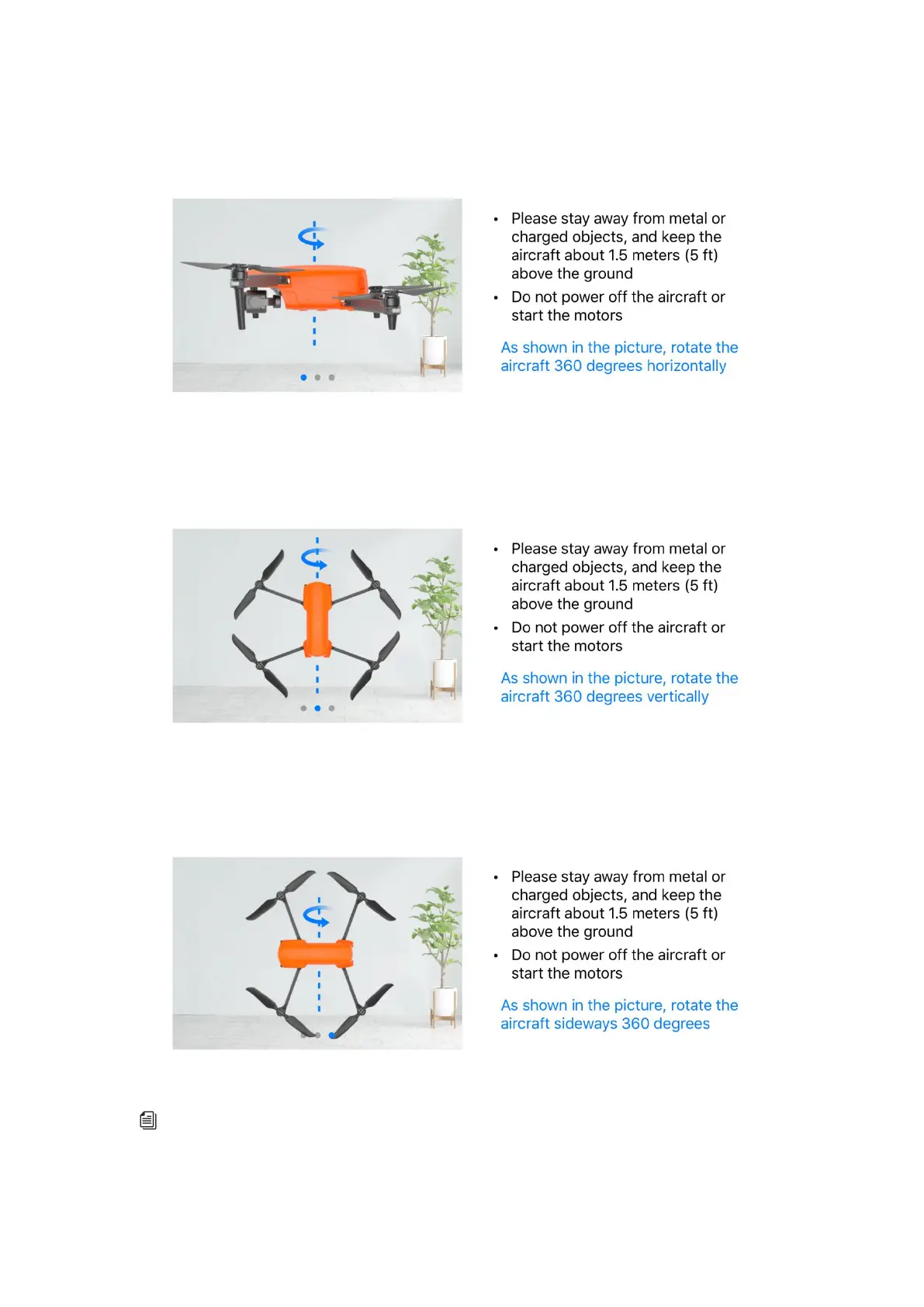
2. Hold the aircraft and make it horizontal, and then rotate the aircraft till the rear LED indicator
of the aircraft is normally on green.
3. Hold the aircraft and make it vertical with the head downwards, and then rotate the aircraft till
the rear LED indicator of the aircraft is normally on green.
4. Hold the aircraft with the side downwards, and then rotate the aircraft till the rear LED indicator
of the aircraft is normally on green.
Remark
If the calibration fails, the rear indicator of the aircraft will be normally on red, and APP
will also remind the calibration failure. At this point, repeat the above procedure.



 To Next Page