4.3.3 Portrait Mode
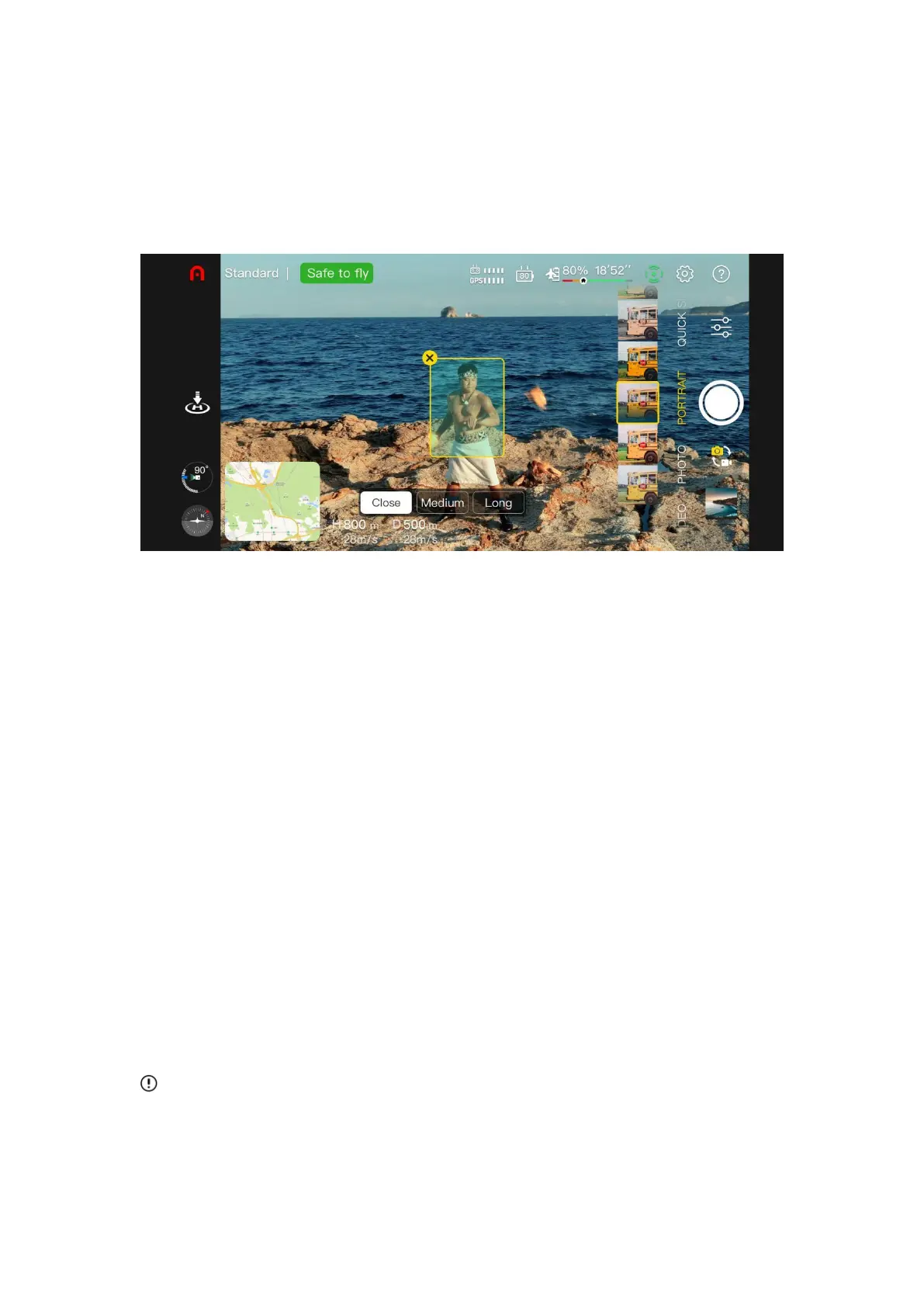
The portrait mode automatically recognizes the subject through the AI algorithm and blurs the
background to highlight the subject. The user can choose a different scene mode, such as
close, medium, or long shots according to the number of people.
Close: suitable for 1-3 people.
Medium: suitable for 3-5 people.
Long: suitable for 5-10 people.
Operating procedure
1. Make sure the aircraft is fully charged. Run the aircraft and rise to 2.5 m or higher.
2. In the Autel Sky App, enter the camera interface and select the portrait mode.
3. The user can select the subject and scene on the interface, and the aircraft will
automatically fly to the correct distance for shooting.
4. The user can choose to take a portrait photo or video. After the shooting is over, the aircraft
will hover at the current position.
Important
When using portrait mode, please make sure the GPS signal is good and the obstacle
avoidance system is turned on.



 To Next Page