23
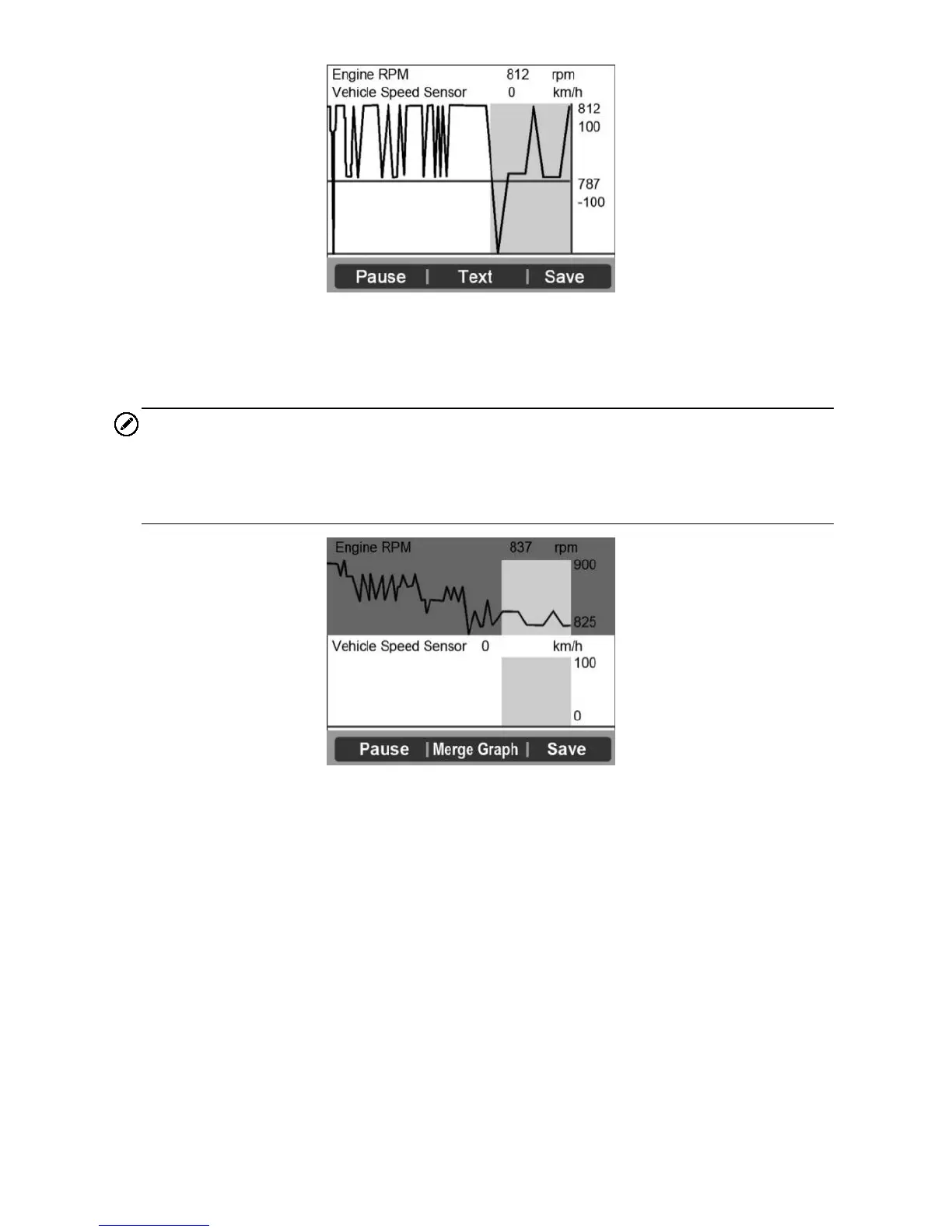
Figure 4-6
If the Merge Graph on the bottom displays when a PID is selected to
view, merged graph information is available.
NOTE
Merge Graph can be used to compare two related parameters in graphic
mode, which is especially convenient in the Custom List option where you
could select two interacted parameter to merge and see their relationship.
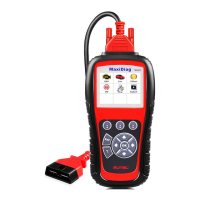
Figure 4-7
Select Text to return to text viewing of PID data.
Select Save to record retrieved live data and PID graphs.
Select Pause to suspend viewing. You could resume the viewing
process again by selecting Start.
3) Press the ESC button to return to previous menu.
View Custom List
1) To view customized PID data, use the UP/DOWN scroll button to select
Custom List from Live Data menu and press the OK button.
2) Use the UP/DOWN scroll button to move up and down to the desired
items and click Select button to confirm. The selected parameters are
marked with solid squares.


 To Next Page