76
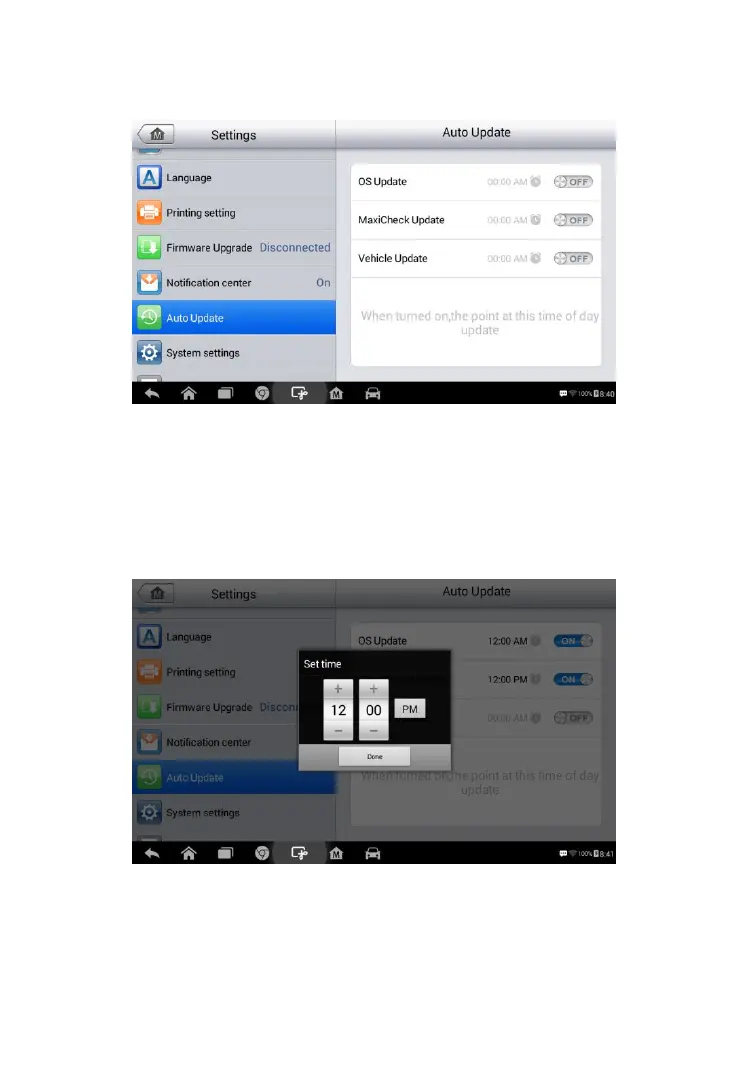
2. Tap the Auto Update option on the left column. The three auto
update items display on the right.
3. Select the update type to schedule. Toggle the button to ON.
4. To set download time, use the
+
and – button or tap on the
numbers and the manual input screen will display. Tap Done to
complete the time setting.
Figure 8- 6 Sample Auto Update Screen
Figure 8- 7 Sample Set Time Screen














 To Next Page