UNDERSTANDING
COMMAND STICK CONTROLS
12
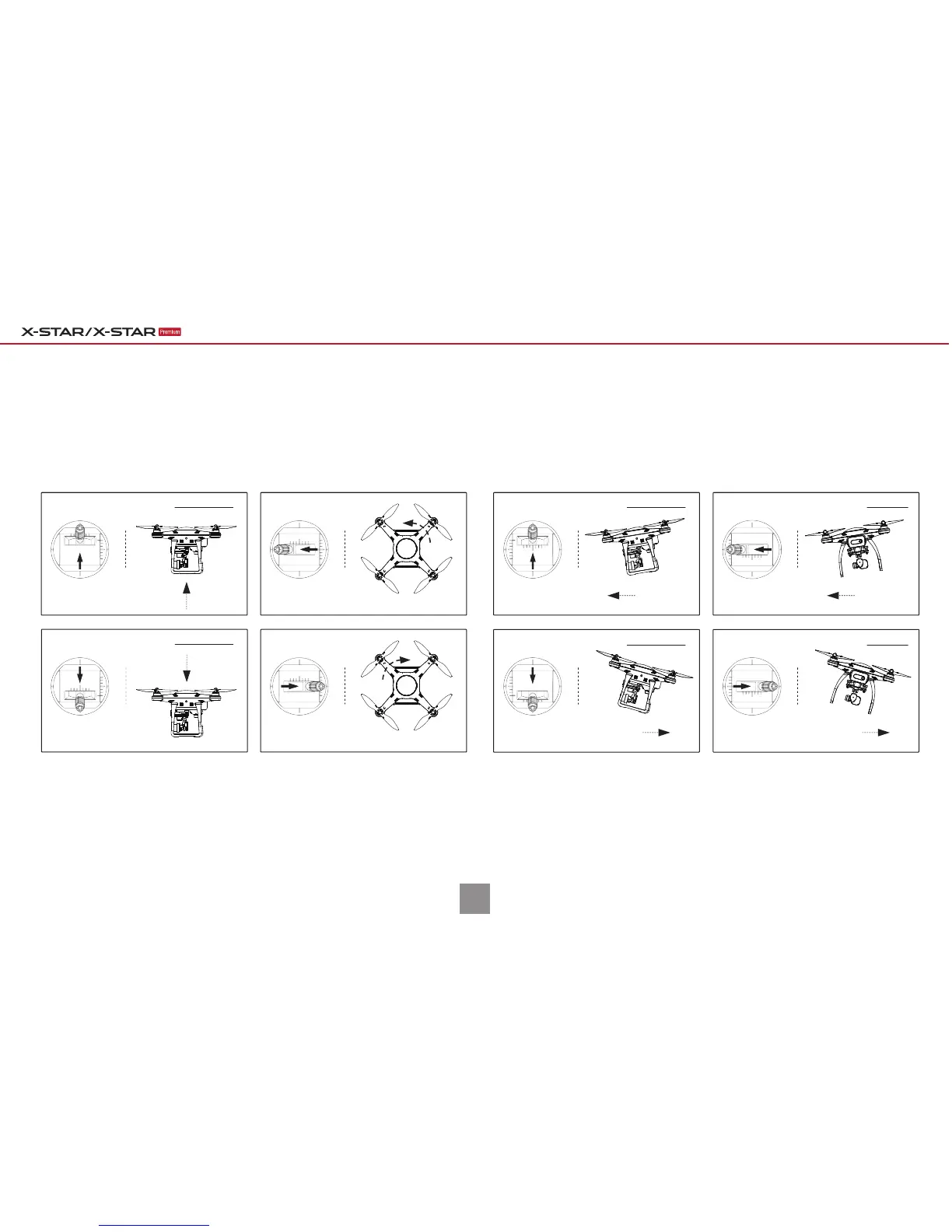
IMPORTANT: For beginners, it is recommended to move the command sticks lightly and slowly to keep the aircraft flying in a controllable speed.
NOTE: The controls illustrated above are set as the default command stick mode (Mode 2). The left command stick controls aircraft ascent/descent and left/right rotation;
The right command stick controls aircraft forward/backward and left/right sideway movements.
Upward
Left Side Veiw
Ascend
Downward
Left Side Veiw
Descend
Forward
Left Side Veiw
Forward
Nose Rear
Backward
Left Side Veiw
Backward
Nose Rear
Move Left
Rear View
Left
Move Right
Rear View
Right
Rotate Left
Nose Rotates Left
Rotate Right
Nose Rotates Right
Forward/Backward Move Left/RightAscend/Decend Rotate Left/Right
Quick Guide | With XI-5S Gimbal
Right Command StickLeft Command Stick



 To Next Page