12
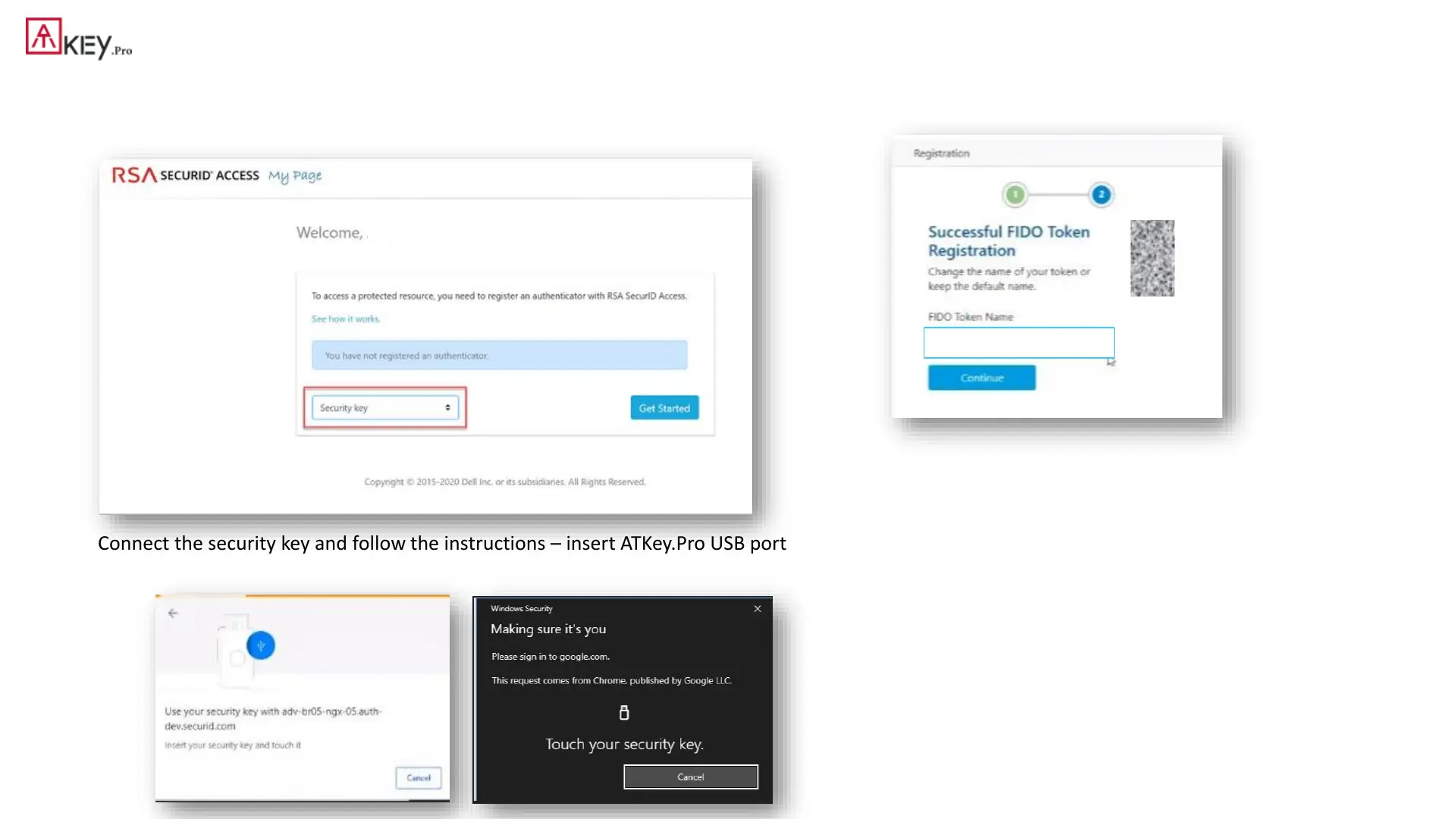
| (Step 2) Register ATKey in RSA SecurID Access My Page
1. Sign into My Page. Your IT administrator sends the My Page URL to you.
2. Select Security key from the drop-down list, and click Get Started.
3. Connect the security key and follow the instructions – insert ATKey.Pro USB port and
touch fingerprint for matching
4. Change the name of the key if you like
ATKey.Pro



 To Next Page