11
| (Step 1) for non-Windows Users
• If you are using non-Windows 10, or your Windows 10 is earlier than build 1903
• Enroll fingerprint into ATKey.Pro via
• Standalone enrollment
• Or Chrome Canary (https://www.google.com/chrome/canary/)
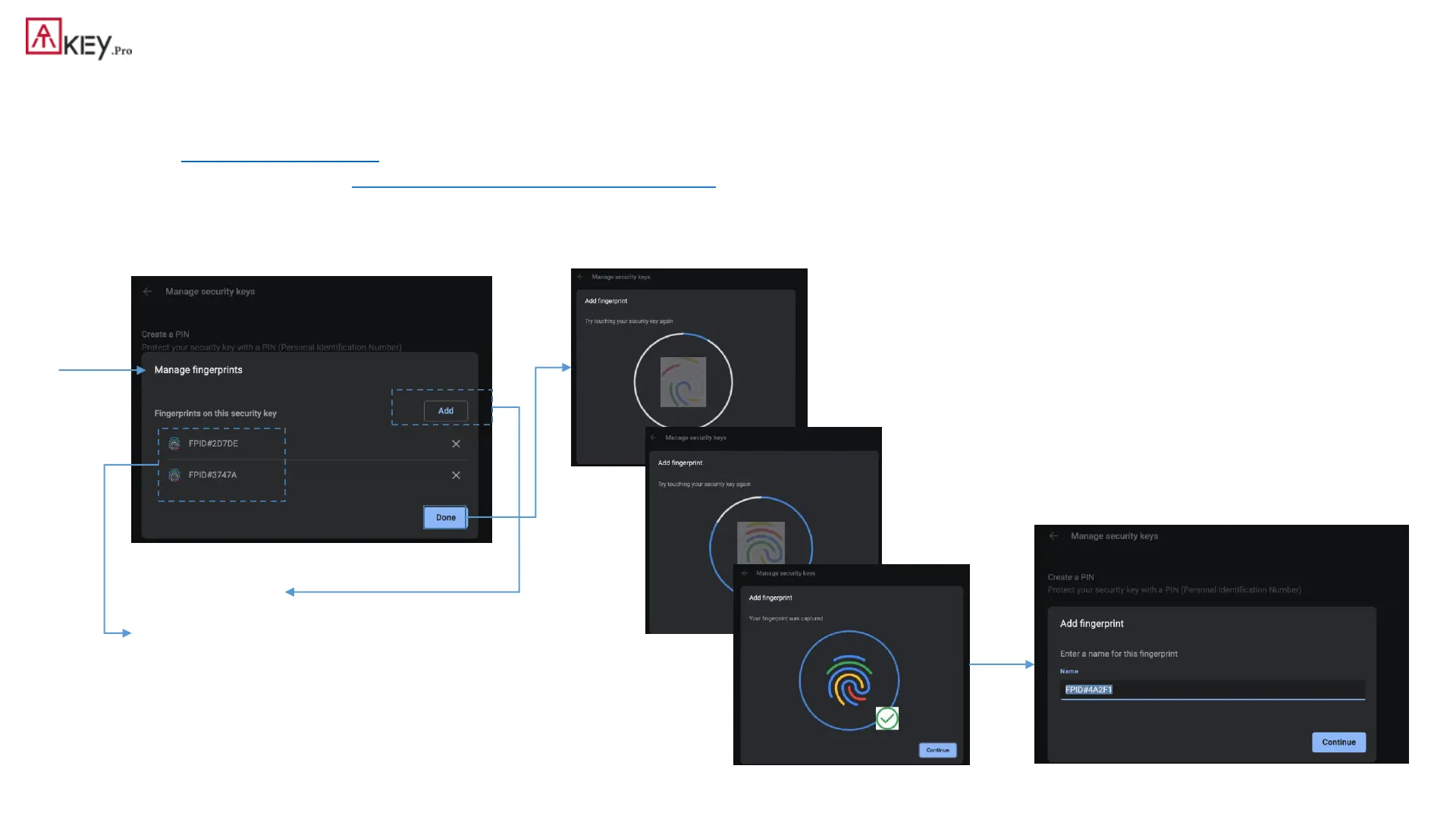
• Here is quick guide for Chrome Canary:
• Click “Add” to fingerprint (enroll
new finger)
• Here lists enrolled fingerprints
with assigned names
Enroll fingerprint till it’s done
Assign the name of the enrolled fingerprint



 To Next Page