10
| (Step 1) for non-Windows Users
• If you are using non-Windows 10, or your Windows 10 is earlier than build 1903
• Enroll fingerprint into ATKey.Pro via
• Standalone enrollment
• Or Chrome Canary (https://www.google.com/chrome/canary/)
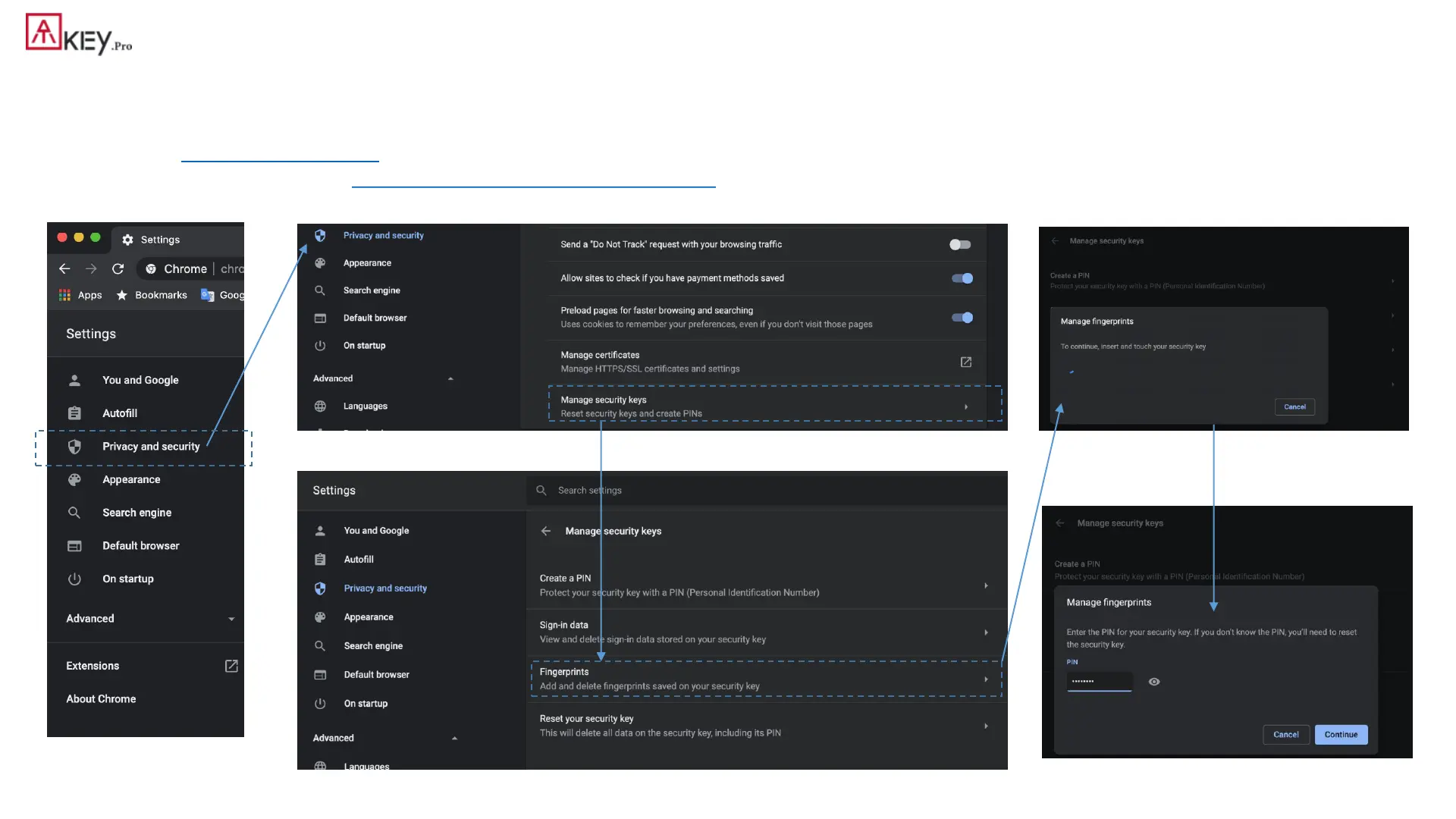
• Here is quick guide for Chrome Canary:
From “Settings” =>
“Privacy and security”
User presence needs - touch dongle by any finger
Assign PIN code into the key



 To Next Page