9
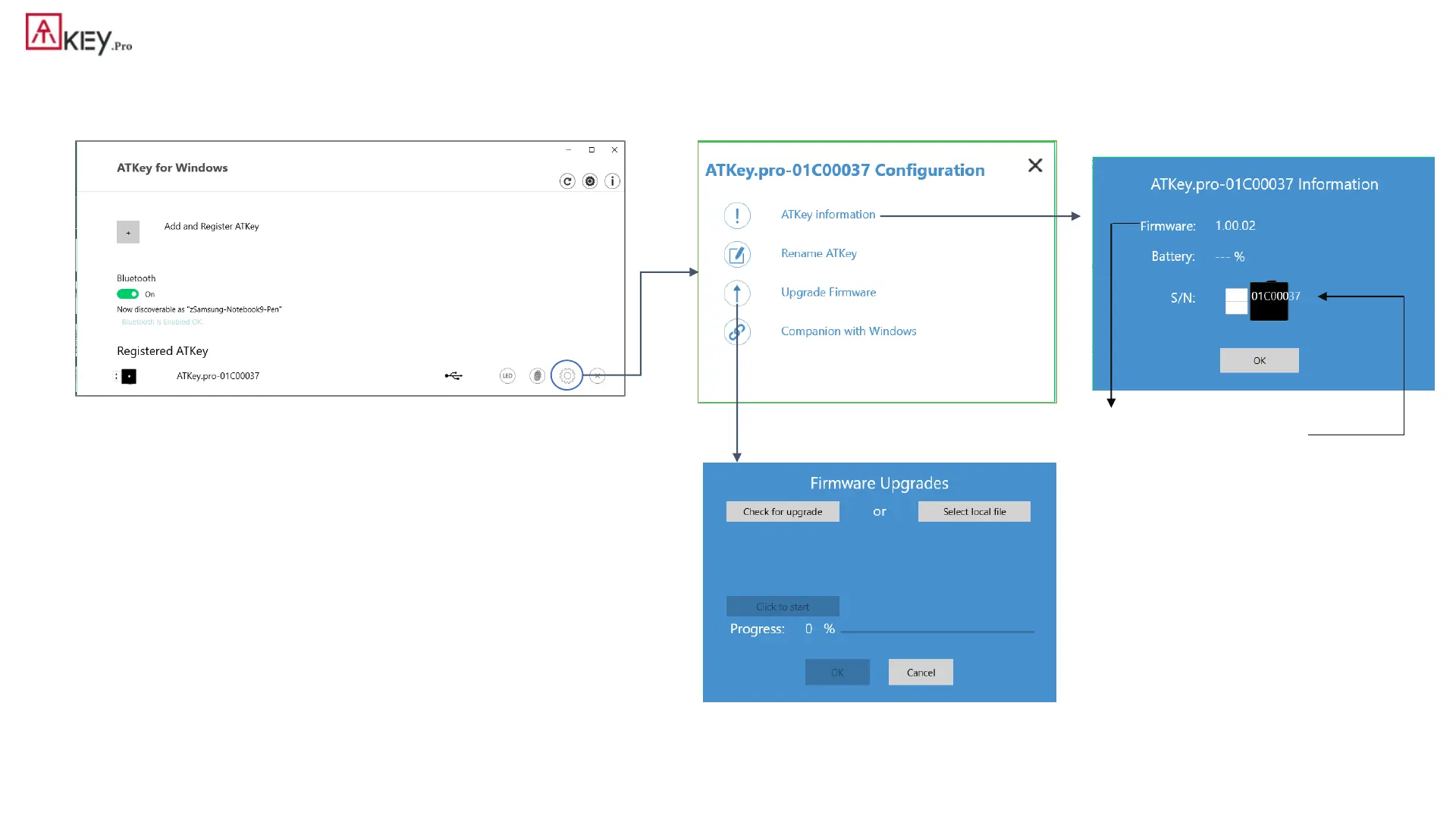
| (Step 1) App “ATKey for Windows” – Key Management
• ATKey management – information, rename, firmware upgrade
• “Check for Update”
• Select encrypted firmware image to upgrade manually
• Please wait till 100% done, then plug ATKey.Pro off USB port; re-insert to USB port,
waiting ~15 sec to boot to new firmware (LED from White to Blue ON).
• read firmware version here
• Read “keycode” here



 To Next Page