8
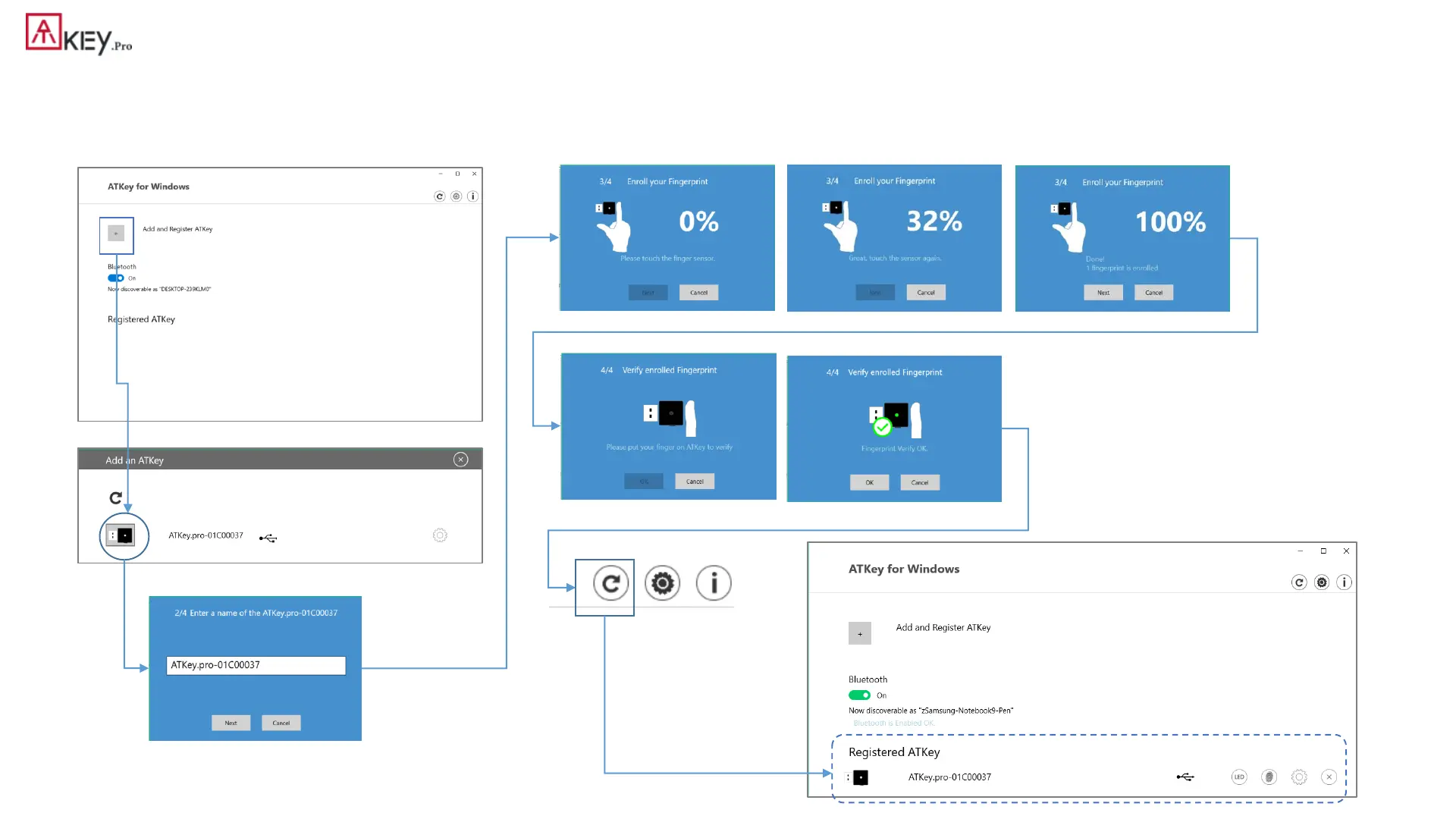
| (Step 1) App “ATKey for Windows” – Enroll fingerprint
• Launch “ATKey for Windows” app (version 2.0.57.0 or later version)
• Click “Add and Register ATKey” – please make sure ATKey.Pro inserts to USB port and LED shows blue ON
Click to refresh the page
around 12 times touch/enroll to finish ONE fingerprint enrollment
Verify enrolled fingerprint to confirm
ATKey.Pro fingerprint enrolled and
register for management by app
Default name is -: ATKey.Pro + Keycode



 To Next Page