15
| (Step 2) Setting Up Cloud Authentication Service for Security Keys
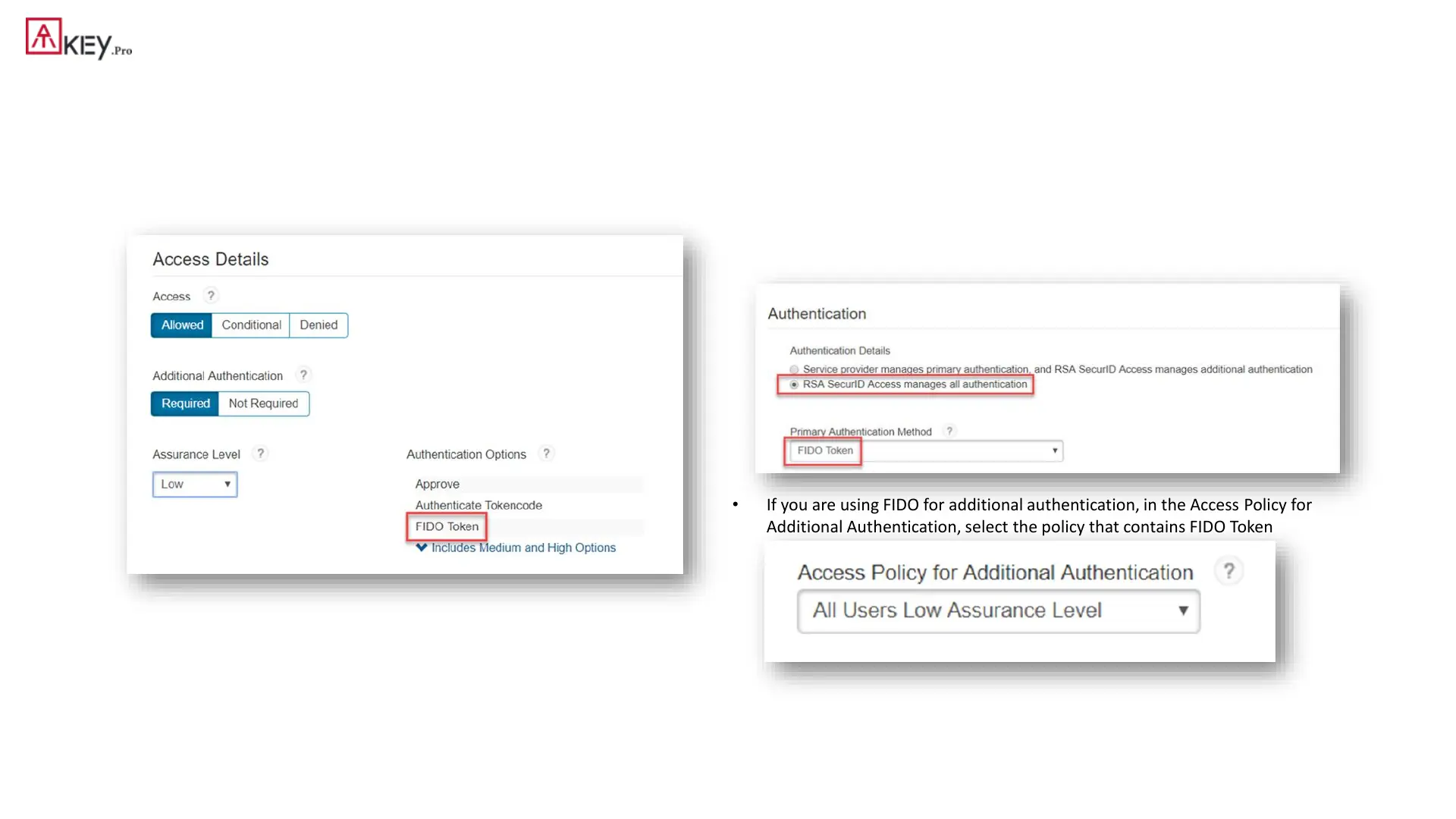
2. Confirm that you have an access policy that uses that assurance level:
• Click Access > Policies.
• Click Edit for the policy.
• In the Rules Sets tab, confirm that FIDO Token is listed in Authentication
Options.
3. Add a service provider:
• Click Authentication Clients > Relying Parties > Add a Relying Party > Add next
to Service Provider.
• Determine if you want to use FIDO Token for primary authentication or additional
authentication, or both. If you want to use FIDO for primary authentication, add a
service provider and specify FIDO as the primary authentication method. In the
Authentication tab, select RSA SecurID Access manages all authentication. In the
Primary Authentication Method drop-down list, select FIDO Token.
• If you are using FIDO for additional authentication, in the Access Policy for
Additional Authentication, select the policy that contains FIDO Token



 To Next Page