7-20
CONNECTION OF SERVICES
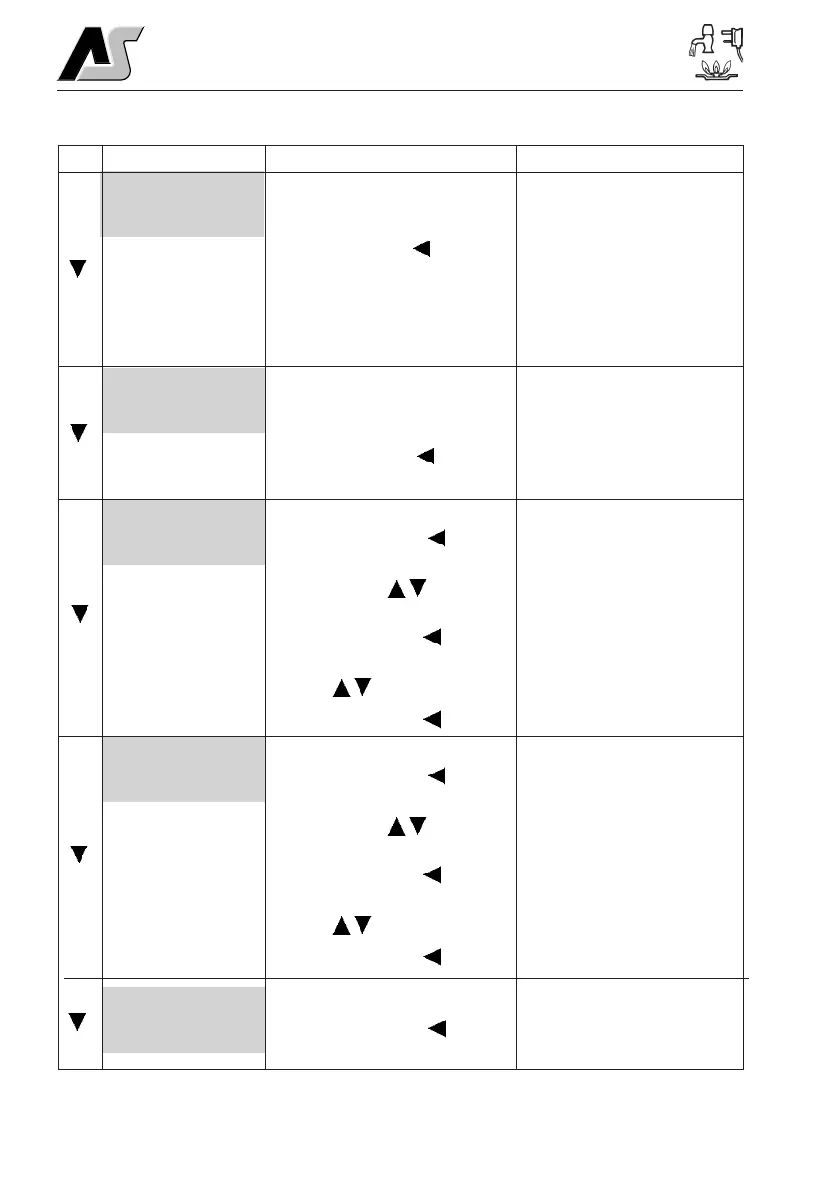
Water Tank Fill?
<Start 1 Min>
Clock Set?
12:00
Alarm Set?
12:00
Alarm = Off
Pump Select?
(Internal)
4.3 Menu Functions - Settings section
Shows the currently selected pump
that will be operated by pressing the
pump on/off switch (TAP symbol).
Use the select button ( ) to change.
Note: If you water pump stops
working, this setting may have been
inadvertently changed.
Display
Description
Options / Notes
<INTERNAL> = The internal
pump will be operated by the
pump switch.
<EXTERNAL> = The external
pump will be operated by the
pump switch.
<BOTH> = Both the internal and
external pumps will be operated
simultaneously by the pump
switch.
Allows operation of the external
pump for a period of one minute (for
filling the internal tank from the
external tank).
Use the select button (
) to START
(or STOP).
Will have no effect if the external
pump is already switched on (see
above).
Will not operate if the internal
(fresh) water tank is showing
100% full.
Access to set the internal clock
Press the select button (
) to
select HOUR.
Use the up/down (
) buttons to
change.
Press the select button (
) to select
MINUTE.
Use the (
) buttons to change.
Press the select button (
) to exit.
Please note the clock uses a 24
hour cycle.
Access to set the alarm clock
Press the select button (
) to
select HOUR.
Use the up/down (
) buttons to
change.
Press the select button (
) to select
MINUTE.
Use the (
) buttons to change.
Press the select button (
) to exit.
Please note the clock uses a 24
hour cycle.
The addition of an asterisk (*) in
the top left of the main EC325
display indicates that the alarm is
set
Shows the alarm clock status (on/off)
Press the select button (
) to switch
between OFF or ON.



 To Next Page