EasyManua.ls Logo

Auto Vox M2 - Generai Troubleshooting

Default Icon
18 pages
Print Icon
To Next Page IconTo Next Page
To Previous Page IconTo Previous Page
Loading...
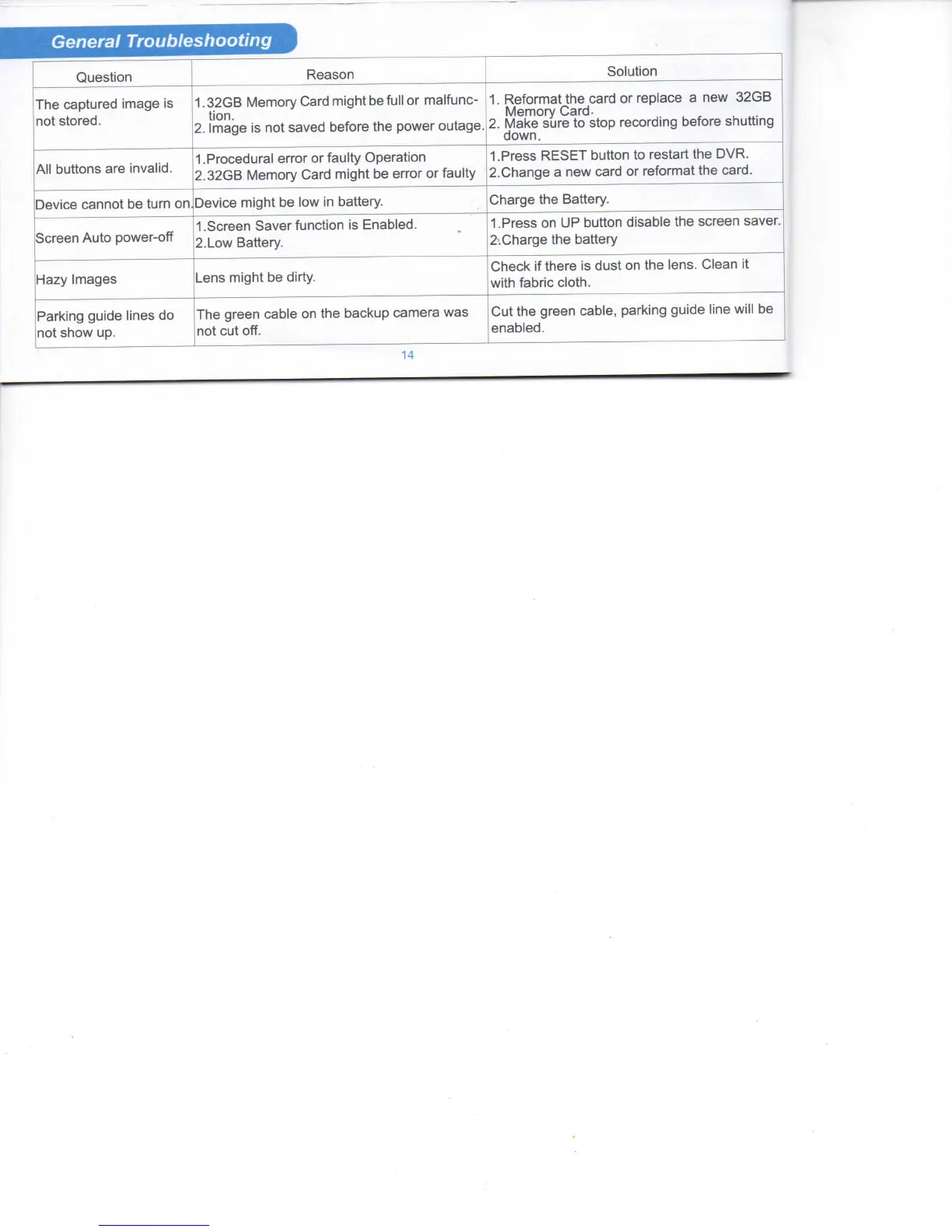
General
Troubleshooting
Question
Reason
Solution
Ttie
captured image is
not stored.
1.32GB
Memory Card
migtit
be
full
or malfunc-
tion.
2.
Image is not
saved
before
ttie
power outage.
1.
Reformat
tfie
card or replace a new
32GB
Memory
Card-
2.
Make sure to stop recording before sfiutting
down.
All buttons are invalid.
1
.Procedural error or faulty Operation
2.32GB
Memory Card
migfit
be error or faulty
1.
Press
RESET
button
to restart
tfie
DVR.
2.
Cfiange
a new card or reformat
tfie
card.
Device
cannot be
turn
on
Device
migfit
be low in battery.
Cfiarge
tfie
Battery.
Screen
Auto power-off
1
.Screen
Saver
function is
Enabled.
2.Low
Battery.
1
.Press
on UP
button
disable
ttie
screen
saver.
2.Cfiarge
ttie
battery
Hazy
Images
Lens
migtit
be
dirty.
Cfieck
if tfiere is dust on
ttie
lens.
Clean
it
with fabric cloth.
Parking
guide lines do
not stiow up.
Ttie
green cable on
tfie
backup camera was
not cut off.
Cut
the green cable, parking guide line will be
enabled.
14

Related product manuals