19
Software UpdateFrequently Asked Questions
The AD100+ is equipped with NFC (Near Field Communication) that enables wireless software updates.
Updates are safe and the device always holds both the new and last version of the software for easy
rollback.
Device Serial Number
Every AD100+ device has a unique serial number. This number is required to get update information and
to purchase new software updates. Please record your AD100+ serial number and store in a safe place.
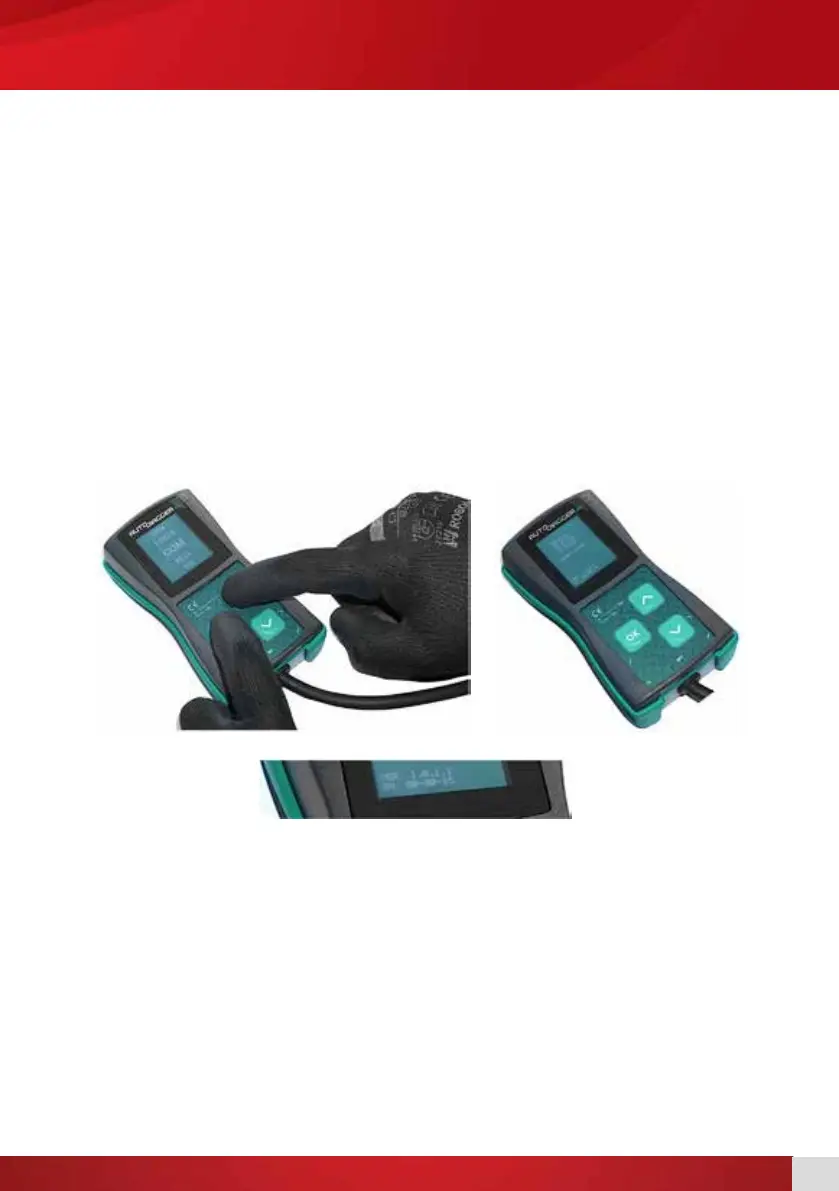
To view the AD100+ serial number:
1. Power up the device.
2. While in the main menu press the button together with the OK button. [1]
3. Keep them pressed until the update menu appears on the screen. [2]
You will then be able to read your serial number and your current software version.
Software Update Requirements
12V power source (e.g. vehicle battery, bench power supply).
Android mobile phone with NFC, Internet WiFi, and installed AD100+ updater app.
[1] [2]


 To Next Page