20
Software Update
Software Update Procedure
1. Power up AD100+.
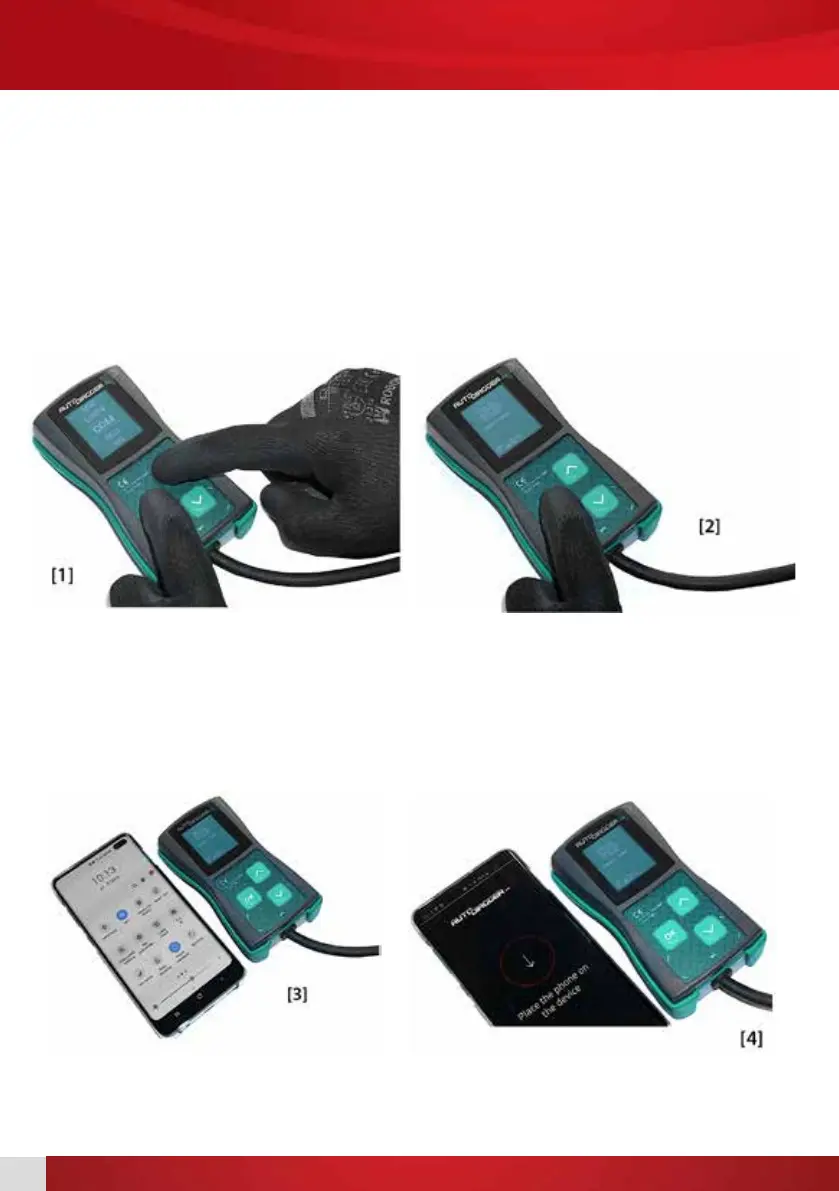
2. While in main menu press UP arrow and while holding press OK button, keep buttons pressed until
the update menu appears on screen. [1]
3. Release buttons.
4. Acknowledge update by pressing OK button. [2]
5. On phone please enable ight mode, after that please enable WiFi and NFC. [3]
6. Check that you have Internet connection on the phone.
7. Run AD100+ updater app on your phone. [4]


 To Next Page