21
Software UpdateSoftware Update
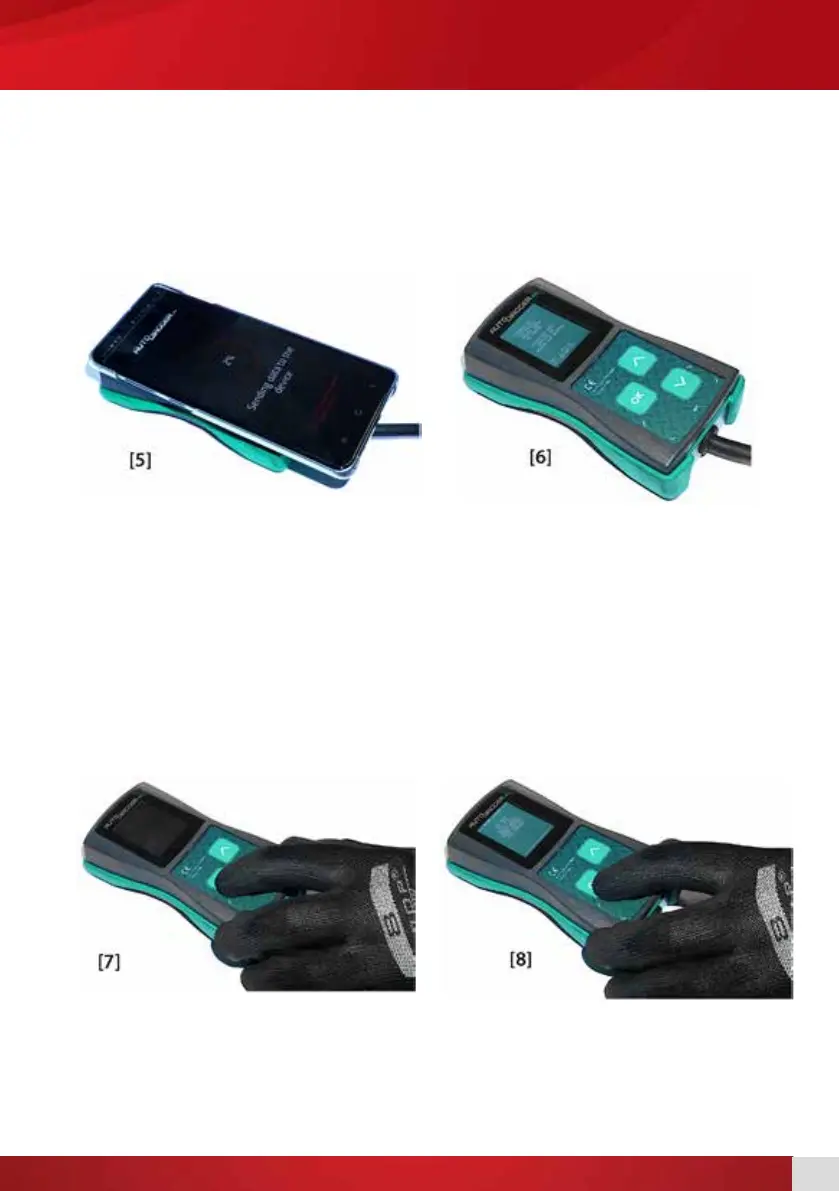
8. Place phone on the AD100+ (AD100+ NFC antenna is located at the bottom, the phone NFC
antenna is usually located under the battery).
9. The application will automatically start to update the software when NFC antennas are aligned. [5]
10. After the software is transferred press OK button on AD100+. [6]
11. Turn off the device.
12. While powered off press and hold the OK button. [7]
13. With OK button pressed, power on the device.
14. From the menu choose “IMAGE UPDATE” and press OK. [8]
15. Press OK to accept the update.
16. After an update is done, turn off the power and turn back on again.


 To Next Page