EasyManua.ls Logo

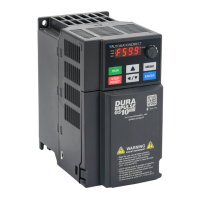
Automationdirect.com DURApulse GS10 - User Manual

Automationdirect.com DURApulse GS10
5 pages
Print Icon
To Next Page IconTo Next Page
Loading...
Page 1GS10 AC Drive Quick-Start Guide – 1st Ed 06/15/2022
DURApulse GS10 AC Drive Quick-Start Guide
GS10_QSP 1st Edition 06/15/2022
GS10 AC Drives Installation Instructions
Sensorless Vector Control Variable Frequency Micro-drive
Please read this instruction sheet thoroughly before installation and retain for later
reference.
To ensure the safety of operators and equipment, only qualified personnel familiar
with AC drives should install, wire, program, and operate the GS10 drive. Always read this instruction sheet
thoroughly before using the GS10 drive, especially the WARNING, DANGER and CAUTION notes. If you have any
questions, please contact AutomationDirect.
PLEASE READ PRIOR TO INSTALLATION FOR SAFETY
DANGER
The ground terminal of the GS10 drive must be grounded correctly. The grounding method
must comply with the laws of the country where the GS10 drive is to be installed.
After power has been turned off, the capacitors in the GS10 drive may retain a charge for
several minutes. To prevent personal injury, visually verify that the “CHARGE” LED has
turned off. Then measure to confirm that the DC bus voltage level between terminals (+1)
and (-) is less than 25VDC before touching any terminals. (Capacitor discharge will take at
least 5 minutes for most GS10 models).
The CMOS ICs on the internal circuit boards of the GS10 drive are sensitive to static
electricity. Please DO NOT touch the circuit boards with your bare hands before taking
anti-static measures. Never disassemble the internal components or circuits.
If wiring changes must be made, turn off power to the GS10 drive before making those
changes. Allow the internal DC bus capacitors in the GS10 drive sufficient time to discharge
prior to making changes in power or control wiring. Failure to do so may result in short
circuit and fire. To ensure personal safety, allow DC bus voltage to discharge to a safe level
before making wiring changes to the GS10 drive.
DO NOT install the GS10 drive in locations subject to high temperature, direct sunlight, or
flammable materials.
WARNING
Never apply power to the output terminals U/T1, V/T2, W/T3 of the GS10 drive. If a fault
occurs during operation of the GS10 drive, refer to the fault code descriptions and corrective
actions to reset the fault before attempting to operate the GS10 drive.
DO NOT use Hi-pot test for internal components. The semi-conductors in the GS10 drive are
easily damaged by high voltage.
CAUTION
Long motor lead lengths may result in reflective wave due to impedance mismatch between
the motor cable and the motor. Reflective wave may damage the insulation of the motor.
To avoid the possibility of reflective wave damage, use an inverter-rated motor with an
insulation rating of 1600 volts. A load reactor installed between the GS10 drive and motor
will help to mitigate reflective wave.
Nominal supply voltage to the GS10 drive should be less than or equal to 120/240/480 volts
AC depending on GS10 model.
Nominal supply current capacity should be less than or equal to 100kA for all GS10 models.
The GS10 drive must be installed in a clean, well-ventilated and dry location, free from
corrosive gases or liquids.
The GS10 drive must be stored within an ambient temperature range from –40°C to +85°C,
and relative humidity range of 0% to 90% without condensation.
Do not apply AC power to the GS10 drive with the front cover removed. Following a fault of
the GS10 drive, wait 5 seconds before pressing the RESET key.
To improve power factor, install a line reactor ahead of the GS10 drive. Do not install power
correction capacitors in the main AC supply circuit to the GS10 drive to prevent drive faults
due to over-current.
Minimum Wiring
AC input power to R/L1, S/L2, T/L3 (for single-phase input, use two of the terminals) (For applicability of 1-phase
input power, please refer to Chapter 1 of the DURApulse GS10 AC Drives User Manual at AutomationDirect.com.)
Ground from the power supply
Drive power to the motor (U, V, W on T1, T2, T3) (For use with 3-phase motors only!)
Ground to the motor
With this minimal wiring, the drive can be operated via the keypad to test the motor and drive installation.
See the “Parameter Set Up” (page 4) section to configure the drive for keypad operation.
Recommended Safety Wiring
We strongly recommend that customers configure a multifunction input as the Emergency Stop to stop the
drive in an emergency situation.
To configure this feature, set any multifunction input to selection 28 (Emergency Stop EF1) and wire a relay or
E-stop pushbutton to the configured input.
Wiring Diagrams
RFI Jumper Removal
If the power distribution system supplying the GS10 AC drive is a floating (IT) or an
asymmetric ground system (including most 120V inputs), the RFI jumper must be
removed.
Removing the RFI jumper uncouples the internal RFI capacitor (filter capacitor)
between the GS10 drive frame and circuitry to avoid damaging those circuits and
(according to IEC 61800-3) to reduce ground leakage current.
GS10 Frame A through D
Main Wiring (Power Circuit)
For main (power) wiring terminal specifications, Please refer to “Specifications for Wiring Terminals –
Main-Circuit Terminals” (page 2).
GS10 all Frames
*(Note that 1-phase only drives do not have a T/L3 terminal. 120V drives do not have DC- or DC+
terminals).
R/L1
S/L2
T/L3*
R/L1
S/L2
T/L3*
U/T1
V/T2
W/T3
3
R1
R1C
R1 and R1C are the relay output terminals.
Input: one-phase / three-phase* power
DC reactor (optional)
Brake resistor (optional)
Jumper
Motor
Circuit Breaker or Fuse
MC
ON
MC
OFF
It is recommended that
you install a protective
circuit at R1 – R1C to
protect the drive from
damage.
When a fault occurs, the MC contactor
switches to OFF to shut off the drive input
power and protect the power system.
MC
GS10 Control Terminal Wiring
R1O
R1C
R1
DO1
DOC
AO1
AI
AI
FWD(DI1)
REV (DI2)
DI3
DI4
DI5
Functions set via Parameter P02.13
Default functions
set via Parameters
P02.00 - P02.05
Functions set via Parameter P02.16
See User Manual Chapter 2 for
sink/source wiring examples
Default functions set via Parameter P03.00
Functions set via Parameter P03.20
(SG+ Pin5, SG- Pin4, SGND Pin3,7)
DI1
DI2
DI5
DI1
DI2
DI5
DI1
DI2
DI5
DI1
DI2
DI5
Question and Answer IconNeed help?

Do you have a question about the Automationdirect.com DURApulse GS10 and is the answer not in the manual?

Summary

GS10 AC Drives Installation Instructions

Sensorless Vector Control Installation

Instructions for installing the GS10 AC drive with sensorless vector control.

Critical Installation Safety Precautions

Essential safety warnings and precautions before installing the GS10 AC Drive.

Wiring Diagrams and Connections

Diagrams for main power, control terminals, minimum, and safety wiring.

GS10 AC Drive Terminal Configurations

Two-Wire Operation Control Settings

Configuration settings for two-wire operation control (Settings 1 & 2).

Three-Wire Operation Control Setting

Configuration setting for three-wire operation control.

GS10 AC Drive Wiring Terminal Specifications

Main-Circuit Terminal Specifications

Specifications for main-circuit wiring terminals across various GS10 frames.

Control Circuit Terminal Specifications

Specifications for control circuit wiring terminals on GS10 models.

GS10 AC Drive Keypad Operation

Keypad Functionality Overview

Description of the functions of the keys and indicators on the GS10 AC Drive Keypad.

Keypad Display and LED Indicators

Details on keypad display indications and LED status lights.

GS10 Drive Fault Code Reference

Comprehensive list and descriptions of GS10 AC Drive fault codes.

GS10 AC Drive Parameter Settings

Quick Configuration Guide

Guide to quick configuration of GS10 AC Drive parameters.

Parameter Group and Function Details

Overview of GS10 AC Drive parameter groups and their functions.

Multi-function Input;Output Configuration

Settings for multi-function output and input selections.

GS10 AC Drive Environmental and Mounting

Operating Environment and Precautions

Guidelines for environmental conditions during operation, storage, and transport.

Mounting Clearances and Cooling Requirements

Minimum clearances and cooling requirements for GS10 drive installation.

Overview

The DURAPULSE GS10 AC Drive is a state-of-the-art, full-featured AC drive designed for various industrial applications. This device manual provides comprehensive information for its setup, operation, and maintenance.

Function Description

The GS10 AC drive is primarily used for controlling the speed and operation of AC motors. It offers several control modes, including V/F (IM V/F control) and SVC (Sensorless Vector Control), allowing for precise motor control. The drive can be configured to run from various command sources, such as the digital keypad, external terminals, communication (RS-485), and external analog inputs. It supports both 2-wire and 3-wire control modes, offering flexibility in wiring and operation. The drive also includes features like multi-step speed frequency control, jog acceleration/deceleration, and various stop methods (ramp to stop, coast to stop, stop by simple positioning).

Important Technical Specifications

The GS10 AC drive is available in various models, each with specific current ratings and power specifications. For instance, models like GS10-20P2, GS10-20P4, GS10-20P7, GS10-21P0, GS10-22P0, GS10-23P0, GS10-24P0, GS10-41P0, GS10-42P0, GS10-43P0, GS10-44P0, GS10-45P5, GS10-47P5, and GS10-4000 are listed with their respective rated currents and power dissipation values.

The drive's input voltage varies by model, with 110V/230V and 460V options. Output frequency can range from 0.00 to 599.0 Hz, with adjustable upper and lower limits. Acceleration and deceleration times are configurable, with options for both 0.00-600.0 seconds and 0.00-6000 seconds depending on the P01.45 setting.

For wiring, the drive specifies minimum and maximum wire gauges for main circuits, control circuits, and relay outputs. For example, main circuit wiring can range from 16 AWG to 2 AWG, depending on the drive model and current rating. Control circuit wiring typically uses 24-16 AWG. Ring lugs are specified with dimensions for various wire gauges.

The GS10 AC drive is designed to operate within specific environmental conditions. It can function in temperatures ranging from -10°C to 50°C (14°F to 122°F) without derating, and up to 60°C (140°F) with derating. Storage temperature is -40°C to 70°C (-40°F to 158°F). Humidity should be between 0% and 95% RH, non-condensing. The drive is rated for altitudes up to 1000m (3300ft) without derating, and up to 4000m (13200ft) with derating. It has a pollution degree 2 rating, meaning only non-conductive pollution occurs, except for occasional temporary conductivity caused by condensation.

Usage Features

The GS10 AC drive is user-friendly, with a digital keypad for parameter setup and monitoring. The keypad displays various information, including current frequency, output frequency, and error codes. It allows users to navigate through parameter groups and individual parameters to configure the drive's behavior.

Quick Configuration: The manual provides a "Quick Configuration" table with essential parameters for initial setup, including motor parameters like max output voltage, rated amps, and max output frequency. It emphasizes the importance of configuring these parameters before operating the motor.

Emergency Stop: The drive incorporates a standard Emergency Stop circuit. Users can wire a multifunction input as the Emergency Stop, and the drive will display "EF1" when active, preventing operation.

Control Modes: The drive supports various control modes, including V/F control and Sensorless Vector Control (SVC). It can be configured for constant torque (CT) or variable torque (VT) applications.

Input/Output Flexibility: The drive offers multiple multi-function inputs and outputs, allowing for customization of control signals. Analog inputs can be configured for 0-10V, 0-20mA, or 4-20mA signals.

Motor Protection: The GS10 AC drive includes comprehensive motor protection features, such as over-torque detection, electronic thermal overload relay, and various fault actions (stop operation, speed tracking).

Derating Methods: The drive offers different derating methods based on load current, temperature, and carrier frequency, allowing for optimized performance in various operating conditions.

Maintenance Features

Troubleshooting: The manual includes a comprehensive list of fault codes and their descriptions, aiding in quick diagnosis and troubleshooting. Examples include over-current, over-voltage, under-voltage, over-heat, and various sensor-related faults.

Cooling and Heat Dissipation: The drive's design incorporates cooling fins and heat sinks for efficient heat dissipation. The manual provides information on airflow rate, internal heat sink loss, and total power dissipation for different models. It also specifies minimum mounting clearances for proper ventilation.

Preventive Maintenance: The manual recommends periodic checks of the cooling fan, capacitors, and terminal screws. It advises replacing the cooling fan every 2 to 3 years and capacitors every 5 years. Terminal screws should be checked annually.

Installation: The drive can be installed in single-drive or side-by-side configurations. The manual provides diagrams and dimensions for both installation types, along with recommended operation temperatures for each. It emphasizes the importance of proper grounding and wiring according to local and national electrical codes.

Wiring Diagrams: Detailed wiring diagrams are provided for main circuits, control circuits, and relay outputs, ensuring correct installation. The diagrams specify terminal designations and recommended wiring practices.

Parameter Reset: The drive allows users to restore parameters to default settings (50Hz or 60Hz defaults), which can be useful for troubleshooting or reconfiguring the drive.

Firmware Updates: The firmware version is displayed as a parameter, indicating the drive's software version.

The DURAPULSE GS10 AC Drive is a robust and versatile solution for motor control, offering a wide range of features for various industrial applications, backed by detailed documentation for easy setup and maintenance.

Automationdirect.com DURApulse GS10 Specifications

General IconGeneral
BrandAutomationdirect.com
ModelDURApulse GS10
CategoryDC Drives
LanguageEnglish