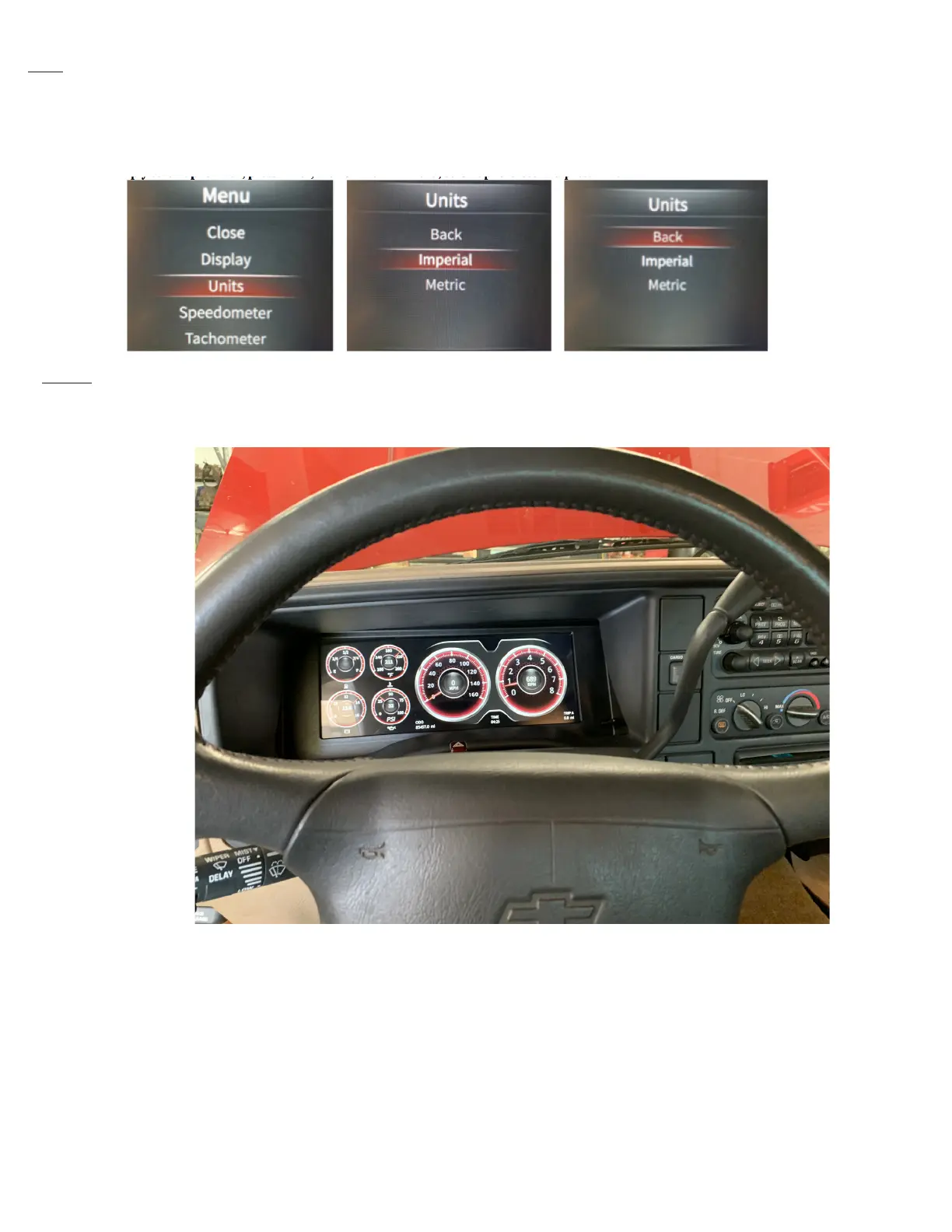
Units Here you can choose Imperial, or Metric. U.S. users will generally choose Imperial.
Other users may choose Metric, which changes your temperature to “C”, Oil Pressure to “BAR”, Odometer to “km”, and Speedometer to
“km/h”.
To change the units of measure, Enter into the Main Menu, and then scroll to Units, and press Enter. Then choose either Imperial, or Metric
by scrolling to highlight your choice, then press Enter.
To exit, simply scroll up to Back, press Enter, then on the Min Menu, scroll up to Close and press Enter.
System This displays the versions of rmware the unit is equipped with.
Time to enjoy your new InVision Dash!


 To Next Page