9
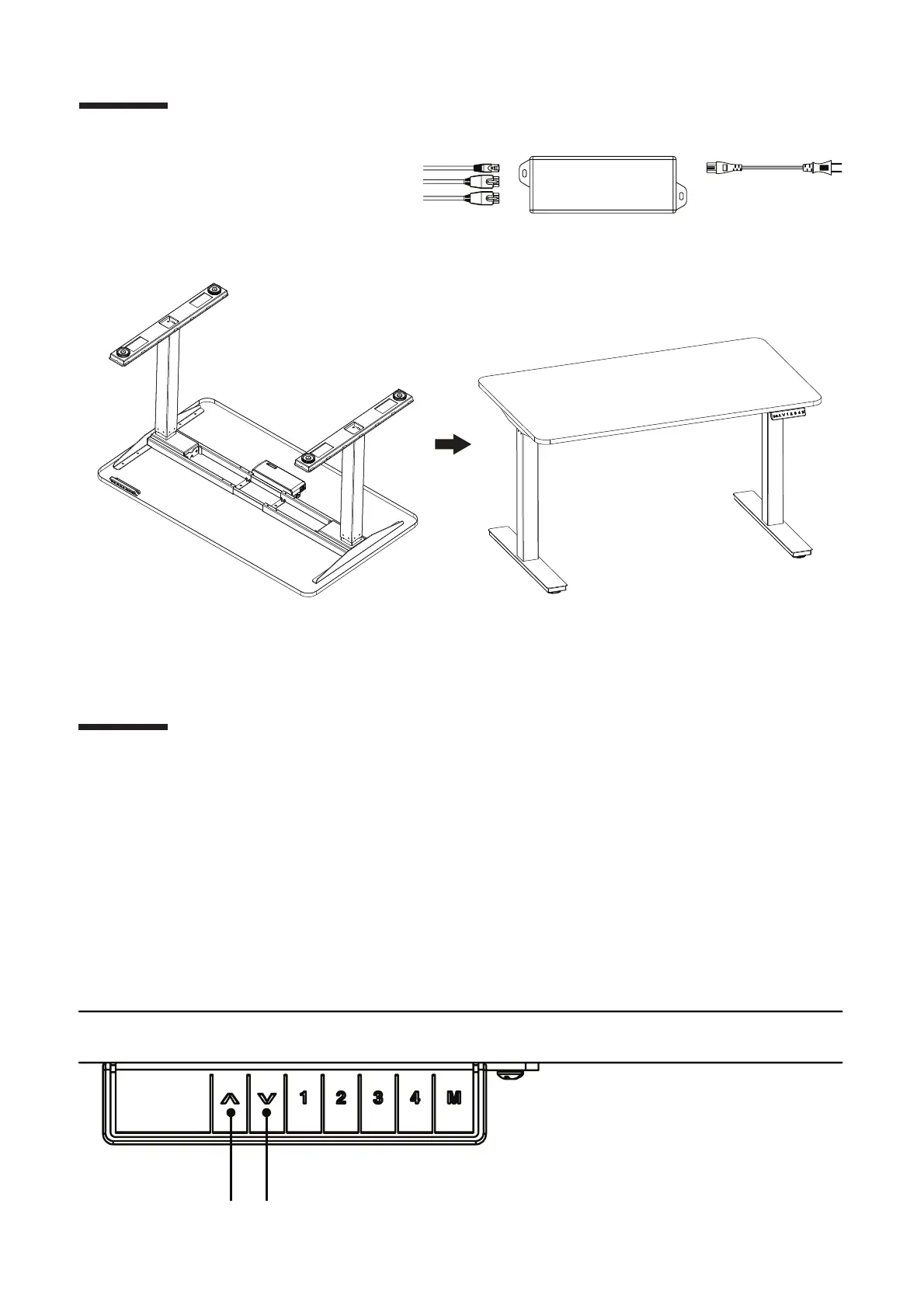
Step 11
Step 12
Plug the cable from the Keypad
(P9) into the Control Box and flip
the desk.
Before plugging the table into the outlet, make sure that:
- The legs are level and set at the lowest position.
- All the screws are tightened, to avoid the desk making noise or wobbling.
Activate the desk by following the next steps:
- Press “Up” and “Down” buttons at the same time until the desk beeps and moves down to the
lowest level.
- Release both buttons, then press only the “Down” button until it shows the exact height desired.


 To Next Page