13
Charging
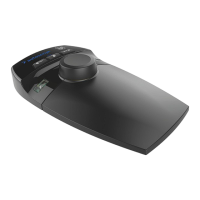
Charging Battery
1. Connect the USB cable to the wall charger (power adapter).
2. Plug the USB cable into the USB-C port on Controller
3. Plug the USB power adaptor into an electric socket and switch on the power supply.
4. Wait until controller is fully charged approximately 2.5 hours.
LED Status: Flashing RED = charge required, Flashing GREEN = charging, Solid GREEN = charged.
There are no user serviceable parts in the controller, when the battery no longer holds a
charge the controller can be returned to Vitec Productions Solutions Service Centre for
refurbishment or disposal. (See page 15) for safe and proper disposal.


 To Next Page