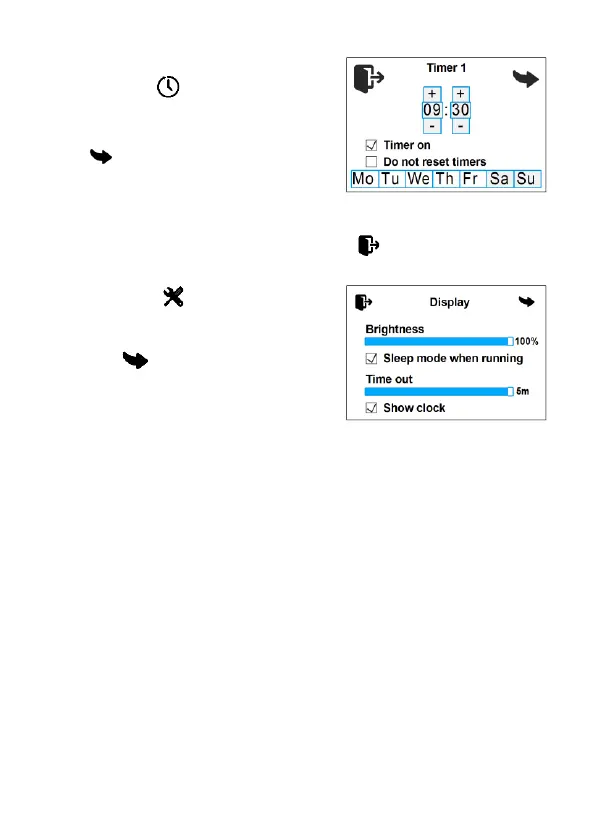
Tap to set up the timer. The
control panel allows to program up to
three start-up timers.
switches between timers;
Timer on - timer activation;
Do not reset timers - the timer will not switch off after triggering.
The time is set by tapping the ‘+’ and ‘-’. exits the timer settings.
4. Control panel screen settings
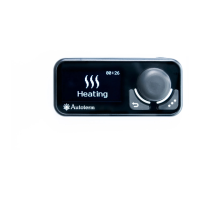
Tap on the main screen
(Fig. 1) to access the settings. Navi-
gate between the menu pages by tap-
ping .
Control panel screen settings
(Fig. 7). The brightness can be ad-
justed using the Brightness slider.
Sleep mode when running - turn the screen off while the product is in
operation. To return from sleep mode, press or tap the screen. The time
after which the remote control enters sleep mode can be adjusted from
30 sec, to 5 min.
Show clock - display the current time and day of the week while the
control panel is in sleep mode (only when the product is running).
5. Liquid heater settings
In auxiliary heater mode, the heater is operated in conjunction with
the vehicle engine.
Pre-heater mode is intended for preheating the vehicle's engine
and/or passenger cabin. The heater can be pre-started using a timer or
manually.


 To Next Page
 Loading...