EasyManua.ls Logo

AUVIO 16-906 - User Manual

AUVIO 16-906
12 pages
Print Icon
To Next Page IconTo Next Page
Loading...
T H E P E R F O R M A N C E Y O U N E E D
TM
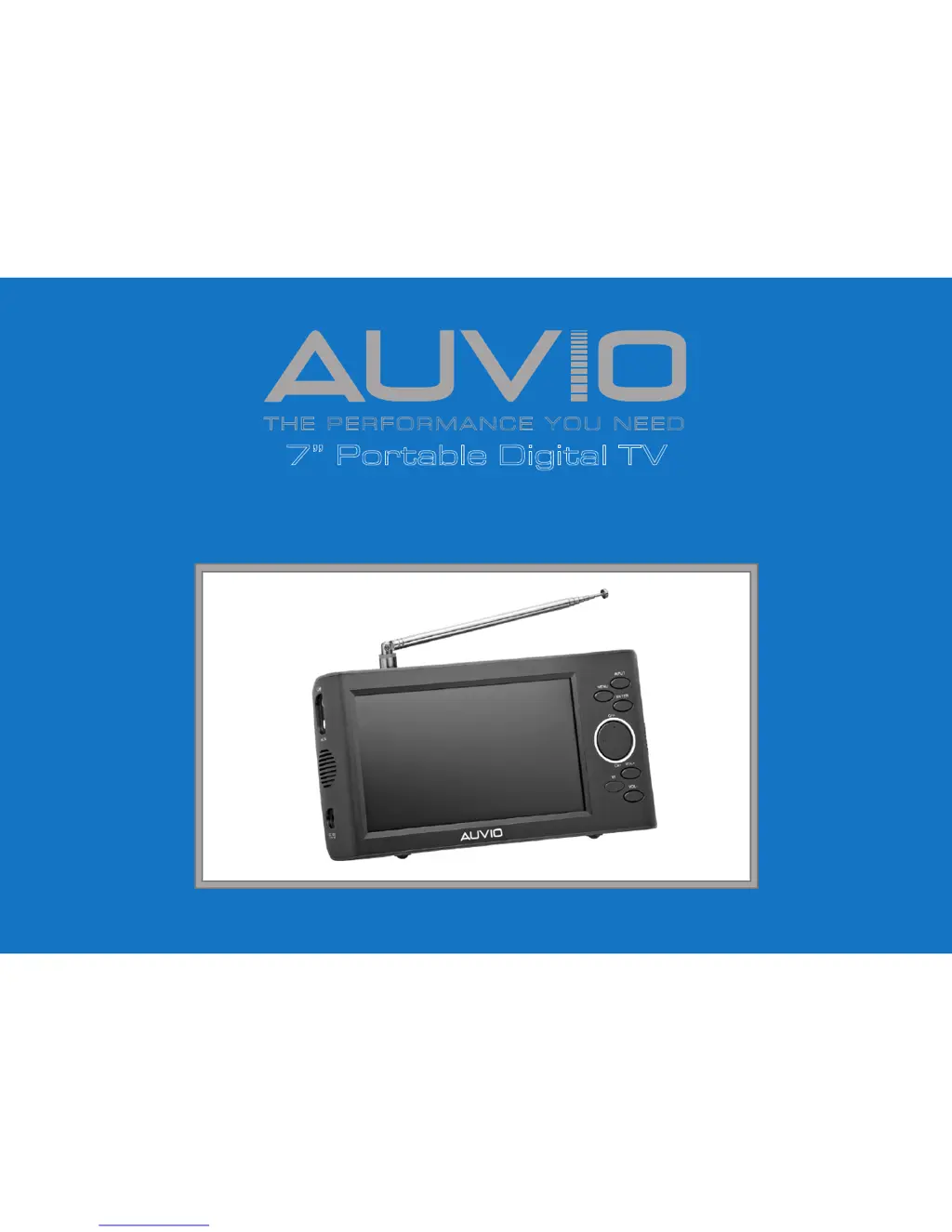
7” Portable Digital TV
Users Guide 16-906
Please read this users guide before using your new portable TV.
2/2

Questions and Answers

  • C
    Courtney GravesJul 31, 2025
    What to do if my AUVIO 16-906 won’t turn on?
    • C
      Christopher Marquez Jr.Jul 31, 2025
      If your AUVIO Portable TV isn't turning on, there are several things you can try: First, ensure the battery is fully charged. Next, check that the AC power cord is properly connected. Test the power outlet with another appliance; if it doesn't work, use a different outlet. Finally, make sure your AC adapter’s center tip is positive and fits the TV’s DC 9-12V jack.
  • B
    Blake LewisAug 10, 2025
    Why is the picture quality poor on my AUVIO 16-906 Portable TV?
    • M
      Mark HarrellAug 10, 2025
      If you're experiencing poor picture quality on your AUVIO Portable TV, try the following: Adjust the built-in telescoping antenna. If you're inside, move closer to a window. Consider using an external antenna. Also, move the TV away from other appliances that might be causing interference. Ensure the TV and antenna are in a fixed position and not used in a moving vehicle.
  • G
    gary27Sep 10, 2025
    How to fix no sound on AUVIO 16-906 Portable TV?
    • R
      Ronald PetersonSep 12, 2025
      If there is no sound coming from your AUVIO Portable TV, first, try turning up the volume. Check if the mute function is enabled by pressing the MUTE button on the remote. Also, make sure that headphones are not plugged in.

Summary

Setup

Features

Lists the key characteristics of the portable digital TV.

Package Contents

Details all items included in the product packaging.

Placing and Powering the TV

Instructions for positioning the TV and connecting power sources.

Remote Control Usage and Battery Notes

Guide on using the remote control and important battery information.

Control Panel and Remote Overview

Identifies and explains the TV's buttons, indicators, and remote functions.

Basic Operation

Accessing and Changing System Settings

Steps to navigate and modify the TV's system configuration menus.

Clock and Video Quality Settings

Configuration options for the clock and adjusting video picture quality.

Channel Setup (TV only)

Options for antenna and cable reception setup for TV channels.

Advanced Operation

Setting Up Channels

Detailed procedure for scanning and organizing TV channels.

Selecting Channels and Using as Monitor

How to tune specific channels and use the TV as an external display.

Using an External Antenna

Instructions for connecting and optimizing reception with an external antenna.

Additional Information

Troubleshooting

Common problems encountered with the TV and their solutions.

Battery and Listening Safety

Safety guidelines for handling batteries and listening to audio.

Product Specifications

Technical details, dimensions, and performance metrics of the TV.

Cleaning and FCC Information

Procedures for cleaning the device and regulatory compliance details.

Limited Warranty

Terms and conditions of the product's warranty coverage.

Important Safety Instructions

Placement and Installation Safety

Recommendations for safe placement and installation to prevent hazards.

General Cautions and Disassembly Warning

Warnings against misuse, covering openings, and attempting disassembly.

AUVIO 16-906 Specifications

General IconGeneral
Screen Size7 inches
Aspect Ratio16:9
Power SourceAC adapter, rechargeable battery
AudioBuilt-in speaker
Resolution480 x 234
TV SystemATSC
ConnectorsAV input
TunerDigital
InputsAV

Related product manuals