2
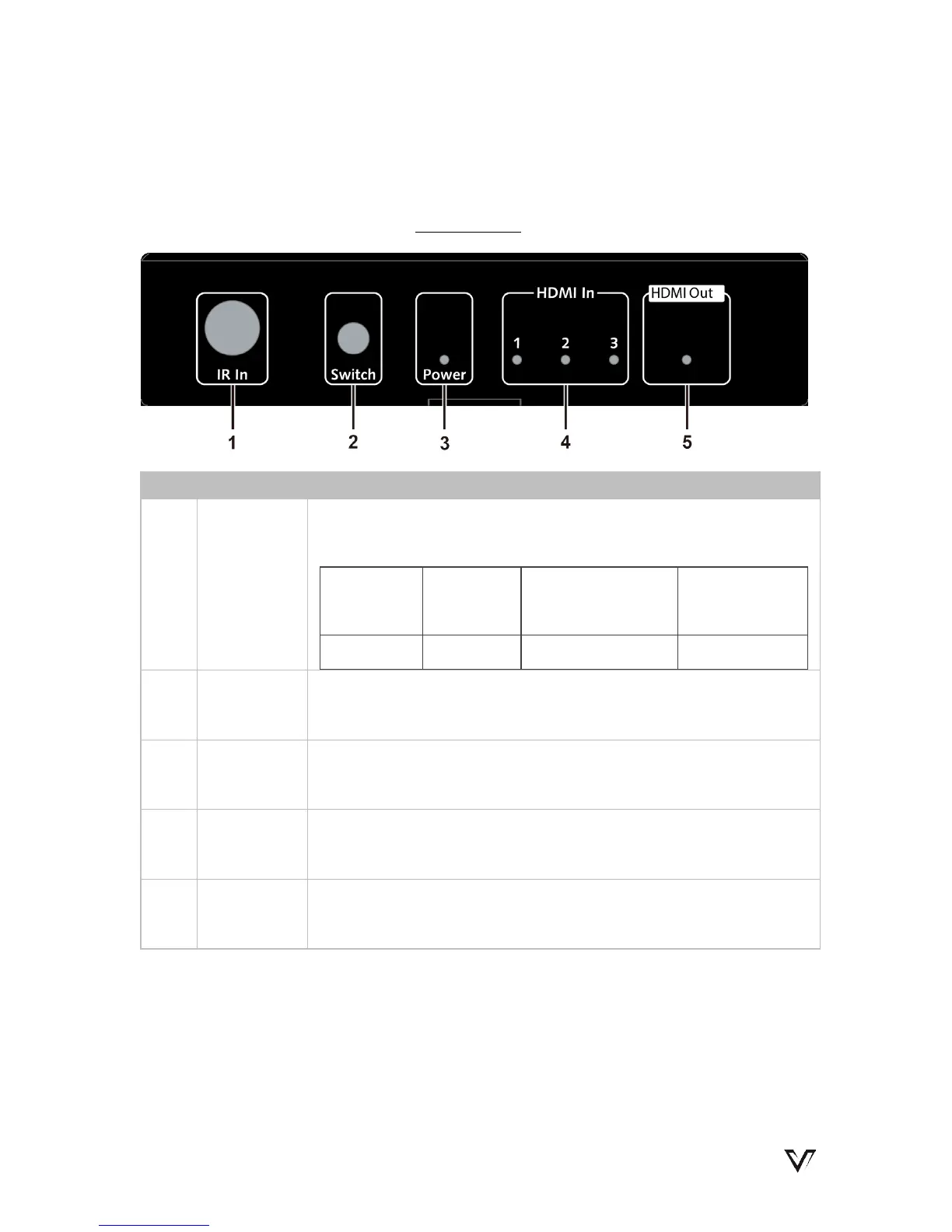
Switch
Button
Press to cycle through sources
3
Power
LED
ON: The device is powered on.
OFF: The device is powered off.
4
HDMI In
LED
ON: The source is selected.
OFF: The source is not selected.
5
HDMI
Out LED
ON: The device is connected to a sink.
OFF: The device is not connected to a sink.
www.avaccess.com 3


 To Next Page