AW58300HTA, HTS
User’s Manual
PAGE 2
Technical Support (650) 384-0000
www.avalanwireless.com
© by AvaLAN Wireless Systems Inc. All rights reserved.
Revision 6.26.2014
125A Castle Drive
Madison, AL 35758
Phone: (650) 384-0000
Fax: (650) 249-3591
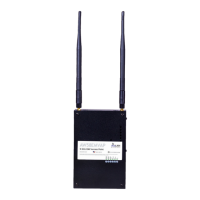
The AW58300HTA is a radio with dual omnidirectional antennas. It serves as an Access Point (master) in
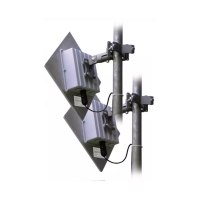
a point-to-multipoint network. The AW58300HTS is a radio with a dual at panel high gain directional
antenna. Multiple AW58300HTS radios can serve as a Subscriber Units (clients) in conjunction with an
AW58300HTA.
The AW58300HTA includes: The AW58300HTS includes:
(1) AW58300HTA Access Point Radio
(1) Heavy Duty Pole-mount Bracket
(1) Power Over Ethernet Injector
(1) 18 VDC power supply
(1) AW58300HTS Subscriber Unit Radio
(1) Heavy Duty Pole-mount Bracket
(1) Power Over Ethernet Injector
(1) 18 VDC power supply
WARNING: The use of any antenna other than those provided with the product is forbidden in accordance to FCC rules CFR47
part 15.204. Professional installation is required for radio equipment with N-Type antenna connectors to ensure compliance
with radio frequency output power. For compliance with health safety for radio energy exposure regulations, a minimum
distance of 63 cm must be maintained between the antennae and the general public.
Table of Contents
Quick Start Guide . . . . . . . . . . . . . . . . . . . . . . . . . . . . . . . . . . . 3
LED Status Guide . . . . . . . . . . . . . . . . . . . . . . . . . . . . . . . . . . . 4
Digital Conguration . . . . . . . . . . . . . . . . . . . . . . . . . . . . . . . . . . . . . 5
Connecting To The Radio . . . . . . . . . . . . . . . . . . . . . . . . . . . . . . . 5
Changing the Conguration - Step By Step . . . . . . . . . . . . . . . 6
Viewing Status Information . . . . . . . . . . . . . . . . . . . . . . . . . . . . . . 8
Physical Setup . . . . . . . . . . . . . . . . . . . . . . . . . . . . . . . . . . 9
Technical Specications . . . . . . . . . . . . . . . . . . . . . . . . . . . . . . . 10
Frequency Channels . . . . . . . . . . . . . . . . . . . . . . . . . . . . . . . . . . . . . 11
Warranty and FCC Information . . . . . . . . . . . . . . . . . . . . . . . . . . . . 11
If you have any questions when conguring your AvaLAN system, the best place to get answers is
to visit www.avalanwireless.com. You will also nd the latest updates there. If more assistance is
needed, send email to support@avalanwireless.com.
To speak to a live technician, please call technical support at the number below during normal
business hours.


 To Next Page
 Loading...