Need help?
Do you have a question about the AvaLAN AW58300HTS and is the answer not in the manual?
The AvaLAN AW58300HTA and AW58300HTS are 5.8 GHz outdoor 300 Mbps wireless Ethernet access point and subscriber unit radios, designed for industrial-grade, long-range wireless Ethernet systems. These devices are suitable for point-to-multipoint network configurations.
The AW58300HTA functions as an Access Point (master) in a point-to-multipoint network, while the AW58300HTS serves as a Subscriber Unit (client). The AW58300HTA features a dual flat panel high gain directional antenna, and the AW58300HTS also utilizes a dual flat panel high gain directional antenna. These radios enable wireless Ethernet connectivity over long distances, making them ideal for outdoor applications where wired connections are impractical or costly. They support 300 Mbps RF transmission rate and up to 180 Mbps Ethernet data rate.
The radios are designed for ease of installation and configuration. The Quick Start Guide outlines a four-step process: unpacking, mounting, aligning, and attaching cables. The default system IP address for the Subscriber Unit is 192.168.88.10, and for the Access Point is 192.168.88.12, with a default username "admin" and password "password".
Best practices for deployment include ensuring clear visual path between radios, testing on a bench before deployment, and using CAT 6 Shielded Outdoor Grade networking cable (maximum length 50 ft/20 meters for AW58300).
The devices feature LED status indicators for both Access Point and Subscriber Unit. For the Access Point, a solid green "Status" LED indicates power and a successful wireless connection, while a blinking light signifies the product is powered and is lit solid when it has a successful wireless connection. A blinking "Rx" LED indicates receiving data, and a blinking "Tx" LED indicates transmitting data. For the Subscriber Unit, a solid green "Status" LED indicates power and a successful wireless connection, a blinking "Wireless" LED indicates receiving data, and a blinking "Ethernet" LED indicates receiving data.
Digital configuration is done through a web browser interface. The unit should be powered on and connected at least temporarily to a network containing a computer that can run a conventional web browser. The initial page after a successful login is "Quick Set." Users can navigate through sections like System, Password, and Reboot. The web interface version is displayed as "WebFig v6.15."
Changing the configuration involves setting the IP Address and Subnet Mask, Gateway, and Device Name. The IP address can be set to a static IP or obtained via DHCP. The device name is an arbitrary string for human-friendly identification. Password changes are also managed through the web interface, requiring the old password and confirmation of the new password. Frequency, network name, and encryption key settings are also configurable. The network name is an arbitrary character string that must be set alike in all linked radios, and the encryption key is a user-specified character string.
Viewing status information is accessible through the web interface, providing details on wireless link operation, current signal strength, and overall network performance. This includes information on connected subscriber units, data rates, signal strength, and traffic graphs.
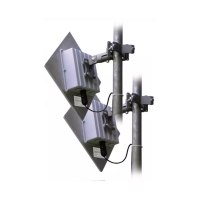
Physical setup involves mounting the units using the provided brackets. The AW58300HTA and AW58300HTS include heavy-duty pole-mount brackets. The mounting process involves assembling the bracket arms, attaching the radio, and aligning the radios for optimal line-of-sight. The manual provides detailed instructions for various mounting methods, including wide pole mounting, narrow pole mounting, and wall mounting. Cable gland installation is crucial for weatherproofing the Ethernet connection.
Power is supplied via Power over Ethernet (PoE) injectors. The PoE injector connects to the radio's Ethernet port, and the RJ45 tail of the PoE connects to the network. The PoE injector itself is powered by a standard 120 VAC outlet.
The devices are designed for industrial-grade outdoor use, featuring a die-cast aluminum package with rubber gasket seals for environmental protection (-40°C to +70°C).
Troubleshooting guidelines are provided for power, signal quality, and web interface issues.
The product comes with a 1-year parts and labor warranty, with an option for an XTRA-Care extended warranty. Regulatory compliance information (FCC Part 15.19, 15.21, 15.105, 15.108) is also detailed, emphasizing proper installation and operation to avoid harmful interference. The devices must be installed and operated with a minimum distance of 20 cm between the antenna and the user's body.
 General
| Brand | AvaLAN |
|---|---|
| Model | AW58300HTS |
| Category | Wireless Access Point |
| Language | English |

 To Next Page