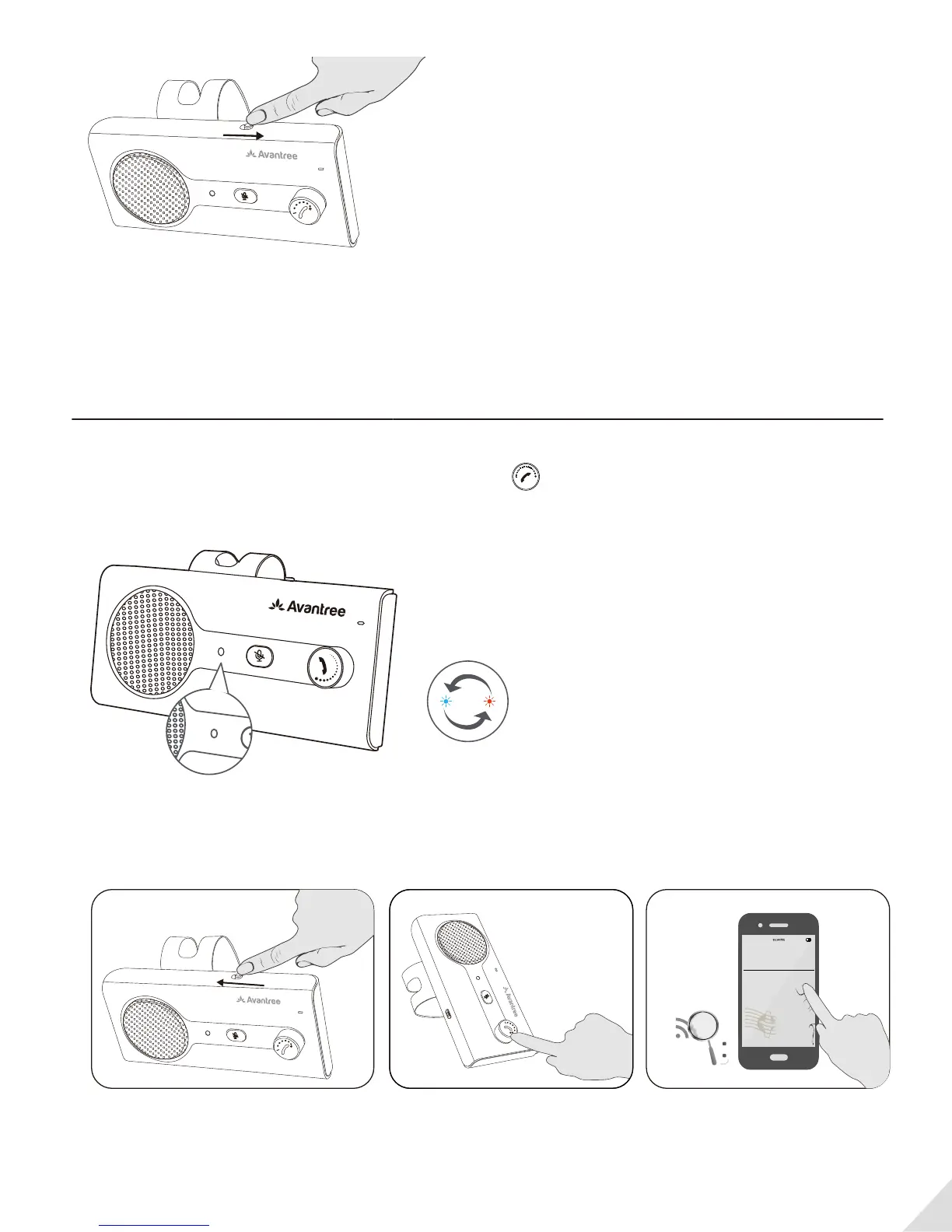
Note: If you want to use the motion sensor feature, do not set to ”OFF”.
Pairing a mobile phone
1. Power on CK11 by moving the switch to ON position.
2. Enter CK11 into PAIRING MODE - Press and hold the for 3 seconds until LED indicator ashes
BLUE and RED alternately. (Upon rst use the CK11 will automatically enter pairing mode)
3. Activate Bluetooth on your phone; search and select “Avantree CK11” to connect.
4
ON
OFF
VOL
PHONE /
VOLUME
MUTE
ON
OFF
VOL
PHONE /
VOLUME
MUTE
VOL
Avantree CK11
Bluetooth
PHONE /
VOLUME
MUTE
PAIR /
RECONNECT
MUTE


 To Next Page