10
APP Connection Instruction
Before configuring WIFI, please make sure your phone is connected to 2.4GHz WIFI.
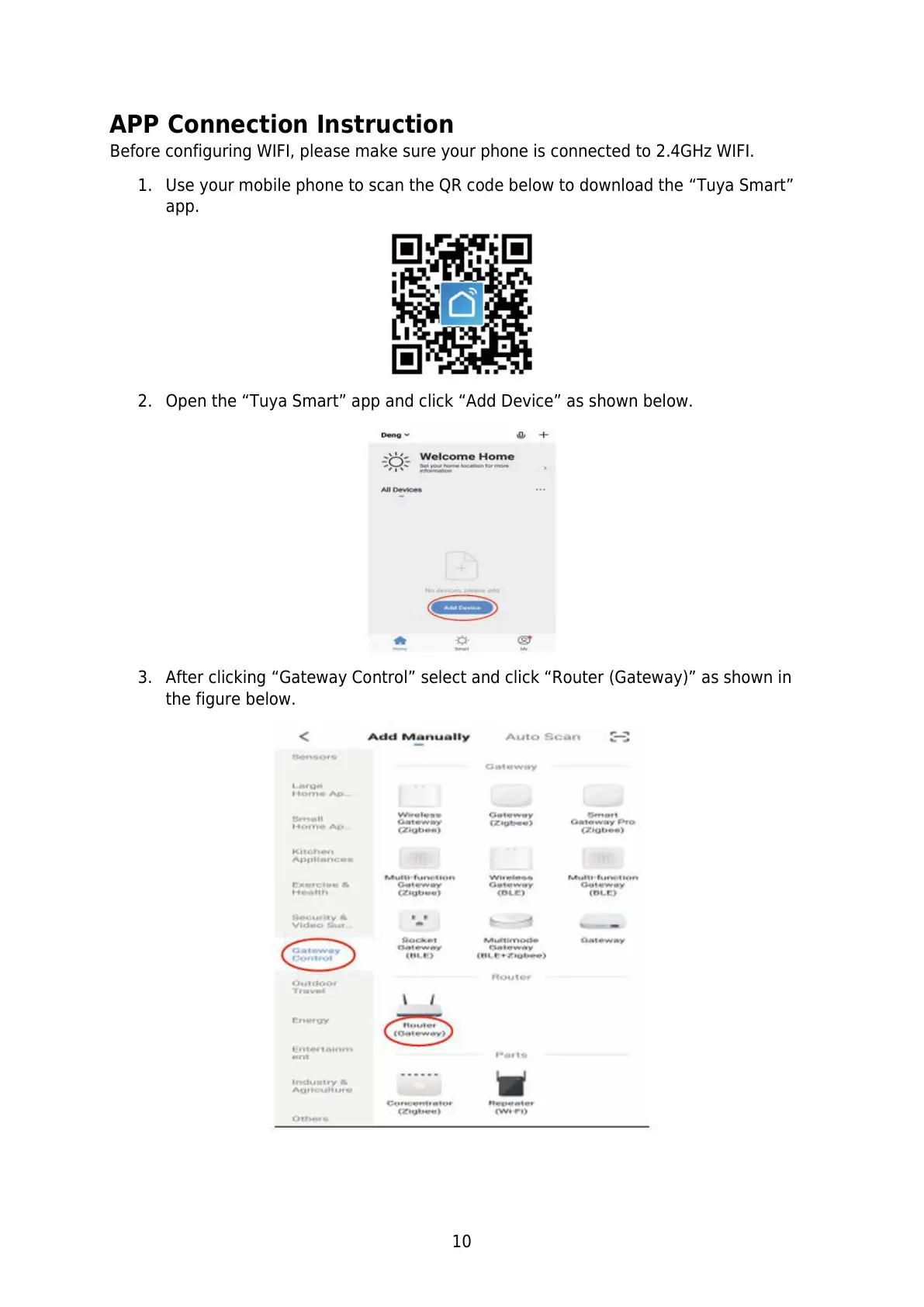
1. Use your mobile phone to scan the QR code below to download the “Tuya Smart”
app.
2. Open the “Tuya Smart” app and click “Add Device” as shown below.
3. After clicking “Gateway Control” select and click “Router (Gateway)” as shown in
the figure below.


 To Next Page