EasyManua.ls Logo

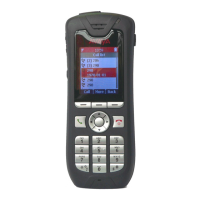
Avaya 3720 - User Manual

Avaya 3720
86 pages
Print Icon
To Next Page IconTo Next Page
Loading...
Avaya 3720 DECT Telephone
connected to Avaya Integral 5
User Guide
21-603408
05/2009
Issue 1.0

Table of Contents

Other manuals for Avaya 3720

Questions and Answers

Summary

Important Safety Information

Safety Precautions

Guidelines for safe operation, avoiding high voltages, water, heat, and magnetic materials.

Environmental Requirements

Specifies operating temperature, heat, moisture, and chemical resistance guidelines for the telephone.

Introduction

Quick Reference Guide

Provides a quick overview of basic functions for quick reference.

Descriptions

Keys and Buttons

Details the functions of specific keys like Off-hook, On-hook, Navigation, Sound Off, and Key Lock.

Display Icons Overview

Details various display icons like signal strength, battery status, microphone off, sound off, etc.

Alphanumeric Keys

Provides a table mapping keys to capital and small letters, numbers, and symbols.

Chargers

Desktop Charger

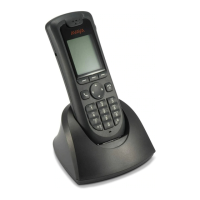
Describes Basic and Advanced desktop chargers and their functionalities.

Charging the telephone in Desktop charger

Explains the process of charging the telephone when connected to a desktop charger.

Basic Operation

Switch the Telephone On;Off

Provides step-by-step instructions for turning the telephone on and off.

Lock;Unlock the Keypad

Details the procedure to lock and unlock the telephone's keypad to prevent accidental presses.

Calling

Incoming Call

Describes how incoming calls are indicated and how to answer them.

Call forwarding

Explains how to forward calls to another connection, requiring system administrator setup.

Outgoing Call

Dial a Number from the Local Phonebook

How to access and call contacts from the phone's local phonebook.

Dial a Name from the Central Phonebook

Steps to search and call contacts from the central phonebook.

During A Call

Transfer a Call

Steps to transfer an ongoing call to another subscriber.

Start a New Call during Conversation

How to initiate a new call while on an existing call, putting the first on hold.

Callback

Switching on callback

Detailed steps to activate the callback feature when a subscriber is busy.

Pick-up

Pick-up calls

How to answer a call ringing on another telephone within the group.

Group Pick-up

How to answer a call ringing on any telephone within your group.

Call Diversion

Follow me (Call diversion from)

How to divert calls from another telephone to your cordless phone.

Menu Operation

Calls

Details accessing and using the Calls menu for call functions.

Suppression of call number display

How to prevent your call number from being shown to the called party.

Own allocation

Activating own allocation

How to activate own allocation to receive calls when night service is active.

Deactivating an own allocation

How to turn off the own allocation feature.

Contacts

Open personal phonebook

Steps to access the personal phonebook containing up to 250 entries.

Rapid Search for a Contact

How to quickly find a contact by entering the first letter.

Settings

Sound and Alert

How to adjust ringer volume, ring type, and vibrating alerts.

Set the Key Sound

How to set the audible feedback for key presses (Silent, Click, or Tone).

Phone Lock settings

Activate the Automatic Key Lock

How to automatically lock the keypad after a period of inactivity.

Activate the Phone Lock

How to enable phone lock with a PIN code for unauthorized use protection.

Change the Menu Language

System

Change System

How to change the system the telephone is logged onto, manually or automatically.

Status menu

Call list

How to display and use the call list to view missed calls and call back.

Troubleshooting

Operational problems

Lists common operational problems, their probable causes, and recommended actions.

Error or warning messages

Details error messages, their causes, and troubleshooting steps.

Maintenance

Charge the Battery

Instructions on how to charge the telephone's battery using chargers.

Replace the Battery

Steps for replacing the telephone's rechargeable battery.

Appendix

Codes for your telephone

A list of codes and their corresponding functions for telephone system operations.

Summary

Important Safety Information

Safety Precautions

Guidelines for safe operation, avoiding high voltages, water, heat, and magnetic materials.

Environmental Requirements

Specifies operating temperature, heat, moisture, and chemical resistance guidelines for the telephone.

Introduction

Quick Reference Guide

Provides a quick overview of basic functions for quick reference.

Descriptions

Keys and Buttons

Details the functions of specific keys like Off-hook, On-hook, Navigation, Sound Off, and Key Lock.

Display Icons Overview

Details various display icons like signal strength, battery status, microphone off, sound off, etc.

Alphanumeric Keys

Provides a table mapping keys to capital and small letters, numbers, and symbols.

Chargers

Desktop Charger

Describes Basic and Advanced desktop chargers and their functionalities.

Charging the telephone in Desktop charger

Explains the process of charging the telephone when connected to a desktop charger.

Basic Operation

Switch the Telephone On;Off

Provides step-by-step instructions for turning the telephone on and off.

Lock;Unlock the Keypad

Details the procedure to lock and unlock the telephone's keypad to prevent accidental presses.

Calling

Incoming Call

Describes how incoming calls are indicated and how to answer them.

Call forwarding

Explains how to forward calls to another connection, requiring system administrator setup.

Outgoing Call

Dial a Number from the Local Phonebook

How to access and call contacts from the phone's local phonebook.

Dial a Name from the Central Phonebook

Steps to search and call contacts from the central phonebook.

During A Call

Transfer a Call

Steps to transfer an ongoing call to another subscriber.

Start a New Call during Conversation

How to initiate a new call while on an existing call, putting the first on hold.

Callback

Switching on callback

Detailed steps to activate the callback feature when a subscriber is busy.

Pick-up

Pick-up calls

How to answer a call ringing on another telephone within the group.

Group Pick-up

How to answer a call ringing on any telephone within your group.

Call Diversion

Follow me (Call diversion from)

How to divert calls from another telephone to your cordless phone.

Menu Operation

Calls

Details accessing and using the Calls menu for call functions.

Suppression of call number display

How to prevent your call number from being shown to the called party.

Own allocation

Activating own allocation

How to activate own allocation to receive calls when night service is active.

Deactivating an own allocation

How to turn off the own allocation feature.

Contacts

Open personal phonebook

Steps to access the personal phonebook containing up to 250 entries.

Rapid Search for a Contact

How to quickly find a contact by entering the first letter.

Settings

Sound and Alert

How to adjust ringer volume, ring type, and vibrating alerts.

Set the Key Sound

How to set the audible feedback for key presses (Silent, Click, or Tone).

Phone Lock settings

Activate the Automatic Key Lock

How to automatically lock the keypad after a period of inactivity.

Activate the Phone Lock

How to enable phone lock with a PIN code for unauthorized use protection.

Change the Menu Language

System

Change System

How to change the system the telephone is logged onto, manually or automatically.

Status menu

Call list

How to display and use the call list to view missed calls and call back.

Troubleshooting

Operational problems

Lists common operational problems, their probable causes, and recommended actions.

Error or warning messages

Details error messages, their causes, and troubleshooting steps.

Maintenance

Charge the Battery

Instructions on how to charge the telephone's battery using chargers.

Replace the Battery

Steps for replacing the telephone's rechargeable battery.

Appendix

Codes for your telephone

A list of codes and their corresponding functions for telephone system operations.

Avaya 3720 Specifications

General IconGeneral
Range (Indoors)Up to 50 meters
Range (Outdoors)Up to 300 meters
Headset Connector2.5 mm
Vibration AlertYes
Push-to-Talk (PTT)No
Central DirectoryYes
Caller IDYes
SpeakerphoneYes
VoicemailYes
IntercomYes
Conference CallingYes
TypeDECT Cordless Phone
DECT ComplianceDECT
Display Size2.0 inches
ConnectivityDECT
Headset JackYes

Related product manuals