EasyManua.ls Logo

Avaya 3725 - User Manual

Avaya 3725
128 pages
Print Icon
To Next Page IconTo Next Page
Loading...
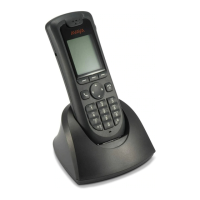
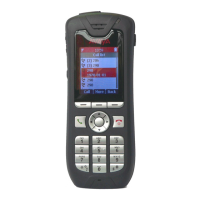
Avaya 3725 DECT Telephone
connected to
Avaya Aura™ Communication Manager
and IP Office
User Guide
21-603358
02/2016
Issue 5.0

Table of Contents

Other manuals for Avaya 3725

Questions and Answers

Summary

Important Safety Information

Regulatory Compliance Statements

EU;EFTA Compliance and Disposal

Declaration of conformity with EU directives and guidance on disposing of old equipment.

USA;Canada Compliance and FCC Statements

FCC compliance, RF exposure limits, and statements for USA and Canada.

Technical Specifications and Requirements

General Safety Precautions

Essential safety guidelines for operating the telephone and charger to prevent hazards.

Product Description and Features

Keypad and Button Functions

Detailed description of all keys, including navigation, soft keys, and alphanumeric input.

Menu Navigation and Core Features

Contacts Management

Adding, editing, calling, and managing contacts in the phonebook.

Messaging Operations

Handling incoming, outgoing, unsent, and sent messages.

Basic Phone Operation

Turning Telephone On;Off and Audio Signals

Instructions for powering the phone on/off and managing audible signals.

Call Management

Making Outgoing Calls

Dialing numbers via pre-dial, post-dial, call lists, and phonebooks.

System and Menu Customization

Settings Configuration

Adjusting sound, alerts, lock settings, display, time, and date.

Advanced Functions

Admin Menu and Device Information

Accessing system administrator functions and device details.

System Handling and Maintenance

Software Upgrades and Handset Updates

Updating the telephone's software and firmware via the charging rack.

Easy Replacement Procedure

Step-by-step guide for replacing a handset with a new one.

Troubleshooting

Operational Problems and Solutions

Common operational issues and their recommended actions or fixes.

Error and Warning Messages

Explanation of common error messages and their probable causes.

Bluetooth Headset Troubleshooting

Solutions for common problems with Bluetooth headset connectivity and pairing.

Bluetooth Headset Usage

Basic Phone Functions Summary

Powering On;Off and Making Calls

Core functions for turning the phone on/off and initiating calls.

Summary

Important Safety Information

Regulatory Compliance Statements

EU;EFTA Compliance and Disposal

Declaration of conformity with EU directives and guidance on disposing of old equipment.

USA;Canada Compliance and FCC Statements

FCC compliance, RF exposure limits, and statements for USA and Canada.

Technical Specifications and Requirements

General Safety Precautions

Essential safety guidelines for operating the telephone and charger to prevent hazards.

Product Description and Features

Keypad and Button Functions

Detailed description of all keys, including navigation, soft keys, and alphanumeric input.

Menu Navigation and Core Features

Contacts Management

Adding, editing, calling, and managing contacts in the phonebook.

Messaging Operations

Handling incoming, outgoing, unsent, and sent messages.

Basic Phone Operation

Turning Telephone On;Off and Audio Signals

Instructions for powering the phone on/off and managing audible signals.

Call Management

Making Outgoing Calls

Dialing numbers via pre-dial, post-dial, call lists, and phonebooks.

System and Menu Customization

Settings Configuration

Adjusting sound, alerts, lock settings, display, time, and date.

Advanced Functions

Admin Menu and Device Information

Accessing system administrator functions and device details.

System Handling and Maintenance

Software Upgrades and Handset Updates

Updating the telephone's software and firmware via the charging rack.

Easy Replacement Procedure

Step-by-step guide for replacing a handset with a new one.

Troubleshooting

Operational Problems and Solutions

Common operational issues and their recommended actions or fixes.

Error and Warning Messages

Explanation of common error messages and their probable causes.

Bluetooth Headset Troubleshooting

Solutions for common problems with Bluetooth headset connectivity and pairing.

Bluetooth Headset Usage

Basic Phone Functions Summary

Powering On;Off and Making Calls

Core functions for turning the phone on/off and initiating calls.

Avaya 3725 Specifications

General IconGeneral
BrandAvaya
Model3725
CategoryCordless Telephone
LanguageEnglish

Related product manuals