Need help?
Do you have a question about the Avaya AP 8120 series and is the answer not in the manual?
Details new features for the AP 8120-O outdoor access point, including dual-band support.
Notes the restructuring of the document to include both indoor and outdoor installations of the AP 8120.
Describes the two types of indoor access points supported by the WLAN 8100.
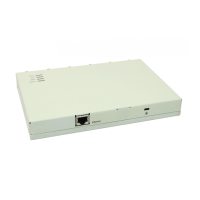
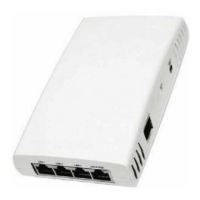
Details the external hardware features of the AP 8120 and AP 8120 with External Antenna.
Explains the available surfaces and methods for mounting indoor APs.
Describes the meaning of different LED states for the AP 8120 and AP 8120 with External Antenna.
Provides an overview of the AP 8120-O outdoor dual concurrent access point, its features, and components.
Details the external hardware features of the AP 8120-O access point.
Lists the mounting surfaces available for the AP 8120-O.
Lists the items included in the shipping cartons for indoor and outdoor access points.
Specifies the Ethernet cable type and connectors required for indoor AP installations.
Outlines the requirements for Ethernet UTP cables used with outdoor APs.
Provides a procedure for waterproofing Ethernet UTP cables for outdoor use.
Describes site conditions and requirements for installing the AP 8120-O.
Provides step-by-step instructions for mounting an indoor AP on a wall.
Guides the installation of an indoor AP using a ceiling grid adaptor.
Details the procedure for properly grounding the outdoor AP 8120-O unit.
Provides instructions for mounting the AP 8120-O on a vertical pole.
Details the procedure for mounting the AP 8120-O on a horizontal pole.
Guides the installation of the AP 8120-O on an outdoor wall.
Provides instructions for installing the indoor Ethernet surge arrester for protection.
Details the procedure for installing the Avaya PoE injector for the AP 8120-O.
Outlines the workflow for configuring AP 8120 series access points using the WMS.
Provides procedures for configuring AP 8120 series access points via the CLI.
Helps assign 802.11 channel designations to radio channels for specific AP models.
Lists the required mounting hardware and tools for different installation types.
Provides information on upgrading AP images via an external web server or controller.
Details specifications for the internal antennas of the AP 8120 and AP 8120 with External Antenna.
Describes Laird and TYCO antenna specifications for the indoor AP 8120 with External Antenna.
Displays radiation patterns for Laird external antennas used with the AP 8120.
Lists the specifications for the AP8120-O antennas.
Displays radiation maps for the Masterwave 2.4GHz antennas for the AP 8120-O.
Displays radiation maps for the Masterwave 5 GHz antennas for the AP 8120-O.
 General
| Brand | Avaya |
|---|---|
| Model | AP 8120 series |
| Category | Wireless Access Point |
| Language | English |

 To Next Page