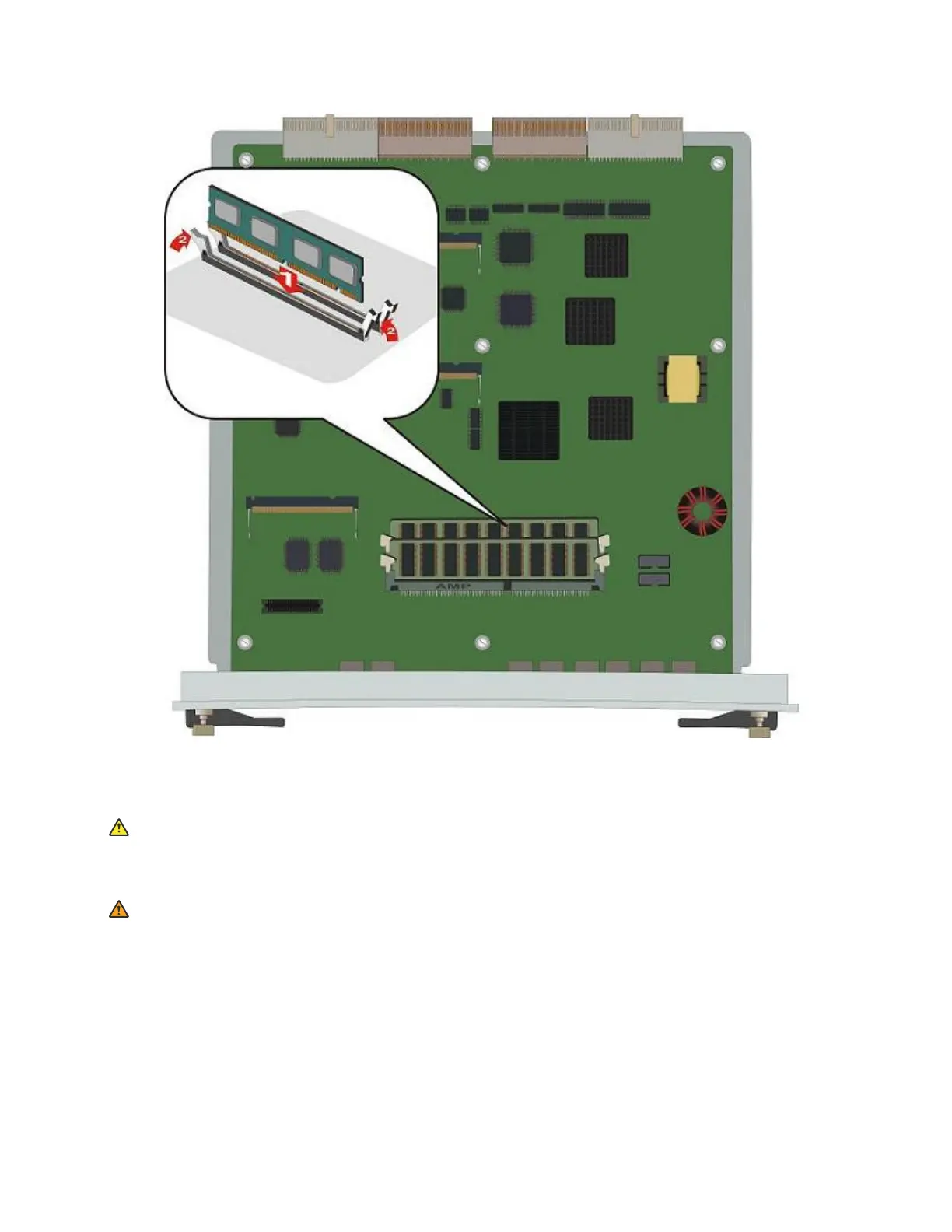
Replacing the RAM card for G450 2.x and greater
About this task
Electrostatic alert:
Hold the module only by its edges to avoid damage from static electricity. Do not touch the top
or bottom of the circuit board. If possible, wear a wrist-strap and use an anti-static bag.
Warning:
Insert the RAM card into the first RAM slot (SODIMM A) only.
Procedure
1. Locate the RAM slot holding the RAM card, as shown in the figure.
2. Open the latches on both sides of the RAM slot. The RAM card lifts up.
3. Pull out the 256 RAM card.
January 2018 Installing the upgrade memory kit in the G450 and G430 Media Gateway 4



 To Next Page